- 1Ramp — the pick if you're open to moving spend onto a new card: free, unlimited cards, and the most automated receipt-matching and categorization of the group.
- 2Expensify — the pick if you want to keep your existing bank and card program: $5–$9/user/month, works with Amex, Chase, Citi, Capital One, and most other business cards.
- 3BILL Spend & Expense — the pick for free employee cards with built-in budgets and no per-seat software fee, if you don't mind switching card providers.
All three assume you already have a bookkeeping system in place. If you're still choosing the accounting platform underneath your expense workflow, that's a separate decision — see our QuickBooks vs Xero comparison for growing B2B teams before you lock in a tool here, since several of the options below sync directly into one or the other.
| Tool | Starting price | Free plan | New card required? | Now owned by | Best for |
|---|---|---|---|---|---|
| Ramp | Free; Ramp Plus $15/user/mo | Yes | Yes — Ramp card | Independent | Automation-first spend management |
| Brex | Free (Essentials); Premium $12/user/mo | Yes | Yes — Brex card | Capital One (Apr 2026) | Funded startups wanting cards + banking together |
| Expensify | $5/user/mo (Collect); $9/user/mo (Control) | No (trial only) | No — any card | Independent | Keeping your current bank and card program |
| Zoho Expense | Free (≤3 users); Standard ~$4/user/mo | Yes | No — any card | Independent | Lowest cost, already on Zoho Books |
| BILL Spend & Expense | Free | Yes | Yes — BILL card | Independent | Free employee cards with built-in budgets |
| Airbase | Custom (quote-based) | No | Mostly — Airbase/Paylocity cards | Paylocity (Oct 2024) | Small businesses already running payroll on Paylocity |
| Sage Expense Mgmt (Fyle) | $11.99/user/mo (Growth, min. 5 users) | No (trial only) | No — any card | Sage (Jul 2025) | Businesses already on Sage Intacct or Sage 300 |
What Actually Changes Between These 7 Tools
Every listicle for this keyword reads roughly the same: receipt capture, approval workflows, accounting sync, mobile app, done. Those features are table stakes in 2026 — all seven tools here have them. The dividing line that actually determines whether one of these is a good fit for your business is narrower and less discussed: who issues the card, and who monetizes the relationship.
Three of these tools — Ramp, Brex, and BILL Spend & Expense — are free or near-free because they make their money on interchange fees from a corporate card you agree to switch your team's spend onto. Three others — Expensify, Zoho Expense, and Sage Expense Management — charge a per-user subscription specifically so you can keep whatever bank and card program you already have. Airbase sits in between, preferring its own (or Paylocity's) cards but tolerating some existing-card workflows. Neither model is objectively better; they're solving for different constraints, and picking the wrong one means either an unwanted card migration six months from now, or a subscription bill you didn't need to pay.
New Card or Keep Your Bank? The Real Dividing Line
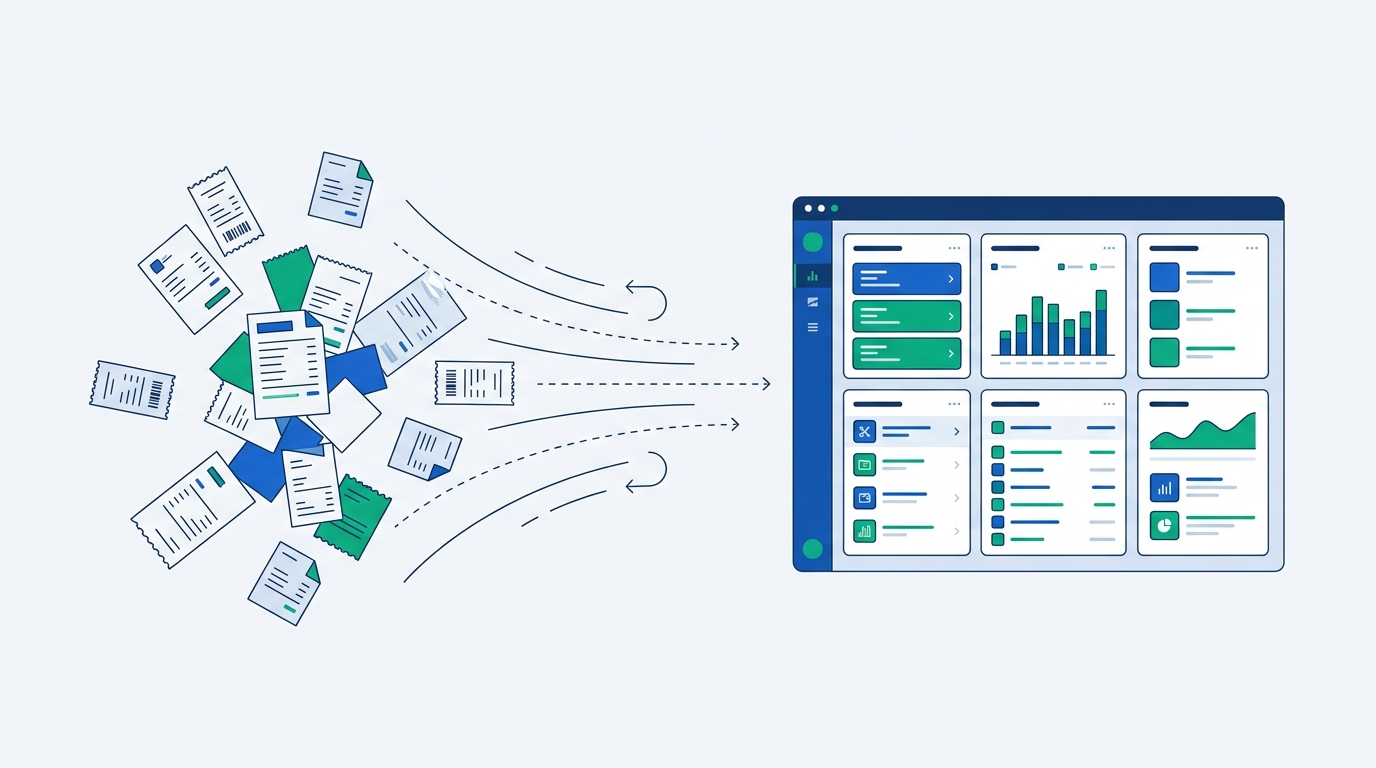
Before comparing feature lists, answer this one question: are you willing to move your company's day-to-day spend onto a new corporate card to get free (or cheaper) software?
You switch to their card
Ramp, Brex, and BILL Spend & Expense are effectively free because the platform earns revenue every time an employee swipes the card it issued you. You keep your existing bank account for payroll and larger transfers, but day-to-day employee spend moves to the new card.
- Software cost: $0 to low per-seat add-ons
- Trade-off: card migration project, new statements, possible loss of existing card rewards/points
- Good fit: teams issuing cards to employees for the first time, or replacing a patchwork of personal-card reimbursements
You keep your current cards
Expensify, Zoho Expense, and Sage Expense Management charge a subscription specifically so they don't need card interchange revenue — they pull transactions from whatever Amex, Chase, Visa, or Mastercard accounts you already have via direct bank/card feeds.
- Software cost: $3–$18 per user/month depending on tier
- Trade-off: you're paying a subscription on top of your existing card fees
- Good fit: businesses with negotiated card rewards, an existing bank relationship they don't want to disrupt, or a mix of cards across departments
Airbase doesn't cleanly fit either box: it can pull in some existing-card activity, but its full feature set — and its pricing model — assumes cards issued through Airbase or, since its acquisition, through Paylocity.
The 2026 Ownership Shuffle: Who Actually Owns These Platforms Now
The other thing most comparison articles skip: three of the seven tools on this list changed owners in the past 20 months, and it changes what you're buying into over a multi-year contract, even if today's product and pricing look unchanged.
- October 2024
Airbase becomes part of Paylocity. Paylocity, the HR and payroll platform, completed its roughly $325 million acquisition of Airbase, folding spend management, AP automation, and procurement into its HCM suite so payroll and non-payroll spend can eventually sit on one platform.
- July 2025
Fyle becomes Sage Expense Management. Sage's acquisition of Fyle closed, and the product was rebranded across its web app, mobile app, and marketing site. It's now integrated with Sage Intacct and Sage 300 Construction and Real Estate, with a wider rollout ongoing.
- April 2026
Brex becomes a Capital One company. Capital One closed its roughly $5.15 billion acquisition of Brex on April 7, 2026. Capital One has said pricing and products are "unchanged for now," and Brex's Essentials plan stays free, but the long-term roadmap now answers to a bank holding company rather than a venture-backed startup.
- Still independent, as of August 2026
Ramp, Expensify, Zoho Expense, and BILL Spend & Expense remain independently operated. If vendor independence matters more to you than ecosystem fit, that narrows your realistic shortlist to these four.
Why this matters for a small business specifically: if your books already live in Sage Intacct, Sage Expense Management is now the "same vendor" option, not a third-party integration. If payroll runs on Paylocity, Airbase gets the same benefit. If you want to stay fully vendor-independent and avoid a future re-platforming project when a parent company changes strategy, Ramp, Expensify, Zoho Expense, and BILL are the four names on this list that aren't currently owned by a larger platform.

The 7 Tools, Reviewed
Reviews are ordered to match the comparison table above: card-issuing platforms first, then subscription tools, then the two owned-by-a-bigger-platform options that don't fit neatly in either group.
1Ramp
Ramp is a corporate card and spend-management platform built around automation: it flags duplicate SaaS subscriptions, catches price increases on recurring vendors, auto-categorizes transactions, and matches receipts to charges without much manual review. The base plan is free — unlimited virtual and physical cards, expense management, and basic approval workflows — because Ramp earns its revenue from interchange on every card swipe rather than a subscription fee. Ramp Plus, at $15 per user per month, adds procure-to-pay tooling that centralizes purchase requests and vendor approvals. The catch is the one thing every card-issuer platform shares: you're moving your team's day-to-day spend onto Ramp's card, which means a migration project and possibly giving up rewards tied to your current card program.
Pros
- Free tier with unlimited cards and no seat minimum
- Strongest automated categorization and duplicate-subscription detection in this list
- Fast 30-day trial on Ramp Plus, easy to test before committing
Cons
- Requires switching spend to the Ramp card
- Procure-to-pay and advanced controls are gated behind Ramp Plus
- Enterprise pricing isn't published — you'll need a sales call at scale
2Brex
Brex behaves less like a pure expense tool and more like a business finance platform — cards, expense management, and business banking bundled together, on the theory that your spending data and your cash should live in the same place. The free Essentials plan covers cards and core expense workflows; Premium, at $12 per user per month, adds deeper ERP integrations and spend controls. Since Capital One completed its acquisition on April 7, 2026, Brex still operates under its own brand with founder Pedro Franceschi as CEO, and Capital One has stated products and pricing are unchanged for now — but the underwriting model and product roadmap are expected to shift over time as it integrates with Capital One's commercial banking stack.
Pros
- Free Essentials tier remains available post-acquisition
- Cards, expense tracking, and banking in one login
- Backed by Capital One's balance sheet, which may mean better long-term credit terms
Cons
- Requires switching spend to the Brex card
- Product direction is now set by a bank holding company, not a startup roadmap
- Historically leaned toward venture-backed startups more than traditional small businesses
3Expensify
Expensify is the classic path: receipt capture, expense reports, submission, approval, reimbursement — and it works with the corporate card program you already have, including Amex, Chase, Citi, and Capital One. Its SmartScan technology reads receipt details automatically to cut down on manual entry. The Collect plan, at $5 per user per month (or $2.50 with the optional Expensify Card, which is not required), fits businesses with 1–10 employees who need straightforward tracking and basic accounting sync. Control, at $9 per user per month, adds multi-level approvals, policy enforcement, and deeper integrations with NetSuite or Sage Intacct for larger teams. If keeping your current bank relationship and card rewards matters more than free software, this is the most established card-agnostic option on the list.
Pros
- Works with any existing corporate card program
- SmartScan receipt reading reduces manual entry
- Optional 50% discount if you do adopt the Expensify Card
Cons
- No free tier beyond a trial
- Costs scale linearly per seat with no bundled card-interchange offset
- Control's deeper ERP features are overkill for very small teams
4Zoho Expense
Zoho Expense is the budget option on this list, and the free plan is genuinely usable, not a stripped-down trial — it covers up to 3 active users. Paid tiers require a 3-user minimum: Standard runs roughly $4 per user per month (billed monthly) for custom approval workflows and accounting integrations, and Premium goes up to about $5 per user per month for per diem automation, travel controls, and purchase requests. Zoho Expense doesn't issue its own corporate cards; instead it pulls transactions from your existing cards through real-time direct feeds (Visa, Mastercard, Amex, AirPlus) or manual statement import, and employees can also log personal-card spend for reimbursement. The natural fit is a business already inside the Zoho ecosystem — Zoho Books, Zoho People — where expense data flows without a separate integration project.
Pros
- Cheapest paid tier on this list by a wide margin
- Genuinely free for very small teams (up to 3 users)
- Deep native integration if you're already on Zoho Books
Cons
- Paid plans require a 3-user minimum even for a 2-person team
- No card issuance — you're managing card relationships separately
- Less automation depth than Ramp or Sage Expense Management for receipt matching
5BILL Spend & Expense
Formerly known as Divvy, BILL Spend & Expense is completely free at the software level — no per-user subscription tier at all — because, like Ramp and Brex, it's monetized through interchange revenue on its own issued cards rather than seat licensing. That makes it one of the lowest-friction ways to roll corporate cards out broadly across a team without a per-seat cost holding you back. It combines expense management, budgeting, and vendor bill pay into one system, so small businesses that want cards plus lightweight AP in a single free tool tend to gravitate here. The obvious trade-off is the same as Ramp and Brex: you're committing to BILL-issued cards for the free tier to make sense.
Pros
- $0 per user — no subscription tier at all
- Budgeting and bill pay bundled with expense management
- Low barrier to issuing cards to every employee, not just a finance team
Cons
- Requires switching spend to BILL-issued cards
- Feature depth on pure expense automation trails Ramp
- Best value depends on actually using the bundled bill-pay side, not just expenses
6Airbase
Airbase combines accounts payable automation, procurement, corporate cards, and employee expense reimbursements into one system aimed at small and mid-market businesses that want fewer separate finance tools rather than a best-of-breed stack. Paylocity, the HR and payroll platform, completed its acquisition of Airbase in October 2024 for roughly $325 million, positioning it as the finance counterpart to Paylocity's HR suite — the pitch is a single pane of glass for payroll and non-payroll spend together. Airbase doesn't publish self-serve pricing; expect a quote-based sales process. Its card model leans toward Airbase- or Paylocity-issued cards, though limited existing-card workflows are supported depending on your setup. This is a stronger fit if you're already running payroll on Paylocity than as a standalone expense tool evaluated on its own.
Pros
- Combines AP automation, procurement, and expense management in one platform
- Increasingly tight integration with Paylocity payroll and HR data
- Strong fit for finance teams that want to consolidate tools rather than add another point solution
Cons
- No published pricing — requires a sales conversation to get a number
- Existing-card support is more limited than Expensify or Zoho Expense
- Best value is tied to also being (or becoming) a Paylocity payroll customer
7Sage Expense Management (formerly Fyle)
Fyle was rebranded to Sage Expense Management after Sage's acquisition closed on July 28, 2025, and it's built specifically for businesses that want to keep their existing cards and bank relationships while still getting full automation and real-time visibility — it reads transactions via real-time feeds from cards you already have rather than issuing its own. Pricing is tiered by active user (defined as someone who submits an expense or has a card connected with active transactions): Growth runs $11.99 per user per month billed annually with a 5-user minimum, and Business runs $14.99 per user per month with a 10-user minimum. Since the acquisition, it's integrated directly with Sage Intacct and Sage 300 Construction and Real Estate, with a broader rollout underway. If your books are already in Sage, this closes an integration gap the other six tools on this list can't match.
Pros
- Card-agnostic — keeps your existing bank and card relationships intact
- Native, first-party integration with Sage Intacct and Sage 300
- AI-driven automation carried over from Fyle's pre-acquisition product
Cons
- No free plan, and user minimums (5 on Growth, 10 on Business) push up the effective floor price
- Least useful if you're not already in the Sage ecosystem
- Mid-2025 rebrand means some third-party documentation and reviews still reference "Fyle"

When These Tools Aren't Enough on Their Own
All seven platforms above handle receipt capture and approval routing, but none of them are built to push expense data into a broader workflow — posting a Slack alert when a report exceeds budget, kicking off a review in a project tool, or syncing an approval decision into a system none of these vendors integrate with directly. If you're already stitching that kind of cross-app logic together, it's worth treating the automation layer as a separate decision from the expense tool itself; our comparison of Make vs Zapier vs n8n covers how the billing models differ once you're running more than a couple of these workflows. We're also planning a dedicated comparison of AP automation software for small businesses for teams evaluating that layer specifically, on top of (not instead of) the tools compared above.
How We Evaluated These Tools
We started from the current top-ranking results for this keyword plus each vendor's own pricing page, checked in August 2026, to confirm current tier names and per-user costs rather than relying on older cached figures. For the three recently acquired platforms — Airbase, Fyle/Sage Expense Management, and Brex — we verified acquisition dates, deal values, and stated post-acquisition pricing commitments directly against the acquiring companies' own newsroom and press-release pages, not secondary summaries. Card-issuance requirements were confirmed against each vendor's help-center or product documentation rather than marketing copy, since "works with your existing cards" and "requires our card" is the single most consequential difference between these tools and the one most easily glossed over in a feature-only comparison.
Frequently Asked Questions
What is the best software to track small business expenses?
Is Expensify better than QuickBooks?
What are some good expense management systems for small businesses?
What is the best financial software for a small business?
Do I have to switch banks to use Ramp or Brex?
References and further reading
- Ramp — Pricing and Plans
- Capital One — Capital One Completes Acquisition of Brex
- Expensify — Expensify vs Ramp: Keep Your Corporate Card Program
- Zoho Expense — Pricing and Plans
- Paylocity — Announces Completion of Acquisition of Airbase Inc.
- Sage Expense Management — Fyle Is Now Sage Expense Management (Official Rebrand)
- Sage Expense Management (Fyle) — Pricing

Technology consultant with 10+ years in the Japanese tech industry. Specializing in SaaS evaluation, workflow automation, and B2B tool integration.