How to Choose a No-Code Automation Tool: A Decision Framework for Ops Teams
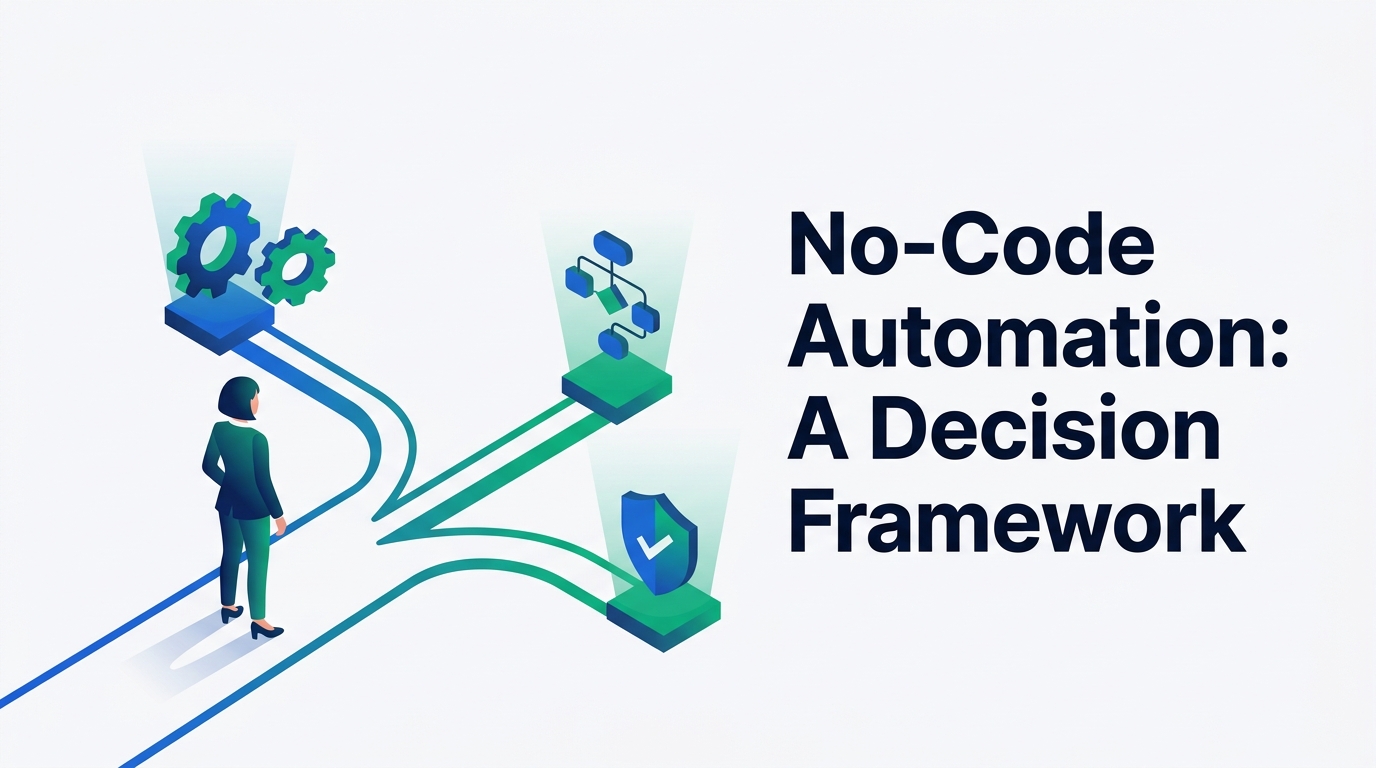
Most "best no-code automation tool" roundups rank Zapier, Make, and n8n against each other and call it done. That comparison is real — but it's the second decision, not the first. The first is sorting your own workflows by risk and complexity, because the tool that's right for a Slack notification is usually the wrong one for anything that touches payroll, customer data, or access provisioning.
The short answer
- Classify your workflows by risk and complexity, not by department. A 2×2 grid (below) usually shows you need two tool categories, not one.
- Score every serious candidate against six criteria: governance & security, integration depth, pricing at your real volume, who will maintain it, scalability & reliability, and exit cost. A vendor's homepage will not surface most of these.
- Run a two-week pilot on one real, moderately complex workflow before you sign an annual contract. A demo shows you what the tool can do; a pilot shows you what your team will actually do with it.
- Budget for the top-tier plan if any workflow in scope is high-risk. SSO, role-based access, and audit logging are almost always gated behind the top plan — regardless of how few tasks you run.
Why "which tool is best" is the wrong first question
Search this phrase and the results are comparison charts: Zapier versus Make versus n8n, feature grids, star ratings. That's a legitimate question, but it assumes the hard part is already solved — that you know which category of tool you need and what it has to be able to prove when something goes wrong. For most ops teams, that assumption is the actual gap.
It matters more than it used to, because ops no longer waits for IT to build automations. Gartner has found that, on average, 41% of employees outside IT — what it calls "business technologists" — already build or customize their own data and technology solutions.1 Automation built outside a formal engineering process is now the default in most companies, not the exception. That's precisely why the tool question needs to come second: when anyone with a login can wire up a workflow that moves real data between real systems, the decision that actually protects you is which risk tier that workflow lands in and what the tool can prove about it later — not which vendor's logo grid is longest.
For this piece, "no-code automation tool" covers three overlapping categories that all get pitched at ops teams for similar jobs: connector-style workflow tools (Zapier, Make, n8n), internal app and database builders (Airtable, Retool), and enterprise iPaaS platforms (Workato, Tray.io). The right category depends on where your workflows fall on the grid below — not on which one has the most integrations listed on its homepage.
Step 1: Classify your workflows before you look at a single tool
List every workflow you're considering automating — ten to fifteen is usually enough for a first pass — and place each one on two axes: does it touch money, personal data, credentials, or a customer-facing system (risk), and does it involve branching logic, multiple systems, or exception handling (complexity)?
Internal notifications & simple syncs
Slack alerts, calendar reminders, copying a new row from one system to another. Any connector tool handles this; pricing tier is the only real variable.
Branching, non-sensitive workflows
Equipment-request routing, internal ticket triage, lead routing with conditional logic. Needs a builder with real branching, loops, and error handling — where Make and n8n typically pull ahead of Zapier's more linear model.
A single step that touches something sensitive
One action that posts to payroll, updates a financial ledger, or writes to an HR record. Simple to build, but it still needs an audit trail and access control because of what it touches, not how it's built.
Cross-system, high-stakes processes
Employee onboarding/offboarding across HR, IT, and security systems; financial reconciliation; anything with legal exposure. This tier usually rules out plain connector tools and points toward enterprise iPaaS or a governed, locked-down build.

Most ops teams doing this exercise for ten to fifteen candidate workflows find they land in at least two quadrants, which means the honest answer is rarely "pick one tool." It's "pick a lightweight connector tool for the top two quadrants, and a governed platform — or a locked-down, higher-tier instance of the same tool — for the bottom two." We documented one version of that split in practice, not in theory, in our breakdown of the three-layer automation stack teams use for HR onboarding, where identity provisioning, notification routing, and document generation each ended up on a different layer for exactly this reason.
Step 2: Score every candidate against six criteria
None of the following show up as a bullet point on a vendor's homepage, but they're what determines whether the tool is still in active use in twelve months, or quietly abandoned after the person who set it up moves on.
Governance & security
Role-based access, single sign-on, and audit logging are the features that matter for anything in the high-risk quadrants — and they are almost always paywalled at the top tier. Zapier's SAML-based SSO, SCIM provisioning, and streaming audit logs are Enterprise-plan features, documented in its own admin help center.56 n8n splits this differently: role-based permissions (viewer, editor, admin) are available on its paid plans generally, but SAML/LDAP single sign-on and centralized audit-log streaming to a SIEM are reserved for its Enterprise tier.4
The practical implication: if any workflow you're scoping falls into the high-risk quadrants, price the top tier before you compare anything else. The governance feature is usually the reason for that tier's cost — not the task volume.
Integration depth, not integration count
A logo on a connector list only tells you the vendor built some integration with that app. It doesn't tell you whether the specific trigger, the specific field, or the specific error case you need is supported. Before comparing vendors on integration count, build the exact trigger-to-action pair your riskiest workflow needs, in a free trial, and confirm it handles a missing field or a failed API call the way you expect — not just the happy path shown in the vendor's own template.
Pricing at your real volume, not the marketing tier
The three most-compared connector tools bill on entirely different units, and it changes the math more than most feature comparisons do. As of September 2026, checked directly against each vendor's pricing page:
Because n8n counts a full workflow run once no matter how many steps it contains, while Zapier counts every step, the same automation can price out very differently depending on how many steps it has and how often it runs — model this against your own step count and monthly volume, not the vendor's example scenario.
Who will actually maintain it
The best tool is the one your team will actually keep up, not the one with the longest feature list. If a workflow is built by a single power user, ask what happens when that person changes roles or leaves: can someone else read the workflow, understand its branches, and safely edit it without breaking the parts they don't understand? Platforms that support inline documentation, version history, and staging/production environments answer this better than ones that only support a flat list of workflows.
Scalability & reliability
Volume ceilings matter less than what happens when a single execution fails partway through. Does the platform surface a clear error, retry automatically, and notify someone — or does the workflow simply stop, silently, with the rest of the business assuming it still ran? We've covered this exact failure mode in detail in our guide to debugging Zapier zaps that fail silently, but the underlying question applies to any connector tool you evaluate: ask to see the execution history and error-notification settings during the trial, not after you've built something on top of it.
Exit cost & vendor lock-in
Migrating a mature automation off a platform costs real time — rebuilding logic, retraining whoever maintains it, and re-testing edge cases. What's less visible is that the audit trail and execution history rarely export with the workflow logic, so the governance record you built up doesn't travel even when the automation itself does. Ask each vendor, in writing, what exports as structured data (workflow definitions, credentials mapping, execution logs) versus what has to be manually reconstructed, and test the export of one real workflow before you sign a multi-year contract.
Compare the three tool categories side by side
Once your workflows are sorted by quadrant, the category-level choice usually settles itself faster than a vendor-by-vendor comparison would.
| Criterion | Connector automation Zapier, Make, n8n | Internal app builders Airtable, Retool | Enterprise iPaaS Workato, Tray.io |
|---|---|---|---|
| Best fit | Connecting existing SaaS apps via triggers/actions | Building a lightweight internal app or database on top of your data | High-volume, high-risk, cross-department processes at scale |
| Governance depth | Real, but usually gated behind the top paid tier | Moderate; access control is typically at the app/base level | Built in from the ground up: environments, approvals, centralized policy |
| Integration approach | Pre-built connectors per app; deep for popular apps, thin for niche ones | Native data model first, integrations are secondary | Pre-built connectors plus a real API/webhook layer for custom systems |
| Typical pricing model | Per task, per operation, or per execution (see above) | Per seat, sometimes plus a record/row cap | Custom, usually quoted against volume and modules enabled |
| Who maintains it | Ops or a designated "citizen developer" | Ops or a business analyst comfortable with structured data | A named platform owner, often with light engineering support |
| Exit cost | Low to moderate for simple workflows; rises fast with branching logic | Moderate; the data model itself can be the harder thing to leave | High; usually a multi-quarter migration project |
If your highest-risk workflows outgrow every category in that table — usually because of a compliance requirement no off-the-shelf connector can satisfy — the next decision isn't which no-code platform to buy, it's native integrations vs. iPaaS vs. a custom API build, which we cover as its own decision. And if you're approaching this from a compliance-first angle rather than an ops-first one, most of the logic here mirrors our framework for choosing a compliance automation platform — the specific criteria differ, but "classify risk before you compare vendors" holds either way.
If you've already narrowed to the connector-automation category specifically and want feature-by-feature detail on Zapier, Make, and n8n, we're preparing a detailed head-to-head comparison of Zapier, Make, and n8n. This piece deliberately stops at the category level, because which of the three wins depends on your risk tiers and step counts more than on any single feature.
Step 3: Pilot before you commit
A vendor demo is built by the vendor's most experienced person, using clean sample data, on the happy path only. It will not tell you what you actually need to know. A two-week pilot, run by your own team on one real workflow, will.
Pick one workflow from a middle quadrant
Not the simplest one on your list, and not the scariest one. A quadrant-2 or quadrant-3 workflow — some branching, or moderate risk — is the one that actually exercises the criteria that matter.
Build it, including the failure path
Build what happens when a required field is missing or an API call times out, not just the successful run. If the platform makes this awkward to configure, that's a real signal about maintenance cost later.
Hand it to someone who didn't build it
Ask a second team member to make a small change — add a condition, change a field mapping — without help from the original builder. This tests the maintainability criterion directly instead of taking it on faith.
Read the audit trail without asking anyone
From the tool's own interface, try to answer "who changed this, and when." If you can't do that without pinging the builder on Slack, the governance story is weaker than the pricing page suggested.
Common mistakes that sink no-code rollouts
Choosing based on the demo, not a real workflow
Every platform's sample scenario is clean and linear. Your actual data has missing fields, duplicate records, and edge cases the demo never shows.
No named owner once the builder moves on
With citizen development now the norm rather than the exception,1 automations tend to get built by whoever is closest to the pain, not by whoever is accountable for the process long-term. Assign an owner at build time, not after the original builder has already left.
Treating "no incident yet" as proof the governance gap doesn't matter
A high-risk workflow with no audit trail hasn't been proven safe — it's been unobserved. Those are different things, and the difference only becomes visible during an incident, an audit, or an offboarding.
Ignoring exit cost until a price increase forces the question
Per-task and per-operation pricing scales steeply: at published September 2026 rates, Zapier's annual-billed Professional plan runs from roughly $49/month at 2,000 tasks to $289/month at 50,0002 — a jump worth modeling against your own growth curve in year one, not discovering at a renewal.
Two teams, two tools, same job, no one decided it should be that way
Shadow duplication is the most common symptom of skipping Step 1. If nobody classified the workflows up front, different teams solve the same risk tier with different, uncoordinated tools.
Which category fits your team
A single connector tool, mid tier
One person is likely covering every quadrant informally. Prioritize ease of handoff over raw feature depth — you'll probably hire a second person before you outgrow the tool, and the biggest risk is that nothing is documented when you do.
A primary tool for tiers 1–2, plus a governed layer for tiers 3–4
Workflow count is growing faster than headcount, and by now you almost certainly have workflows in every quadrant. Run a lightweight connector tool for notifications and non-sensitive routing, and either upgrade to that same tool's top tier or bring in a second, more governed platform for anything touching money, access, or PII — with a named owner per system, not per workflow.
Enterprise iPaaS, or the native/custom path, from the start
If tier-4 workflows are your default rather than your exception, no connector tool's Enterprise add-on is a substitute for a platform built around compliance requirements from day one. Start with a compliance-first evaluation framework if a certification or regulation is driving the purchase, and with the native-vs-iPaaS-vs-custom decision if the constraint is scale or system complexity rather than compliance specifically.
Frequently Asked Questions
What's the actual difference between no-code and low-code automation tools?
"No-code" implies a purely visual builder with no scripting required, while "low-code" allows custom code snippets for edge cases the visual builder can't reach — n8n's Code node and Make's custom JavaScript modules are both examples. In practice, most tools marketed as "no-code" in this category are really low-code once you look past the homepage: they expose a visual builder for the common path and a code escape hatch for everything else.
Do I need a different tool for every risk tier, or can one platform cover all four quadrants?
Some platforms can technically cover all four quadrants if configured with separate environments and strict role-based access — n8n self-hosted with Enterprise licensing and Workato are the more common examples. In practice, most small ops teams don't have the admin bandwidth to run one platform safely at both the "internal notification" tier and the "payroll" tier, and end up with two tools or two tiers rather than one.
How much does a no-code automation tool actually cost at real volume?
It depends more on the billing unit than the sticker price. Take a 12-step approval workflow that runs 3,000 times a month: on Zapier's per-step model, that's roughly 36,000 billable tasks a month, landing you in the 50,000-task Professional tier at $289/month (billed annually).2 On n8n's per-execution model, the same workflow is 3,000 executions — just over the Starter tier's 2,500-execution cap, putting you on the Pro tier at €50/month for up to 10,000 executions.4 Run this math against your own step count and volume before comparing list prices.
What are the biggest red flags when evaluating a no-code automation vendor?
A vague or evasive answer on what data exports in a structured format if you leave; governance features (SSO, audit logs) locked behind a "contact sales" enterprise tier with no published scope of what's actually included; no visible execution or audit history inside the product itself; and no clear answer to "what happens, and who gets notified, when a step fails halfway through."
Should ops teams build these automations themselves, or should this stay with engineering?
With business technologists now accounting for a large share of who actually builds automation,1 the realistic question isn't whether ops should build — it already does, in most companies — but whether someone has explicitly assigned governance for what gets built. A lightweight review gate for anything landing in the high-risk quadrants, rather than a blanket approval requirement for everything, tends to work better: too much friction on low-risk automation just pushes builders toward personal accounts and unmanaged shadow tools instead.
Methodology
Based on our research, not a vendor engagement, and no vendor named here sponsored this piece. Pricing for Zapier, Make, and n8n was checked directly against each vendor's public pricing page in September 2026, not from third-party pricing summaries.234 Governance and security claims for Zapier and n8n were verified against each vendor's own help center and security documentation.456 The citizen-development statistic is Gartner's, as reported by Computerworld;1 we could not confirm a specific survey date for the underlying Gartner research and note that limitation rather than attaching a date to it. The risk/complexity classification, the six-criteria scorecard, and the pilot methodology are our own framework, offered as a procedure rather than a vendor ranking — deliberately, since no ranking can account for your specific mix of workflows.
Sources and further reading
- Computerworld — How to build a "citizen developer" workforce (Gartner data on business technologists)
- Zapier — Pricing (task-based billing tiers; checked September 2026)
- Make — Pricing (operation-based billing tiers; checked September 2026)
- n8n — Pricing and Security (execution-based billing and enterprise security controls; checked September 2026)
- Zapier Help Center — Set up single sign-on with SAML
- Zapier Help Center — Set up admin tools for your Enterprise account

Technology consultant with 10+ years in the Japanese tech industry. Specializing in SaaS evaluation, workflow automation, and B2B tool integration.