Workflow Automation vs. RPA vs. AI Agents in 2026: What the Terms Actually Mean
Vendors call almost everything "agentic" now. Here's what actually separates the three categories — how they work, what breaks them, what they cost, and which one your team actually needs.
Same buzzword, three different technologies with three different failure modes.
The short answer: workflow automation (Zapier, Make, n8n) connects APIs across apps using conditional logic a human designed in advance. RPA (UiPath, Automation Anywhere, Blue Prism) mimics human clicks and keystrokes on a fixed user interface and breaks the moment that interface changes. AI agents use large language models to interpret a goal, decide their own steps, and adapt when something unexpected happens. None of the three is replacing the others in 2026 — most enterprise stacks now run all three at once, layered on top of each other.
Workflow Automation vs. RPA vs. AI Agents at a Glance
| Criterion | Workflow Automation | RPA | AI Agents |
|---|---|---|---|
| What it does | Moves data between apps via APIs in a predefined sequence | Mimics clicks/keystrokes on a screen | Interprets a goal and plans its own steps |
| Typical trigger | Webhook, event, or schedule | Scheduled job or UI event | Natural-language goal or agentic hand-off |
| Handles unstructured input | Only with an AI step bolted on | No | Yes, natively |
| What breaks it | A missing or renamed API field | A moved button or redesigned screen | An ambiguous goal or missing guardrail |
| 2026 example vendors | Zapier, Make, n8n, Workato | UiPath, Automation Anywhere, Blue Prism | Custom LLM agents; agentic layers now shipped by RPA vendors |
| Pricing model | Per task, module, or execution | Per bot license (attended/unattended), usually annual | Consumption or outcome-based (per action or metered "agent unit") |
| Best fit | Repeatable cross-app processes needing transparency | High-volume, zero-variation tasks, often on legacy systems | Judgment-heavy or exception-prone work |
Workflow Automation, Defined
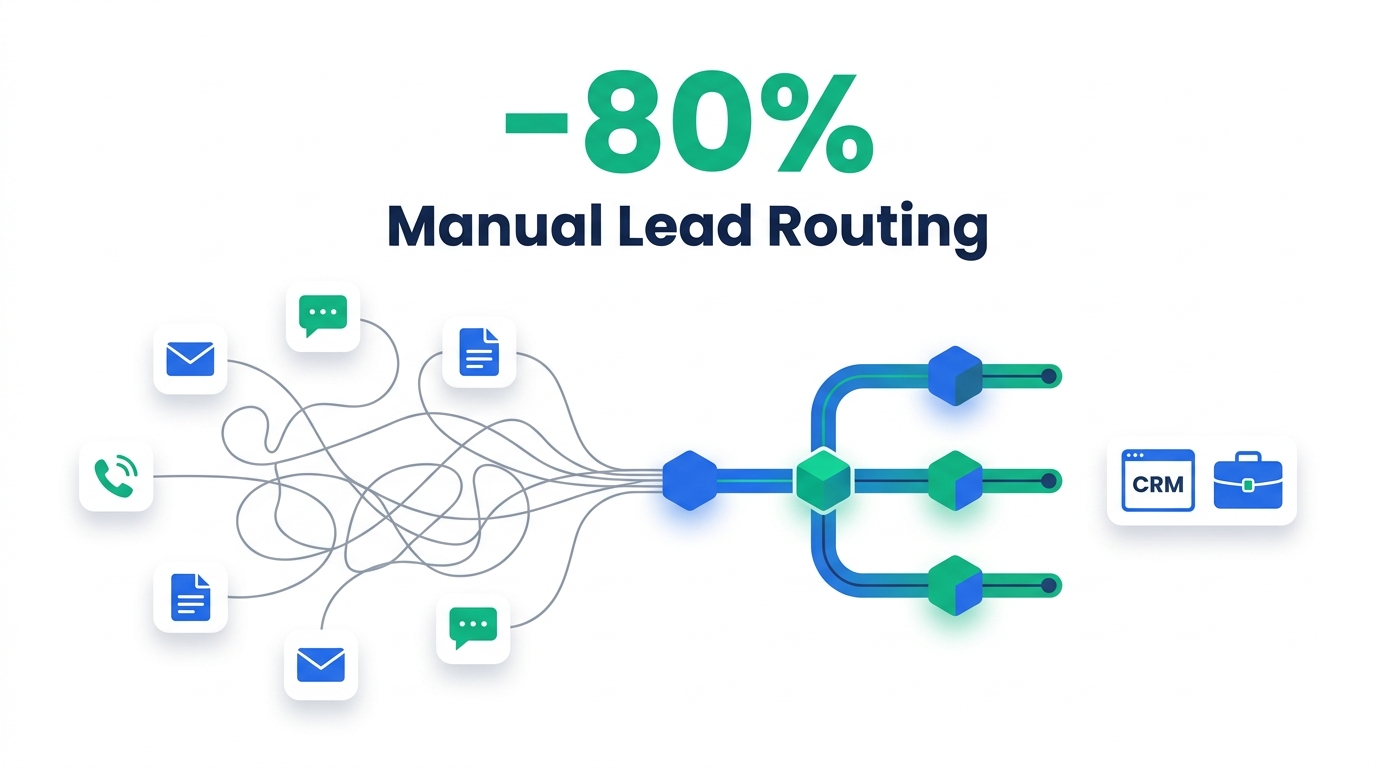
Workflow automation platforms — Zapier, Make, n8n, and Workato are the names you'll see most in 2026 — connect two or more applications through their APIs and move data between them according to conditional logic a human set up in advance. A trigger fires (a new row in a spreadsheet, a form submission, a new deal in a CRM), and the platform runs through a defined sequence of steps: filter, transform, branch, write to another app.
The distinction that matters here is scope. Workflow automation orchestrates a process — onboarding a new hire across five systems, syncing a lead from a form into a CRM and a Slack channel — while RPA automates a single, discrete task. Workflow automation platforms are also API-native: if an app doesn't expose the field you need through its API, the platform generally can't touch it. That's the trade-off for being fast to build and easy to audit.
Pricing in this category diverges more than most buyers expect. Zapier bills per completed step (its Professional tier starts at roughly $19.99–$29.99/month for 750 tasks, depending on billing term), Make bills per "operation" starting around $9/month for 10,000 operations, and n8n bills per workflow execution regardless of how many steps that workflow contains — its cloud plans start near $20/month for 2,500 executions, with a free self-hosted option for teams willing to run their own instance. Because n8n charges per execution rather than per step, a 10-step workflow run 10,000 times a month can cost meaningfully less on n8n than the same workflow on a per-step platform — the gap widens the more steps you chain together.
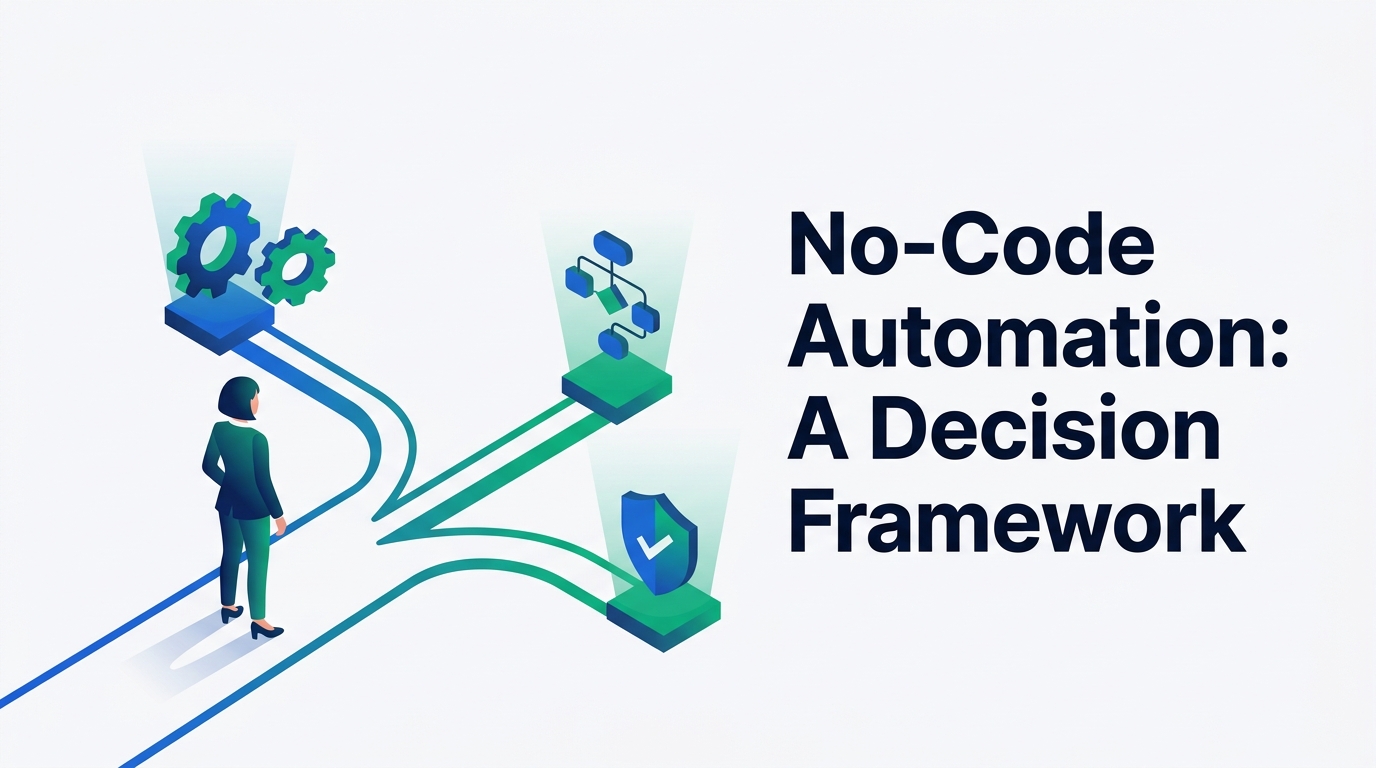
The failure mode is also worth knowing before you build on top of one of these tools: a workflow automation zap or scenario doesn't crash loudly when a connected app changes its API — it often just stops triggering, silently, until someone notices data has gone missing. We've documented exactly how that happens and how to catch it faster in our guide to debugging Zapier triggers that fail silently. If you're choosing between the major no-code platforms for the first time, this decision framework for ops teams walks through the trade-offs in more depth than we have room for here.
Strengths
- Fast to build — most workflows ship in hours, not sprints
- Transparent, step-by-step logic that's easy to audit
- Wide app coverage through pre-built connectors
Limits
- Only as capable as the APIs it connects to
- Silent failures when a connected app changes its schema
- Per-step or per-operation pricing scales with process complexity
RPA (Robotic Process Automation), Defined
RPA bots operate at the interface level, not the API level. A developer records or scripts a fixed sequence — click this button, copy this field, paste it here, move to that window — and the bot replays it exactly, at machine speed, indefinitely. It runs on strict "if this, then that" logic: there's no judgment involved, and none is expected.
That rigidity is the entire value proposition and the entire liability at once. RPA is the only one of the three categories built specifically to operate legacy systems that have no API at all — mainframe terminals, desktop applications, internal tools nobody has modernized. If the interface never changes, an RPA bot will run reliably for years. But the moment a button moves or a screen gets redesigned, the automation breaks outright and needs a developer to fix the script — RPA has no ability to reason about what changed.
Cost is where RPA looks most different from the other two categories in 2026. Vendors still largely license per bot: a single UiPath license combining one attended and one unattended bot runs in the range of $1,380/month, and enterprise-scale RPA deployments across the major vendors (UiPath, Automation Anywhere, Blue Prism) typically fall between $5,000–$15,000/year per attended bot and $10,000–$25,000/year per unattended bot, before add-ons like document understanding or process mining. That flat, per-seat structure is exactly what workflow automation's per-task pricing and AI agents' consumption pricing are moving away from — which is one reason procurement teams increasingly weigh RPA against the other two categories on total cost of ownership, not just capability.
It's also worth being precise about something the market blurs constantly: classic RPA scripting is not itself AI. It's deterministic automation — the same input always produces the same output. What's changed by 2026 is that every major RPA vendor has layered AI features (document understanding, agentic add-ons, natural-language bot building) on top of their core product, so "RPA platform" now often ships with AI capability even though the underlying click-and-type engine hasn't changed.
Strengths
- Only viable option for UI-only legacy systems with no API
- Extremely reliable on stable, unchanging interfaces
- Deterministic — output is 100% predictable for a given input
Limits
- Breaks completely when the UI changes — zero adaptability
- Per-bot licensing gets expensive fast at scale
- Can't handle unstructured data or exceptions on its own
AI Agents, Defined
AI agents are built on large language models rather than fixed scripts. Instead of a developer mapping out every click, you give the agent a goal in natural language, and it decides — at runtime — what steps are needed, in what order, using which tools. It can read unstructured input (a PDF invoice, a customer email, a support ticket), reason about ambiguous cases, and adjust its plan when something doesn't go as expected. If a button moves, the agent looks at the screen again and finds the new one; it doesn't need a developer to re-script anything.
That adaptability comes from a fundamentally different execution model. A workflow automation platform (and an RPA bot) follow a predefined path where the same input reliably produces the same output. An AI agent interprets the goal fresh each time, which means the exact path it takes — and sometimes the exact output — can vary from run to run, even for what looks like the same task. For enterprise teams, that's the real governance shift: workflows can be tested with deterministic test cases (given this input, expect this output); agents need probabilistic evaluation, where you check that responses fall within an acceptable range across many scenarios rather than checking for one exact answer.
Pricing for AI agents has largely abandoned the seat-based model entirely. Because an agent's cost scales with how much reasoning and how many actions it actually performs — not with how many people have a login — vendors are shifting toward consumption or outcome-based pricing: charged per resolved task, per action taken, or per metered unit of agent execution. Analysts expect this to keep accelerating — Gartner projects that 40% of enterprise software spend will move to usage- or outcome-based pricing models by 2030, and AI agents are the category driving that shift fastest.
One more distinction worth holding onto: an "AI agent" and an "agentic workflow" are not the same thing, even though marketing copy uses them interchangeably. An agentic workflow still has structured, human-defined decision points — it's closer to workflow automation with an AI-powered step — while a true AI agent decides its own approach with far less predefined structure. Most production systems in 2026 actually use both: agents for the parts of a process that require judgment, and structured workflows for the parts that require predictability and an audit trail.
Strengths
- Understands intent — handles unstructured data and ambiguity
- Adapts automatically when interfaces or inputs change
- Pricing scales with actual usage, not seats or bot count
Limits
- Non-deterministic — output can vary run to run
- Requires runtime monitoring and guardrails most teams haven't built yet
- Harder to audit than a fixed script or workflow
Where the Lines Blur in 2026
The "RPA vs. AI agents" framing that dominated headlines through 2025 is mostly gone from serious enterprise conversations by now, because the major RPA vendors didn't get replaced — they repositioned. UiPath, Automation Anywhere, and Blue Prism have all shipped agentic layers on top of their existing bot infrastructure. The practical result is a pattern sometimes called adaptive process orchestration: an AI agent acts as the "brain" that decides what needs to happen, a workflow automation platform handles the API-connected parts of the process, and an RPA bot gets called in specifically for the legacy screens that still don't have an API — the agent effectively commands the RPA bot as one tool among several.
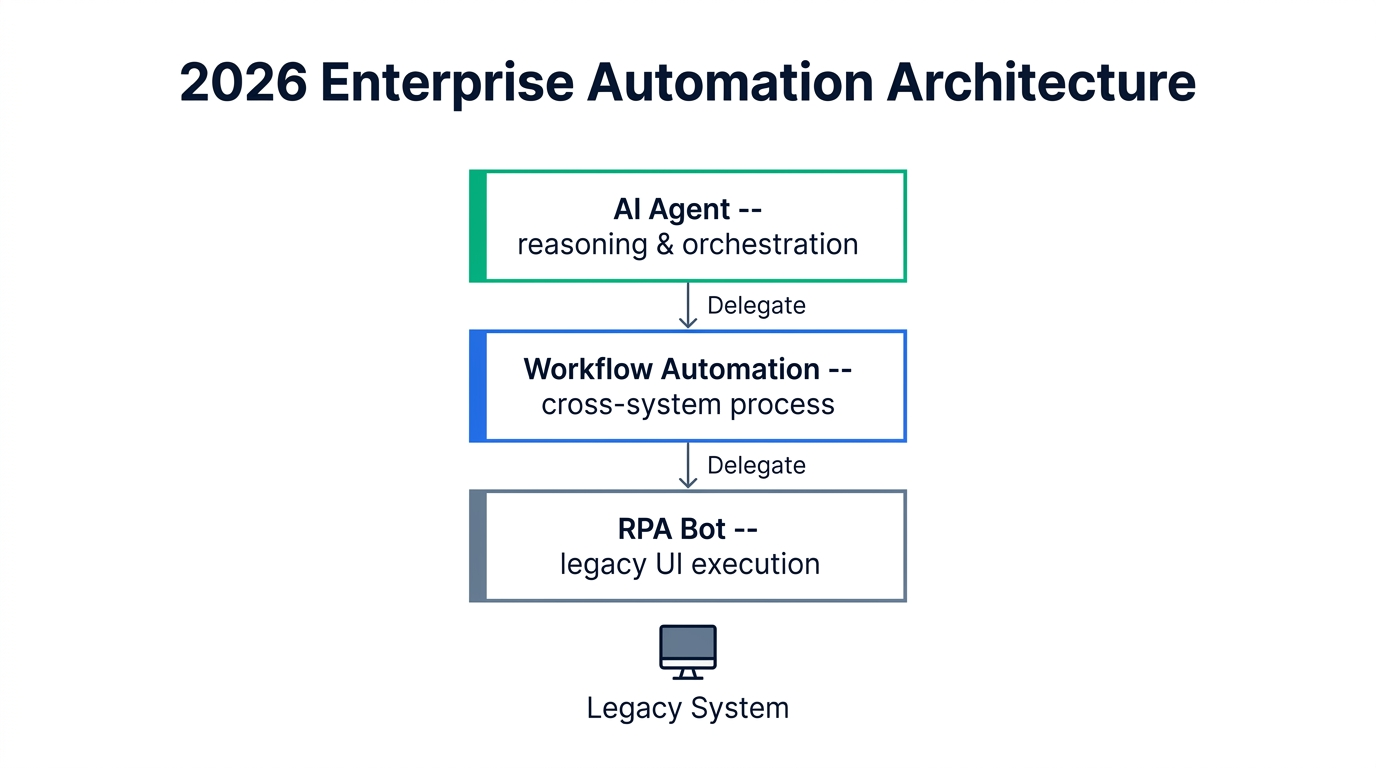
You can see this stack in a fairly literal form in real deployments — for example, a workflow that layers RPA for repetitive data entry, a workflow automation platform for the approval routing in between, and an AI agent for the judgment calls, is close to what we documented in our breakdown of the workflow automation tools used for HR onboarding. The orchestration layer matters here too: how you connect the systems in the middle of that stack — native integrations, an iPaaS, or a custom API — changes how brittle or resilient the whole thing is, which is exactly the trade-off covered in our comparison of native integrations, iPaaS, and custom APIs.

None of this means the three terms are interchangeable — it means the technology stack a team ends up running is rarely just one of them. When you're evaluating a vendor pitch, the useful question isn't "is this RPA or AI?" It's "which layer of the stack is this actually operating in, and what happens when the input isn't what it expects?"
The Real Difference Is the Cost Structure, Not Just the Tech
Feature comparisons get most of the attention, but for budget owners, the pricing model is often the more consequential difference — because it determines whether cost scales with your team's headcount, your process complexity, or your actual usage.
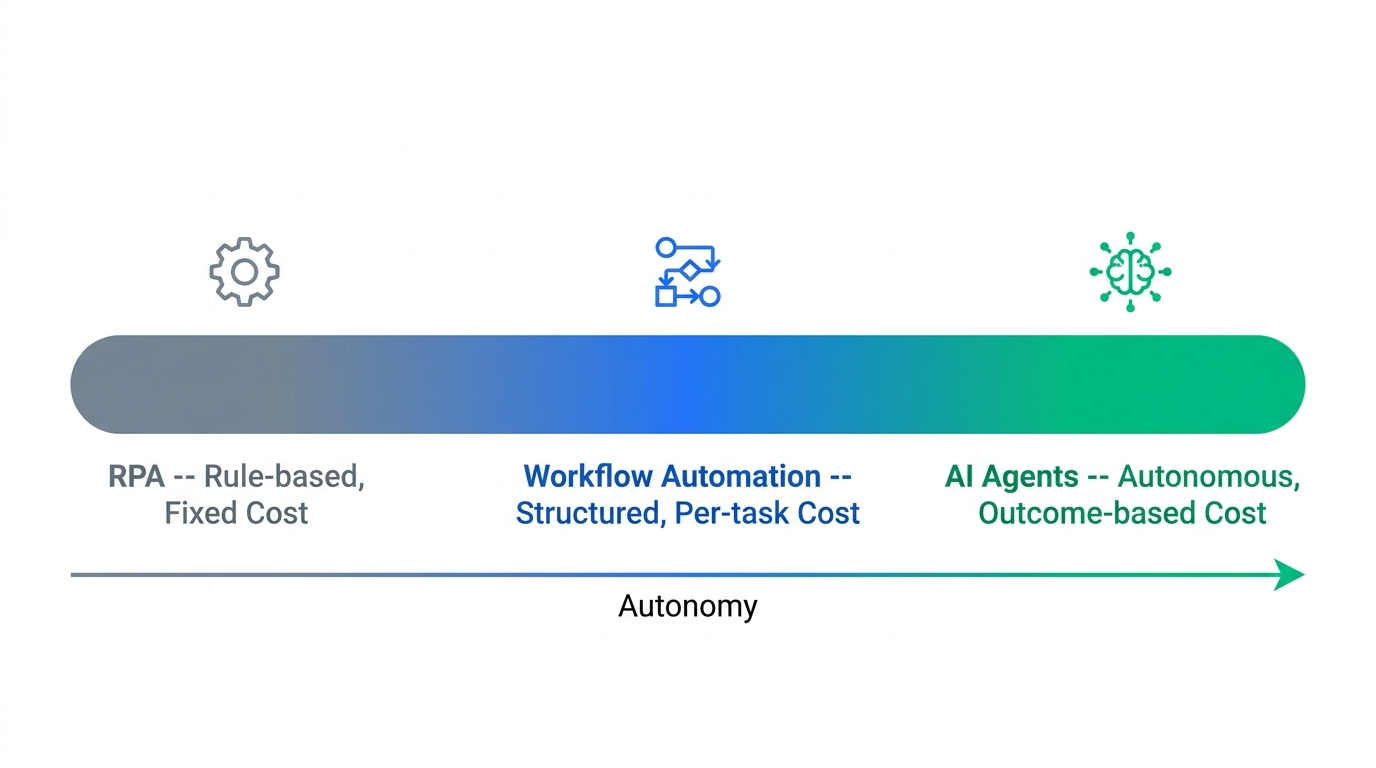
| Category | Pricing model | Representative figures (Sept 2026) |
|---|---|---|
| Workflow automation | Per task / operation / execution | n8n from ~$20/mo (2,500 executions, or free self-hosted); Zapier ~$19.99–29.99/mo (750 tasks); Make from ~$9/mo (10,000 operations) |
| RPA | Per bot license, usually annual | ~$1,380/mo for one attended + one unattended UiPath bot; industry-wide, roughly $5,000–15,000/yr per attended bot and $10,000–25,000/yr per unattended bot |
| AI agents | Consumption / outcome-based | Newer metered models (e.g., "agent units") bill only production runs; broader market projected to shift toward usage-based pricing |
The practical implication: a workflow that's cheap on paper can get expensive quickly if it involves many steps on a per-step platform, a stable low-volume process can make a flat RPA license the cheapest option per transaction, and an AI agent's bill is unpredictable month to month by design — because you're paying for outcomes, not a fixed seat count. Budgeting for a hybrid stack means budgeting for three different cost curves at once, not one blended rate.
Who Should Choose Which
Frequently Asked Questions
Will RPA be replaced by AI?
What is the difference between RPA and AI agents?
Does RPA fall under AI?
What is the difference between RPA and automation (workflow automation)?
Methodology
Definitions and technical distinctions in this article were cross-referenced against primary vendor documentation, published pricing pages (Zapier, Make, n8n, UiPath), and industry analysis from B2B technology publications and analyst commentary, current as of September 2026. Pricing figures reflect publicly listed rates at the time of writing and change frequently — confirm current pricing directly with each vendor before budgeting a deployment. Where a specific claim relies on a single source, that source is linked in "Sources & Further Reading" below.
Sources & Further Reading

Technology consultant with 10+ years in the Japanese tech industry. Specializing in SaaS evaluation, workflow automation, and B2B tool integration.