How to Automate Lead Generation: A Step-by-Step Framework for B2B Teams
Most "automate your lead generation" guides pitch one tool as the whole answer. In practice, lead generation is five separate jobs — finding prospects, filling in the missing data, deciding who's worth pursuing, reaching out, and getting the result into a CRM someone actually works from — and no single platform does all five well. This guide walks through each stage, which tools handle it (with current pricing), how to wire them together without hiring an engineering team, and the compliance rules that most "5 steps to automate leads" posts skip entirely.
Automating lead generation means connecting five stages into one pipeline: sourcing (Apollo.io, LinkedIn Sales Navigator), enrichment (Clay), scoring (HubSpot or Salesforce Einstein, or a custom model), outreach (Instantly, Smartlead), and CRM sync. Small teams typically wire these with a no-code orchestrator (n8n or Make) sitting between them; teams that want less setup buy an all-in-one platform like HubSpot and accept less flexibility. Either way, budget for the compliance layer — GDPR and CAN-SPAM rules apply to automated outreach whether a human or a workflow sent the email.
- What "automating lead generation" actually means
- Before you automate anything: 3 prerequisites
- The 5-stage automation framework
- Two ways to wire the stack together
- Where AI actually helps (and where it's overhyped)
- Compliance: the part most guides skip
- Common mistakes that quietly break automated lead gen
- FAQ
- Methodology
What "Automating Lead Generation" Actually Means
Search this phrase and most results either mean "buy one AI tool" or "here's a list of 12 unrelated platforms." Neither is accurate. Automated lead generation is a pipeline: a prospect enters at one end (sourced from a database, a form fill, or a scraped list) and, without a human touching every record, comes out the other end as a scored, enriched, contacted lead sitting in a CRM with a clear next action. Each link in that chain — sourcing, enrichment, scoring, outreach, CRM handoff — is typically a different tool, because no vendor has built a best-in-class product for all five at once. Apollo is strong at sourcing but a mediocre enrichment engine. Clay is the opposite. HubSpot handles CRM and scoring natively but isn't a data source.
This guide covers that full pipeline at the framework level. If you've already decided your outreach layer specifically should be Clay, Apollo, and Outreach wired together, we've covered that exact build — with workflow steps and screenshots of the config — in our dedicated guide to wiring an AI SDR stack. What follows here is the broader decision: which stages to automate first, which tools to put in each slot, and how to connect them without writing custom code.
Before You Automate Anything: 3 Prerequisites
Teams that automate lead generation before doing this groundwork usually end up automating noise faster. Three things need to exist first.
1. A written ideal customer profile (ICP), not a vague one. "Mid-market SaaS companies" isn't a filter a scoring model or a sourcing tool can act on. You need firmographic ranges (employee count, funding stage, industry codes) and, ideally, 2-3 technographic or intent signals (a specific tool in their stack, a hiring pattern, a recent funding event) that correlate with your actual closed-won deals. Pull this from your last 20-30 closed-won accounts, not from a brainstorm.
2. A map of your current tech stack and where data already lives. Before adding tools, know what you're integrating with: which CRM, which email sending domain, which forms or ad platforms already capture leads. Most automation failures aren't tool failures — they're duplicate records because nobody mapped how a lead moves between three systems that all think they own the record.
3. A documented legal basis for contacting the people you're about to automate outreach to. This is the step almost every "automate your lead gen" article skips, and it's the one that creates real liability once you're sending at automation scale instead of one-by-one. We cover the specifics in the compliance section below, and if you're evaluating dedicated tooling for consent and data-subject request management, we've compared the leading options in our GDPR compliance software comparison.
The 5-Stage Lead Generation Automation Framework
Think of this as a pipeline, not a checklist — each stage's output is the next stage's input. Below, each stage lists what it does, which tools are typically used, and what they cost as of August 2026.
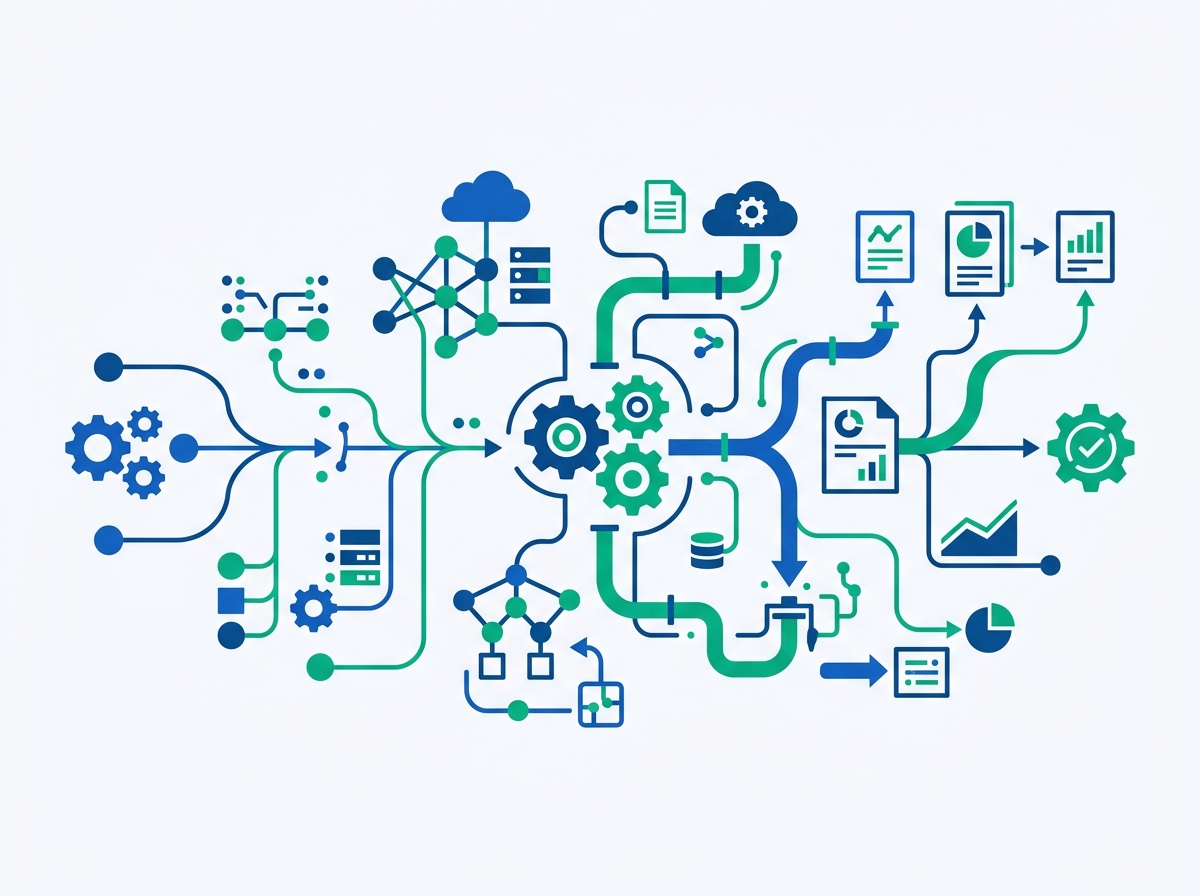
This is the stage most teams already partly automate. Apollo.io remains the most common starting point for B2B sourcing because it combines a contact database with saved-search automation — you define your ICP filters once and let new matches flow into a list on a schedule instead of re-running searches manually. Apollo's 2026 pricing runs Free ($0, capped and not usable for real outbound), Basic ($49/month per seat annual, $65 monthly), Professional ($79/month annual, $99 monthly), and Organization ($119/month annual, minimum 3 seats). LinkedIn Sales Navigator remains the better source for signal-based prospecting (job changes, hiring surges) but doesn't expose bulk contact data the way Apollo does, so most stacks use both: Sales Navigator for research, Apollo (or a similar database) for the bulk list.
Sourced lists are rarely complete — job titles are stale, emails bounce, firmographic fields are blank. Clay has become the default enrichment layer specifically because it doesn't own one data source; it waterfalls a request across 150+ providers and returns the first clean match, which produces meaningfully higher fill rates than any single provider alone. Clay overhauled its pricing in March 2026: Free tier (100 data credits, 500 actions/month), Launch at $185/month ($167 annual), Growth at $495/month ($446 annual), and custom Enterprise pricing starting around $30,000/year. Budget for the credit system specifically — enrichment credits and "action" credits (AI steps, API calls, CRM pushes) are billed separately, so a workflow that looks cheap in credits-per-record can still add up fast at volume.
One thing worth knowing if you're comparing older articles: Clearbit, long the default enrichment API for developers building custom stacks, no longer exists as a standalone product. HubSpot acquired it and folded it into "Breeze Intelligence" in 2026 — it's now sold only as a HubSpot add-on ($45/month annual for a starting credit bundle, requiring a paid HubSpot plan underneath it), not as a vendor-agnostic API you can call from any CRM. If your stack isn't HubSpot, Clay or a comparable multi-source enrichment tool is now the more realistic default.
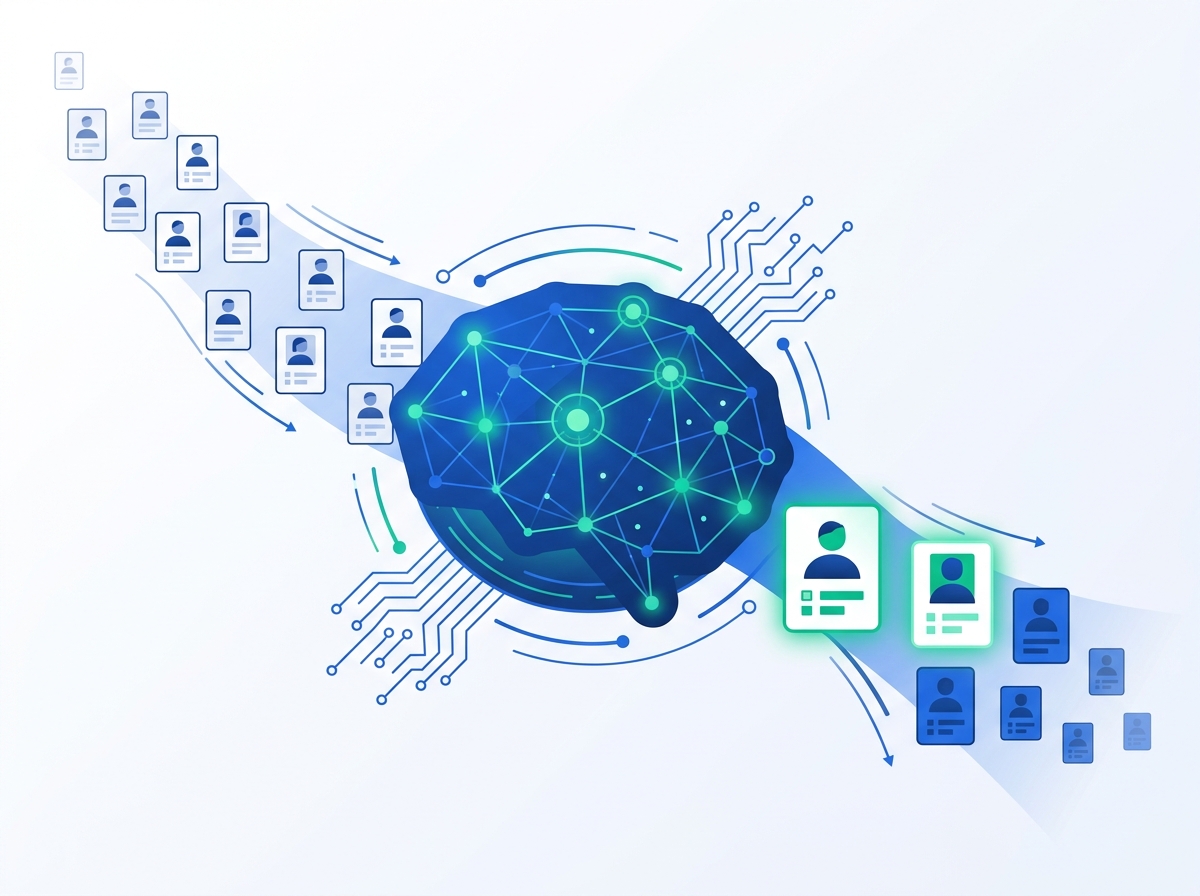
This is the stage where "AI" claims get the loosest, so it's worth being specific about what's actually available. If you're already on HubSpot Enterprise, native Predictive Lead Scoring updates automatically based on your historical conversion data — but it has a real data floor: HubSpot requires at least 1,000 contacts and 100 closed deals before the model has enough signal to be reliable, so early-stage teams often see it recommended before they're actually eligible to use it well. Salesforce's Einstein Lead Scoring takes a different approach: it produces a 1-99 score per lead and, unlike a black-box model, shows which specific factors — industry fit, title, engagement pattern — pushed the score up or down, which makes it easier for a sales team to trust and act on.
If you're not deep in either ecosystem, a lighter option is scoring inside your orchestration layer itself: a rules-based model (firmographic fit + engagement signals, weighted and summed) run as a step in n8n or Make costs nothing beyond your existing subscription and is fully auditable, which matters more than most teams expect once a rep asks "why did this lead rank above that one."
Cold email remains the workhorse channel here because it's the easiest to automate end-to-end. Instantly is a common choice specifically because every plan includes unlimited sending mailboxes and unlimited inbox warmup, which matters once you're sending at volume across multiple domains to protect deliverability. Its 2026 pricing is modular rather than one flat number: the Growth outreach plan runs $37.60/month billed annually ($47 monthly), Hypergrowth is $97/month, and Lightspeed is $358/month — but that's the sending product alone. Add the separately-billed lead database and CRM modules, which most real workflows need, and the practical monthly cost is closer to $150-210/month rather than the advertised entry price. Budget on the modular total, not the headline number.
For teams specifically building a multi-tool AI SDR stack around Clay, Apollo, and an outreach layer — rather than picking one all-in-one platform — we've documented the exact workflow wiring, including where each tool hands off to the next, in our AI SDR stack guide.
A pipeline that sources, enriches, scores, and contacts leads but dumps the result into a spreadsheet nobody checks isn't automated lead generation — it's automated noise generation. Native integrations (Apollo-to-HubSpot, Instantly-to-Salesforce) handle the simple case. For smaller teams running a lighter stack, syncing enriched leads into a shared spreadsheet that feeds a CRM is still common and legitimate as a starting point — we've written a full walkthrough of the native, no-code, and API options for that specific sync in how to sync Google Sheets with a CRM. Whichever method you use, the handoff needs a defined SLA (which fields are required, how fast a scored lead reaches a rep) or the automation upstream doesn't actually save anyone time.
Two Ways to Wire the Stack Together
Once you know which tools sit in each of the five stages, there are two structurally different ways to connect them.
Option A: A no-code orchestration layer sits between your point tools
n8n, Make, and Zapier all do the same core job — trigger a step in Tool A, pass the data to Tool B, run conditional logic in between — but price and operate differently enough that the choice matters at scale. n8n bills per workflow execution rather than per step, and its Community Edition is free to self-host under a fair-code license, which makes it the cheapest option once volume is high: Cloud Starter runs €20/month annually for 2,500 executions, Pro is €50/month, and self-hosting breaks even against Cloud at roughly 20,000 executions per month. Make bills on a credit system (roughly 10,000 operations for $9-10.59/month on Core, scaling to $16-19/month on Pro), with every module run — including a data transform step — consuming a credit. Zapier is the easiest to start on but the most expensive per unit of work at real volume: the Professional plan runs $19.99/month annually for 750 tasks, and costs scale up to $5,999/month at 2 million tasks. We've broken down the full monthly cost math against six alternatives, including n8n and Make, in our Zapier alternatives comparison.
Orchestration layer — pros
- Keep best-in-class tools at each stage instead of one vendor's average feature
- Swap one stage (e.g., switch outreach tools) without rebuilding the pipeline
- Full visibility into exactly what data moves where, useful for audits
Orchestration layer — cons
- More setup time and more moving parts to monitor for failures
- Someone needs to own the workflow when a connected API changes
- Costs are spread across 4-5 subscriptions instead of one bill
Option B: An all-in-one platform handles multiple stages natively
HubSpot is the clearest example: forms and landing pages for sourcing, Breeze Intelligence for enrichment, native lead scoring, sequences for outreach, and a CRM that's already the system of record — all inside one login, avoiding the orchestration layer entirely. The tradeoff is real: you're accepting HubSpot's enrichment data quality (generally considered adequate, not best-in-class) and its scoring model's data requirements in exchange for zero integration work. This suits teams that want to move fast and don't have anyone to own a multi-tool stack; it suits fewer teams once volume or list complexity grows past what one platform's native tools handle well. For a broader look at how workflow tools, AI agent builders, and all-in-one work platforms differ as categories — not just for lead gen — see our no-code automation tools breakdown.
| Approach | Setup effort | Cost pattern | Best fit |
|---|---|---|---|
| Orchestration layer (n8n / Make / Zapier) | Higher — you configure each connection | 4-5 smaller subscriptions, scales with usage | Teams that want best-in-class tools per stage and can own the workflow |
| All-in-one platform (HubSpot, similar) | Lower — native integrations, less config | One larger subscription, scales with seats/contacts | Smaller teams prioritizing speed over stage-by-stage best-in-class tooling |
Where AI Actually Helps (and Where It's Overhyped)
"AI-powered lead generation" is on nearly every vendor's homepage in 2026, which makes it worth separating the genuinely useful applications from the marketing layer.
Where it holds up: Generative AI is genuinely effective at the tasks that are language-heavy and repetitive — drafting personalized first-line openers from a prospect's LinkedIn activity or recent funding news, summarizing a lead's firmographic and behavioral data into a one-line qualification note a rep can scan in seconds, and running chatbot-based intake that asks qualifying questions and routes or scores the lead before a human sees it. These are narrow, verifiable tasks where a human can quickly check the output.
Where it's overhyped: Fully autonomous "AI SDR" claims — an agent that sources, personalizes, sends, and books meetings with no human review — still requires close monitoring in practice, because deliverability, compliance, and message quality all degrade quickly without oversight. Similarly, treating any lead score as ground truth because "AI generated it" is a mistake: a scoring model is only as good as the historical data it trained on, and a black-box score with no visible reasoning (unlike Einstein's factor-level breakdown, mentioned above) is hard for a sales team to trust or challenge when it's wrong. If you're evaluating AI agent builders specifically as an orchestration option — tools that decide their own steps rather than following a fixed workflow — we compare that category, and the newer Model Context Protocol tooling some of them now support, in our guide to MCP servers for B2B workflows.
Compliance: The Part Most "Automate Your Leads" Guides Skip
Every step above assumes you're allowed to contact the people your pipeline surfaces. Automating outreach doesn't change the legal basis required to send it — it just means the rules now apply at the volume a workflow can produce, which is where manual-era habits stop being safe.
Four frameworks cover most B2B senders: CAN-SPAM in the US, GDPR (paired with the ePrivacy Directive) in the EU, UK GDPR with PECR in the UK, and CASL in Canada. The details differ in ways that matter for an automated pipeline specifically:
- CAN-SPAM does not require prior consent for B2B outreach — you can legally email a business contact you've never spoken to, provided you meet the technical requirements: accurate sender information, a truthful subject line, clear commercial identification, a physical address, and a working opt-out. Enforcement can reach up to roughly $53,088 per violating email, which is a real number once you're sending thousands automatically.
- GDPR does not ban cold B2B email either, but it requires a lawful basis. Most B2B cold outreach relies on "legitimate interest" under Article 6(1)(f), which has to pass a three-part test — purpose, necessity, and balancing against the recipient's rights — rather than being assumed by default. Penalties scale up to €20 million or a percentage of global revenue.
- Suppression list automation is not optional at automation scale. CAN-SPAM gives you 10 business days to honor an opt-out; GDPR's practical expectation is closer to 24-48 hours. If your outreach tool and your CRM don't sync suppressions in near-real time, an automated sequence can keep emailing someone who already opted out — the single most common compliance failure in automated pipelines.
None of this means avoiding automation — it means building the compliance layer as its own stage, not an afterthought. If you're evaluating dedicated software for consent tracking and data-subject request handling rather than managing it manually, we compare the leading platforms in our GDPR compliance software comparison.
Common Mistakes That Quietly Break Automated Lead Gen
Frequently Asked Questions
How do you automate lead generation?
By connecting five stages into one pipeline instead of doing each manually: sourcing prospects that match your ICP (Apollo.io, LinkedIn Sales Navigator), enriching the incomplete records (Clay), scoring them to prioritize the best fits (HubSpot, Salesforce Einstein, or a rules-based model), sending personalized outreach at scale (Instantly, similar tools), and syncing the result into a CRM with a clear next action. Most teams wire these together with a no-code orchestration tool like n8n or Make, or use an all-in-one platform like HubSpot that handles several stages natively.
How do I use AI to automate lead generation?
AI is most reliable for narrow, language-heavy tasks inside the pipeline rather than running the whole thing autonomously: drafting personalized outreach openers from a prospect's public activity, summarizing enriched data into a scannable qualification note, and powering chatbot-based intake that asks qualifying questions before a human sees the lead. Predictive lead scoring (HubSpot, Salesforce Einstein) is also AI-driven and useful, but works best with visible reasoning behind each score rather than as a black box.
Can ChatGPT generate leads?
Not on its own — ChatGPT doesn't have a database of company or contact records to source from, so it can't find new leads by itself. What it can do well is support the surrounding work: qualifying a lead against criteria like budget, authority, need, and timeline once you feed it the data; drafting and varying personalized outreach copy at scale; and summarizing a prospect's background from information you provide. Most teams that mention "using ChatGPT for lead generation" are using it inside a pipeline that a dedicated sourcing tool feeds, not as the sourcing tool itself.
What are the top automation tools for each stage of lead generation?
Apollo.io for sourcing, Clay for enrichment, HubSpot or Salesforce Einstein for scoring (or a custom rules-based model in your orchestration layer), Instantly for outreach, and n8n or Make as the orchestration layer connecting them — with Zapier as the easiest but most expensive-at-scale alternative for orchestration. Which tool actually fits best depends on your existing CRM, technical comfort, and volume; the pricing and tradeoffs for each are covered stage by stage above.
How much does it cost to fully automate lead generation?
For a small team wiring together point tools, a realistic starting budget is roughly $300-600/month: Apollo Basic (~$49-65), Clay's Launch tier (~$167-185), Instantly's Growth plan plus modules (~$150-210), and a Make or n8n Cloud plan (~$10-50) for orchestration. Costs scale from there with contact volume, enrichment credits, and send volume — Clay and Instantly in particular can grow faster than expected once you're past the entry tier, so budget on the modular real cost rather than the advertised starting price. An all-in-one platform like HubSpot consolidates this into one subscription, typically starting higher per month but with less integration overhead.
Methodology
Based on our research — this guide was built by reviewing the current top-ranking articles for "how to automate lead generation," identifying which stages of the pipeline they covered well versus superficially, and then verifying every price and product claim directly against each vendor's official pricing page rather than relying on secondary sources. Tool selection per stage reflects what's most commonly used in current B2B stacks rather than a ranked "best" list — several of the tools mentioned (Apollo vs. a Sales Navigator-first approach, HubSpot vs. an orchestration layer) are legitimate alternatives depending on team size and existing stack, and we've noted the tradeoff rather than picking a single winner where the honest answer is "it depends." All pricing was verified in August 2026 and is subject to change; check the vendor's pricing page for current numbers before budgeting.
Primary sources used in this article
- Apollo.io — Pricing: apollo.io/pricing
- Clay — Pricing: clay.com/pricing
- Instantly.ai — Pricing: instantly.ai/pricing
- n8n — Pricing: n8n.io/pricing
- Make — Pricing: make.com/en/pricing
- Zapier — Pricing: zapier.com/pricing
- HubSpot Breeze Intelligence — Product page: hubspot.com/products/breeze/intelligence
- FTC — CAN-SPAM Act compliance guide: ftc.gov/business-guidance

Technology consultant with 10+ years in the Japanese tech industry. Specializing in SaaS evaluation, workflow automation, and B2B tool integration.