Best Zapier Alternatives for Small Business (2026): 7 Tools Compared on Real Monthly Cost
Zapier is usually the first automation tool a small business adopts — and often the first one it outgrows. Rarely because of missing features: with the largest app catalog in the category, Zapier connects almost everything. The problem is the distance between the $19.99 entry price and what a growing team actually pays once its workflows run at real volume. Based on our research across the eight top-ranking roundups for this keyword, most "Zapier alternatives" lists are written by vendors ranking themselves first. This one isn't. We verified every price on the official pricing pages in July 2026, did the cost math at small-business volumes, and flagged the one popular alternative you should not migrate to right now.
Quick Answer: The Top 3 Picks
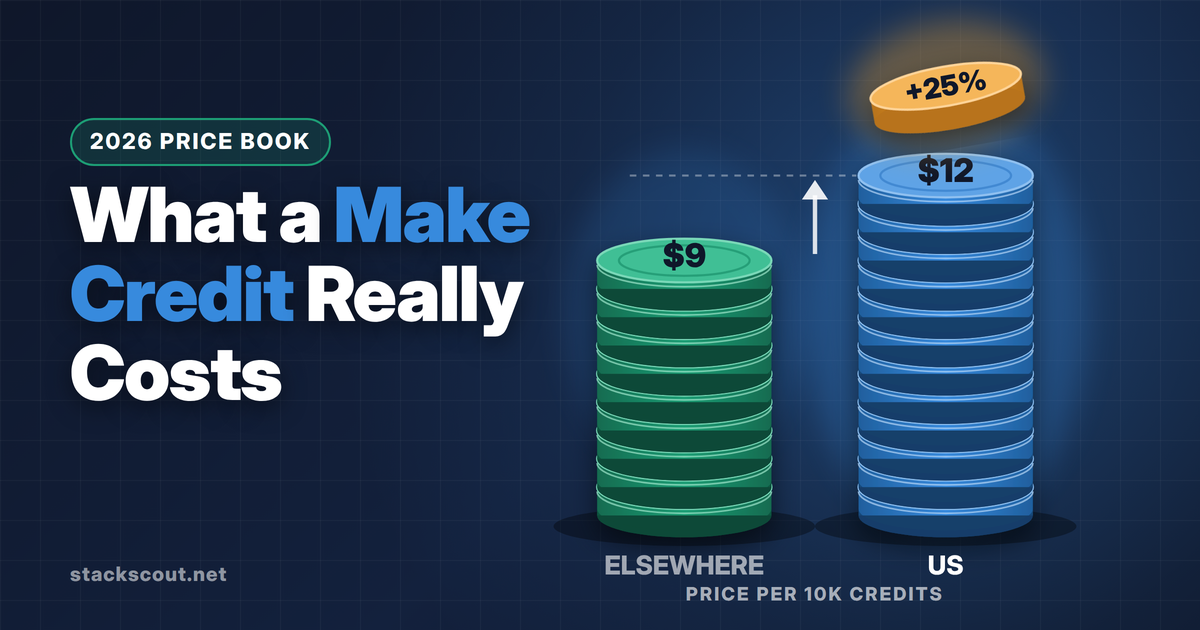
As of July 2026, the Core plan is $9/month billed annually for 10,000 credits — roughly 13× Zapier's entry task allowance for less than half the price, with 2,000+ app integrations.
Triggers and internal steps (filters, formatters, routers) don't consume tasks at all, so a paid allowance stretches much further. Around $16/month billed annually, with periodic lifetime-deal offers.
Bills per workflow execution, not per step, so complex workflows cost the same as simple ones. Cloud starts at €20/month; self-hosting the Community Edition is free if you have a server and the skills.
Before You Switch: Relay.app Is Shutting Down
One update that most alternative roundups haven't caught yet: Relay.app — a frequent "best Zapier alternative" pick in 2025–2026 listicles — announced on July 16, 2026 that it is shutting down. According to the notice on its documentation site, free accounts close on August 15, 2026 (with data permanently deleted), and paying customers keep access only until September 14, 2026 at 11:59 p.m. PT. New signups are already disabled.
Export your workflows now — Relay lets you download workflows as JSON and AI prompts, and tables as CSV. The JSON won't import directly into another platform, but it documents your trigger/step logic, which makes rebuilding in Make, n8n, or Activepieces dramatically faster.
And if you're reading a comparison article that still recommends Relay.app as a place to migrate to, treat everything else in that article as stale.
This is also a fair reminder of platform risk: several of the tools below are venture-backed startups. It's one reason we weight self-hostable options (n8n, Activepieces) and profitable, established vendors (Zoho, Microsoft) more heavily than newer AI-automation startups with similar features.
Comparison Table: 7 Zapier Alternatives at a Glance
All prices are the vendor's advertised price as of July 2026, billed annually unless noted. "Billing unit" is the thing you actually run out of — it matters more than the sticker price, as we show in the next section.
| Tool | Entry paid price | What you get | Billing unit | Free plan | Self-host | Best for |
|---|---|---|---|---|---|---|
| Make | $9/mo (Core) | 10,000 credits/mo | per module run | 1,000 credits/mo, 2 active scenarios | No | Most small businesses |
| Pabbly Connect | ~$16/mo (Standard) | ~10,000 tasks/mo | per external action only | 100 tasks/mo | No | Budget-first buyers |
| n8n | €20/mo (Starter, cloud) | 2,500 executions/mo | per workflow run | Free self-hosted Community Edition | Yes (fair-code) | Technical teams |
| Activepieces | $5 per extra active flow | 10 active flows free, unlimited runs | per active flow | 10 active flows, unlimited runs | Yes (MIT open source) | Predictable pricing, open source |
| Zoho Flow | $10/mo (Standard) | 5,000 tasks/mo, per org | per task | 100 tasks/mo, 5 flows | No | Zoho-centric businesses |
| Power Automate | $15/user/mo (Premium) | Unlimited cloud flows for that user | per user | Standard connectors bundled with Microsoft 365 | No | Microsoft 365 shops |
| IFTTT | $2.99/mo (Pro) | 20 applets, unlimited runs | per applet | 2 applets | No | Very simple automations |
For reference, Zapier's own entry paid plan (Professional) is $19.99/month billed annually for 750 tasks as of July 2026, with a free plan of 100 tasks/month limited to two-step Zaps.
Why Zapier Gets Expensive: The Billing-Unit Problem
Comparing sticker prices across these tools is close to meaningless, because they meter completely different things. Zapier and Zoho Flow charge per task (an action step). Make charges per module run (roughly, every step including data transforms). n8n charges per execution (one full workflow run, no matter how many steps). Activepieces charges per active flow (unlimited runs). Power Automate charges per user. IFTTT charges per applet.
One nuance in Zapier's favor that older comparison posts get wrong: as of July 2026, Zapier's built-in tools — Filter, Formatter, Paths, Delay, and similar — no longer consume tasks. Only action steps that touch external apps (and external connector calls) do. That softens the old "every step burns a task" criticism, but the underlying math still favors alternatives at volume.

The same workflow, priced on each platform
Take a typical lead-capture workflow — the same shape as the Google Sheets–to-CRM syncs we've covered step by step: a form submission triggers the flow, a filter qualifies the lead, a formatter cleans the data, then two external actions run (create a CRM contact, post a Slack alert). Assume 1,000 new leads a month.
| Platform | What gets counted | Units consumed / month | Cheapest plan that covers it (July 2026) |
|---|---|---|---|
| Zapier | 2 external actions (trigger, filter, formatter are free) | 2,000 tasks | Professional above the 750-task entry tier |
| Make | 4 module runs (trigger, formatter, CRM, Slack; filters are free) | ~4,000 credits | Core — $9/mo (10,000 credits) |
| n8n Cloud | 1 execution per run, regardless of steps | 1,000 executions | Starter — €20/mo (2,500 executions) |
| n8n self-hosted | Nothing is metered | 0 | Free (you pay for the server) |
| Pabbly Connect | 2 external actions (triggers and internal steps are free) | 2,000 tasks | Standard — ~$16/mo |
| Activepieces | 1 active flow, runs are unlimited | 1 flow | Free (10 active flows included) |
The moment your workflows run at four-digit monthly volumes, the billing unit matters more than the price tag. Per-execution (n8n) and per-flow (Activepieces) models get cheaper relative to Zapier as your workflows grow more complex; per-step models (Make) stay cheap because the per-unit price is 10–20× lower.
The 7 Best Zapier Alternatives for Small Business, Reviewed
01 Make — Best Overall Value
From $9/month billed annually (Core, 10,000 credits) · Free plan: 1,000 credits/month · 2,000+ apps
Make (formerly Integromat) is the default recommendation for a reason. As of July 2026, the Core plan costs $9/month billed annually and includes 10,000 credits — each credit covering one module action, like adding a Google Sheets row or sending a Slack message. Routers and error handlers are free. Compare that with Zapier's $19.99 for 750 tasks and the value gap is obvious even after accounting for the different counting rules.
The trade-off is the learning curve. Make's visual canvas — circles and lines instead of a vertical step list — is genuinely more powerful (branching, iterators, aggregators, HTTP calls on every plan), but the first afternoon feels alien if you're coming from Zapier's linear editor. Budget a weekend to rebuild your core workflows; most operators we researched describe the switch as "annoying for a week, cheaper forever after." Note that the free plan's 15-minute minimum polling interval means near-real-time automations need a paid tier, and Make's app catalog (2,000+) is broad but still smaller than Zapier's — check your two or three must-have apps before committing. For a deeper head-to-head, see our full Zapier vs Make comparison.
Pros
- $9/mo for 10,000 credits — the best price-to-allowance ratio among mainstream tools
- Visual branching, iterators, and native HTTP requests on every plan
- 2,000+ app integrations, closest catalog to Zapier's
- Free plan (1,000 credits) is enough to test real workflows
Cons
- Steeper learning curve than Zapier's linear editor
- Every module run consumes a credit, including data transforms
- Free plan limited to 2 active scenarios and 15-minute intervals
02 Pabbly Connect — Best Budget Pick
~$16/month billed annually (Standard, ~10,000 tasks) · Free plan: 100 tasks/month · Recurring lifetime-deal offers
Pabbly Connect's pitch is arithmetic: triggers are free, and internal steps — filters, routers, formatters, delays, iterators — don't count as tasks. Only actions that touch external apps consume your allowance. On a five-step workflow where two steps are external actions, a 10,000-task allowance behaves like 25,000 Zapier-style steps under the old counting rules. Its Standard plan lists at roughly $16/month billed annually (displayed pricing varies with the near-permanent promotions Pabbly runs, so check the current number), and the company periodically sells lifetime deals starting around $249 one-time — an option that exists nowhere else in this category.
The compromises: the app catalog (2,000+ claimed, weighted toward marketing and creator tools) has thinner coverage of B2B SaaS than Make or Zapier, the editor is functional rather than polished, and execution logs are more basic than n8n's or Make's. Pabbly is a bootstrapped Indian company that's been profitable for years — reassuring on the platform-risk front after the Relay.app news — but its support is email-first and can be slow on complex debugging. For linear "when X happens, do Y and Z" automation at the lowest sustainable price, it's the strongest pick on this list.
Pros
- Triggers and all internal steps are free — allowances stretch 2–3× further
- Lifetime-deal option (~$249 one-time) for the subscription-averse
- Unlimited workflows and team members on paid plans
- Bootstrapped and profitable — low shutdown risk
Cons
- Thinner B2B SaaS app coverage than Make or Zapier
- Basic execution logs make debugging multi-step flows harder
- UI and docs feel dated; support is email-first
03 n8n — Best for Technical Teams
Cloud from €20/month billed annually (Starter, 2,500 executions) · Self-hosted Community Edition: free (fair-code license)
n8n's killer feature for cost control is its billing unit: one execution = one complete workflow run, regardless of step count. A 30-step monster with loops, branches, and AI calls costs exactly the same as a two-step notification. As of July 2026, n8n Cloud's Starter plan is €20/month billed annually for 2,500 executions; the Pro plan is €50/month for 10,000. If your workflows are deep rather than frequent, nothing else on this list comes close on cloud pricing — and self-hosting the Community Edition drops the software cost to zero (it's source-available under n8n's fair-code Sustainable Use License, not OSI open source, which matters only if you plan to resell it).
The honest caveat: n8n assumes comfort with data structures. You'll see JSON, map fields between nodes by expression, and occasionally read API docs. A non-technical office manager will be happier in Make; a founder who's written a SQL query will be fine. If you're weighing the self-hosted route, we've documented exactly what self-hosting n8n vs Activepieces on Docker takes — setup, resource requirements, and the day-2 operations nobody mentions — and how both platforms behave at scale in queue mode once your volumes grow.
Pros
- Per-execution billing — workflow complexity is free
- Self-hosted Community Edition costs nothing in license fees
- Strongest native AI/LLM tooling of the traditional automation tools
- Code nodes (JavaScript/Python) when visual building hits a wall
Cons
- Steepest learning curve on this list for non-developers
- Cloud entry tier (2,500 executions) is modest for high-frequency triggers
- Fair-code license is not OSI open source, if that distinction matters to you
04 Activepieces — Best Open-Source Option with Predictable Pricing
Cloud: 10 active flows free with unlimited runs, then $5 per active flow/month · Self-hosted Community Edition: free (MIT)
Activepieces made the most interesting pricing move in the category. As of July 2026, its cloud plan includes 10 active flows free with unlimited runs, and additional active flows cost $5/month each. There is no task, credit, or execution meter at all. If you run eight automations that fire 50,000 times a month, your bill is zero. For a small business, that's the most predictable cost model on this list — you pay for how many automations you maintain, not how busy they are.
The platform itself is a visually simpler, friendlier take on the n8n formula: a clean linear-with-branches editor, AI agents, MCP server support, and a piece (connector) catalog in the hundreds — much smaller than Make's or Zapier's, though it's community-extensible and gaps close steadily. The Community Edition is MIT-licensed open source, the genuine article: if the company vanished tomorrow, the code and your self-hosted instance remain yours forever. After the Relay.app shutdown, that's not a theoretical argument anymore. Our Docker self-hosting comparison, linked in the n8n section above, found Activepieces meaningfully easier to stand up and operate than n8n for small teams.
Pros
- Unlimited runs — the only cloud tool here with no volume meter
- 10 active flows free covers many small businesses entirely
- MIT open source: zero platform-shutdown risk if you self-host
- Easier to learn than n8n, easier to self-host too
Cons
- Connector catalog is far smaller than Zapier's or Make's
- Per-flow pricing punishes many small single-purpose automations
- Younger product; expect occasional rough edges in newer pieces
05 Zoho Flow — Best for Zoho-Centric Businesses
Standard $10/month (5,000 tasks) · Professional $24/month (10,000 tasks) · Free plan: 100 tasks, 5 flows · Prices per organization
If your business already lives in the Zoho ecosystem, Zoho Flow is the pragmatic answer. Pricing is per organization — $10/month Standard, $24/month Professional as of July 2026 — so a ten-person team pays the same as a solo founder, which undercuts per-user models sharply. Task allowances scale by add-on up to millions of tasks, the Professional tier adds 5-minute polling and premium app connections, and the deep, first-party integration with Zoho's own apps (custom functions can call Zoho APIs directly) does things generic connectors can't.
Outside the Zoho universe, the case weakens: the third-party catalog is respectable but noticeably thinner than Make's, and the editor, while clean, iterates slower than the independents. Treat it as the strong default for Zoho shops and a middling choice for everyone else.
Pros
- Per-organization pricing — excellent for teams of 5–20
- Deepest Zoho app integration available anywhere
- Zoho's track record: profitable, private, doesn't kill products often
Cons
- Third-party app catalog trails Make and Zapier
- 15-minute polling on Standard; 5-minute requires Professional
- Little reason to choose it if you don't use Zoho products
06 Microsoft Power Automate — Best If You Live in Microsoft 365
Premium $15/user/month billed annually ($20 month-to-month) · Cloud flows with standard connectors included in most Microsoft 365 business plans
The cheapest Zapier alternative for a Microsoft shop is often the one you already pay for. Most Microsoft 365 business subscriptions include cloud flows with standard connectors — Outlook, Teams, SharePoint, OneDrive, Forms, Excel — at no extra cost. The Premium license ($15/user/month billed annually as of July 2026) unlocks premium connectors (Salesforce, HTTP, SQL, and hundreds more), attended desktop RPA, and 5,000 AI Builder credits.
Two cautions. First, billing is per user: automation that three people need to own costs $45/month, and per-user math scales badly compared to every per-organization tool above. Second, Power Automate's editor and error messages remain the least pleasant on this list — flows that take ten minutes in Make can take an hour of fighting dynamic-content pickers. It earns its slot on bundled economics, not on experience.
Pros
- Effectively free for Microsoft-internal automations on most 365 plans
- Only tool here with desktop RPA for legacy Windows apps
- Enterprise-grade compliance and data residency by default
Cons
- Per-user Premium pricing scales poorly across a team
- Clunkiest authoring experience of the seven
- Weak fit for non-Microsoft SaaS stacks
07 IFTTT — Cheapest for Very Simple Automations
Pro $2.99/month (20 applets) · Pro+ $8.99/month (unlimited applets, AI services, filter code) · Free plan: 2 applets · Runs are unlimited on all plans
IFTTT is the honest budget answer for the smallest use cases. At $2.99/month for 20 applets with unlimited runs — there's no task meter at all — it undercuts everything else here for simple "when this, do that" automation: post new blog articles to social profiles, log form fills to a sheet, sync calendar events. Pro+ at $8.99 adds unlimited applets, multi-account connections, filter code, and AI services.
The ceiling arrives fast. Multi-step logic is rudimentary compared to Make or n8n, B2B SaaS coverage is thin (its catalog skews consumer and smart-home), and there's no real debugging or versioning story. If your automation needs will grow with your business, start with Make's free plan instead; if they genuinely won't, IFTTT's $36/year is hard to argue with.
Pros
- Cheapest paid plan in the category at $2.99/month
- Unlimited runs — no task anxiety, ever
- Dead simple to learn; automations live in minutes
Cons
- Weak multi-step logic and error handling
- Consumer-leaning catalog; thin B2B SaaS coverage
- You will outgrow it if automation becomes core to operations
Who Should Choose Which
- You want the safest all-around switch from Zapier → Make. Biggest catalog among the alternatives, lowest mainstream per-unit price, free plan to test with.
- Your only criterion is the lowest sustainable bill → Pabbly Connect, and watch for a lifetime deal.
- You have a technical founder or an ops engineer → n8n — cloud if you value zero maintenance, self-hosted if you want a $0 license bill.
- You run a few automations at high volume → Activepieces: 10 flows free with unlimited runs is unbeatable for that shape.
- You're a Zoho shop → Zoho Flow. A Microsoft 365 shop? → Power Automate, starting with the flows already bundled in your subscription.
- You need three simple automations, ever → IFTTT Pro at $2.99.
- Your real bottleneck is getting data out of websites, not connecting apps → that's a scraping problem, not an iPaaS problem; see our comparison of Browse AI alternatives for web scraping.
- And stay on Zapier if you're comfortably inside 750 tasks/month, depend on a long-tail app only Zapier connects, or the cost of a migration weekend exceeds a year of savings. It remains the most polished linear editor with the largest catalog — the premium is real, but so is the product.

How We Chose
Based on our research — we don't accept placement fees, and none of the vendors reviewed had input into this article. We started from the tools most frequently recommended as Zapier alternatives across top-ranking roundups, community threads, and review platforms, then filtered for small-business fit: an accessible entry price (under ~$25/month or bundled with software SMBs already own), no mandatory sales calls, and no enterprise-only onboarding — which excluded enterprise iPaaS platforms like Workato and Tray. We removed tools that are shutting down (Relay.app) and verified every price, allowance, and counting rule on each vendor's official pricing page on July 21–22, 2026. Final ranking weighted cost-per-unit at realistic small-business volumes (500–5,000 workflow runs/month), billing-model predictability, app coverage for B2B SaaS stacks, learning curve for non-developers, and vendor durability.
Frequently Asked Questions
What is the cheapest Zapier alternative for a small business?
For very simple automations, IFTTT Pro at $2.99/month (20 applets, unlimited runs) is the cheapest paid option as of July 2026. For real multi-step business workflows, Make's Core plan at $9/month for 10,000 credits delivers the most capability per dollar. If you can self-host, n8n's Community Edition and Activepieces' MIT-licensed edition cost nothing in license fees — you pay only for a ~$5–10/month VPS.
Is there a completely free Zapier alternative?
Three practical options. Activepieces' cloud plan includes 10 active flows with unlimited runs free, which fully covers many small businesses. Make's free plan (1,000 credits/month, 2 active scenarios) is enough for light workflows. And self-hosting n8n or Activepieces is free at any volume if you have a server and basic Docker skills. Zapier's own free plan (100 tasks, two-step Zaps only) is the most restrictive of the group.
What happened to Relay.app?
Relay.app announced on July 16, 2026 that it is shutting down: free accounts close August 15, 2026, and paid accounts lose access September 14, 2026 at 11:59 p.m. PT, per the notice on its documentation site. No reason or acquirer was announced. Existing users should export workflows (JSON) and tables (CSV) before their deadline and rebuild in another tool — Make for ease, n8n or Activepieces for human-in-the-loop-style approval steps via their form and wait nodes.
Do I need to be a developer to use n8n?
No, but you need to be comfortable seeing structured data. n8n's editor is visual, and hundreds of templates cover common workflows — yet mapping fields between nodes means reading JSON-shaped output, and the best answers in its community assume technical vocabulary. A rule of thumb from our research: if you've ever written a spreadsheet formula with nested functions or a basic SQL query, you'll manage; if not, Make or Pabbly Connect will frustrate you far less.
Should I pick an AI-native automation tool (like Gumloop or Lindy) instead of a classic Zapier alternative?
For most small businesses in 2026, not yet as your primary platform. AI-native tools are genuinely better at fuzzy tasks — summarizing, classifying, drafting — but they're young companies (the Relay.app shutdown is a cautionary tale), and their per-credit pricing at entry tiers typically runs several times the cost of the tools in this guide. The pragmatic path: run a classic automation platform as your backbone and add AI steps inside it — every tool reviewed here now offers LLM integrations, and n8n and Activepieces both support the Model Context Protocol. See our guide to the best MCP servers for B2B workflows for what that unlocks.
Sources & References
Primary sources used in this article
All pricing and plan details verified July 21–22, 2026 against these official pages:
- Zapier — Plans & Pricing: zapier.com/pricing
- Make — Pricing: make.com/en/pricing
- n8n — Plans & Pricing: n8n.io/pricing
- Pabbly Connect — Plans: pabbly.com/connect
- Activepieces — Pricing: activepieces.com/pricing
- Zoho Flow — Pricing: zoho.com/flow/pricing.html
- Microsoft Power Automate — Pricing: microsoft.com/power-platform/products/power-automate/pricing
- IFTTT — Plans: ifttt.com/plans
- Relay.app — Shutdown notice: docs.relay.app

Technology consultant with 10+ years in the Japanese tech industry. Specializing in SaaS evaluation, workflow automation, and B2B tool integration.