Which wiring pattern fits your team?
Clay → Apollo. You want Apollo's native sequencing and dialer, but Clay's waterfall enrichment for better targeting first. Cheapest to run, fastest to set up — a native integration handles the handoff in both directions.
Apollo → Outreach. You started on Apollo, outgrew its governance and forecasting, and need Outreach's sequencing at scale. Apollo's native connector pushes contacts straight into Outreach cadences — but only one phone field survives the trip.
Clay → Outreach, direct. You already have a data source (often ZoomInfo) and use Clay purely for research and personalization via Claygent, then push straight into Outreach — skipping Apollo entirely.
Type any two of these three names into Google and the results are almost all head-to-head comparisons — Clay vs. Apollo, Apollo vs. Outreach, Clay vs. Apollo vs. Outreach. That framing makes sense for someone choosing a single tool, and the first half of this guide answers it directly: what each platform is, who owns the contacts, what each "AI agent" really automates, and what each one costs once the credits run out. But the framing falls apart the moment a team has more than a handful of reps, because in practice these three aren't mutually exclusive. Clay owns no contact database of its own — it orchestrates over 100 third-party providers, Apollo included — and by design its output has nowhere to go until it's handed to a sequencer. Apollo and Outreach, in turn, both expose native connectors specifically built to receive that handoff. The tools are architected to be combined, not chosen between.
So this guide works in two passes. First, a straight comparison, so you know which single tool fits your stage if one is all you need. Second, the actual wiring — three native integration paths, what running them together costs, and the failure points that don't show up in any vendor's onboarding doc — for teams that have already decided they need more than one layer, or are trying to figure out whether they do.
At a Glance: Clay vs Apollo vs Outreach
The fastest way to see why these tools get combined rather than swapped is to line up what each one actually does. Only two of the three can send an email on their own, and only one of the three owns a contact database.
| Clay | Apollo | Outreach | |
|---|---|---|---|
| Stack layer | Data enrichment & orchestration | All-in-one prospecting + engagement | Enterprise sequencing & forecasting |
| Best for | Teams with ops capacity that need sharper, personalized lists | Lean teams under ~20 reps | 100+ seat orgs on Salesforce |
| Starting price | Free; Launch $185/mo billed monthly | Free; Basic $49/user/mo (annual) | Custom quote only |
| Pricing model | Data Credits + Actions (dual meter) | Per seat + usage credits | Per seat + AI-credit consumption |
| Native contact database | None — waterfalls 100+ providers | 210M+ contacts built in | None — bring your own |
| Headline AI agent | Claygent (web research agent) | AI Assistant (GA March 2026) | Kaia, Omni, Research & Revenue Agents |
| Sends email / calls natively | No | Yes — email, dialer, LinkedIn tasks | Yes — deep multichannel sequencing |
| G2 rating | Much smaller, more technical review base | 4.7/5 (9,600+ reviews) | 4.3/5 (3,500+ reviews) |
Data Coverage: Who Actually Has the Contacts
This is the cleanest way to separate the three. Apollo owns a proprietary database of more than 210 million contacts, and even its free plan gives search access to it — a solo rep can start prospecting the day they sign up. Coverage is strongest for US contacts at mid-size companies; independent reviews consistently report thinner, less reliable data outside the US, particularly in EMEA and APAC, and real-world bounce rates on cold lists that run well above Apollo's own verification claims.
Clay owns none of that. Instead, it "waterfalls" a search across more than 100 third-party data providers — Apollo included — firing each one in sequence until it finds a match. The point isn't a bigger database; it's a higher hit rate on the specific records you care about, because a miss on one provider automatically triggers the next. How much that helps depends heavily on your starting data quality and your target geography, so treat any "X% more coverage" claim as something to test on your own list rather than a guaranteed multiplier.
Outreach has no data layer at all. It is an execution and analytics platform, and every real deployment starts with a separate data purchase — most commonly Apollo or ZoomInfo — before a single sequence can be built. That is a structural fact worth internalizing early: the "Outreach cost" you see quoted almost never includes the data bill sitting underneath it.
The practical upshot: if data coverage is your primary gap, Apollo solves it out of the box for the lowest cost. If you already have a data source and the gap is data quality — accurate titles, verified emails, technographic signals, buying triggers — Clay's waterfall is built for exactly that problem, and Outreach doesn't touch it. That split is also the reason the Clay → Apollo and Clay → Outreach integrations below exist at all.
The "AI SDR" Reality Check: What Each Agent Actually Does
All three vendors now market an AI agent, and all three use words like "agentic" or "autonomous" somewhere in their 2026 messaging. It's worth pulling that apart tool by tool, because the term is doing more work in some pitches than in the product.
Claygent, Clay's AI agent, browses a URL or a set of sources and answers a custom research question about a company or person — pulling a recent funding announcement, summarizing a job posting, or scoring fit against criteria you define. It's genuinely useful for research and first-line personalization at scale, and it doesn't pretend to be more than that: Claygent researches, it does not send.
Apollo's AI Assistant reached general availability on March 4, 2026, after a beta that began in October 2025. Apollo's launch announcement pitches it as an end-to-end, natural-language layer across prospecting, enrichment, outreach, and reporting — its own words are a "fully agentic GTM operating system." In practice, independent reviews describe a narrower reality: the Assistant drafts, a human approves, a human launches. That's a real productivity gain over building lists and sequences by hand, but it is not unsupervised prospecting.
Outreach's agent family is the broadest of the three. Kaia handles conversation intelligence — call recording, transcription, and coaching scorecards; Omni is a conversational copilot for surfacing account and deal insight; and dedicated Research and Revenue Agents automate prospect research and draft personalized outreach. Outreach reports that Kaia shaves 11 days off sales cycles and lifts win rates by up to 10 percentage points on deals above $50,000 — vendor-reported figures, not independently audited. Its marketing also describes agents sending emails, writing LinkedIn messages, and leaving voicemails on a rep's behalf, which is a more aggressive autonomy claim than Apollo or Clay make, and the hardest of the three to verify at the "runs unsupervised in production" level: most public case studies describe configured, reviewed workflows rather than hands-off sending.
The Three Layers of an AI SDR Stack
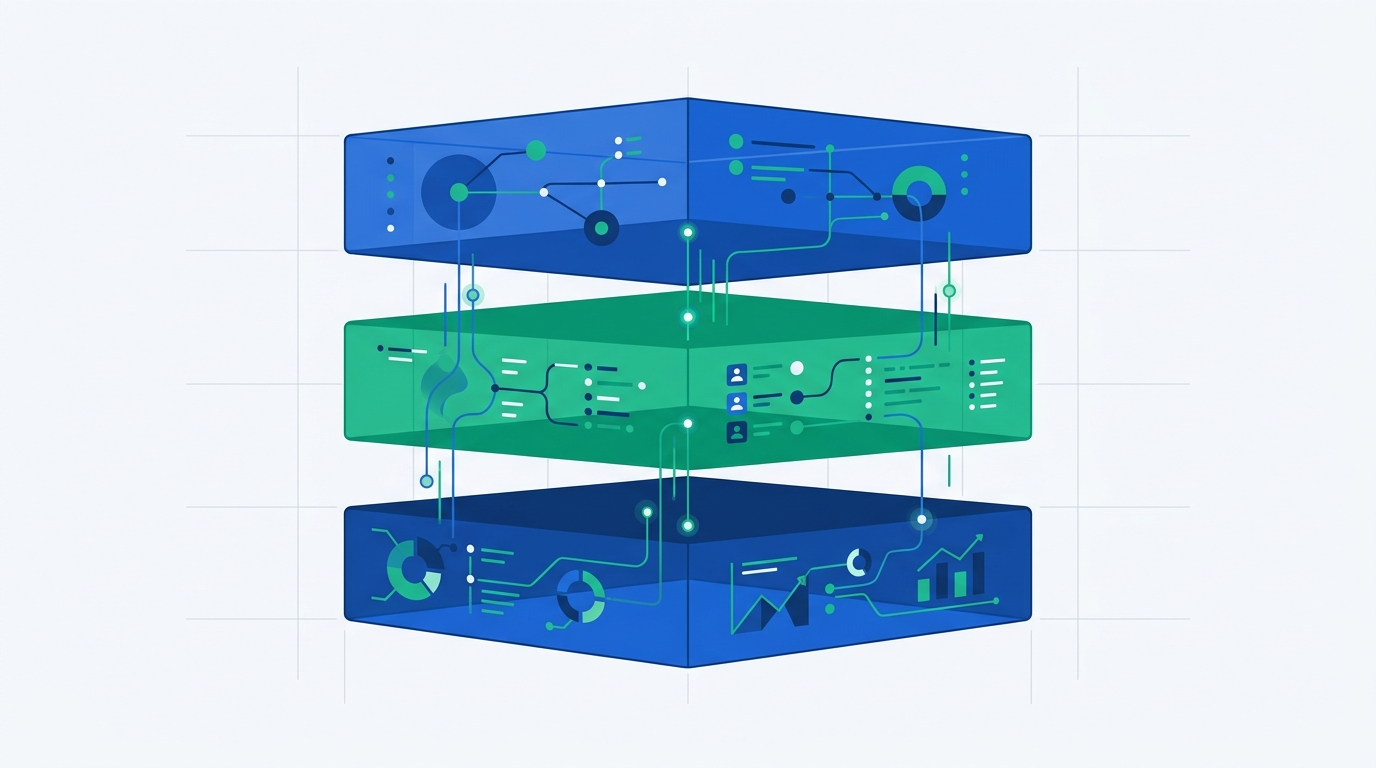
Before wiring anything together, it helps to stop thinking of Clay, Apollo, and Outreach as competing products and start thinking of them as candidates for three distinct layers. Not every team needs all three — most don't — but understanding the layers makes it obvious which integration path actually applies to your situation.
Waterfalls a search across 100+ data providers and runs Claygent for custom research and personalization. Owns no database, sends nothing on its own.
Turns an enriched list into an actual outbound motion: email sequences, dialer tasks, LinkedIn steps, cadence rules, and reply handling.
At real cold-email volume, most stacks add a specialist sender — Smartlead or Instantly are the two most commonly cited — rather than routing high-volume cold outbound through Apollo or Outreach's own mailboxes.
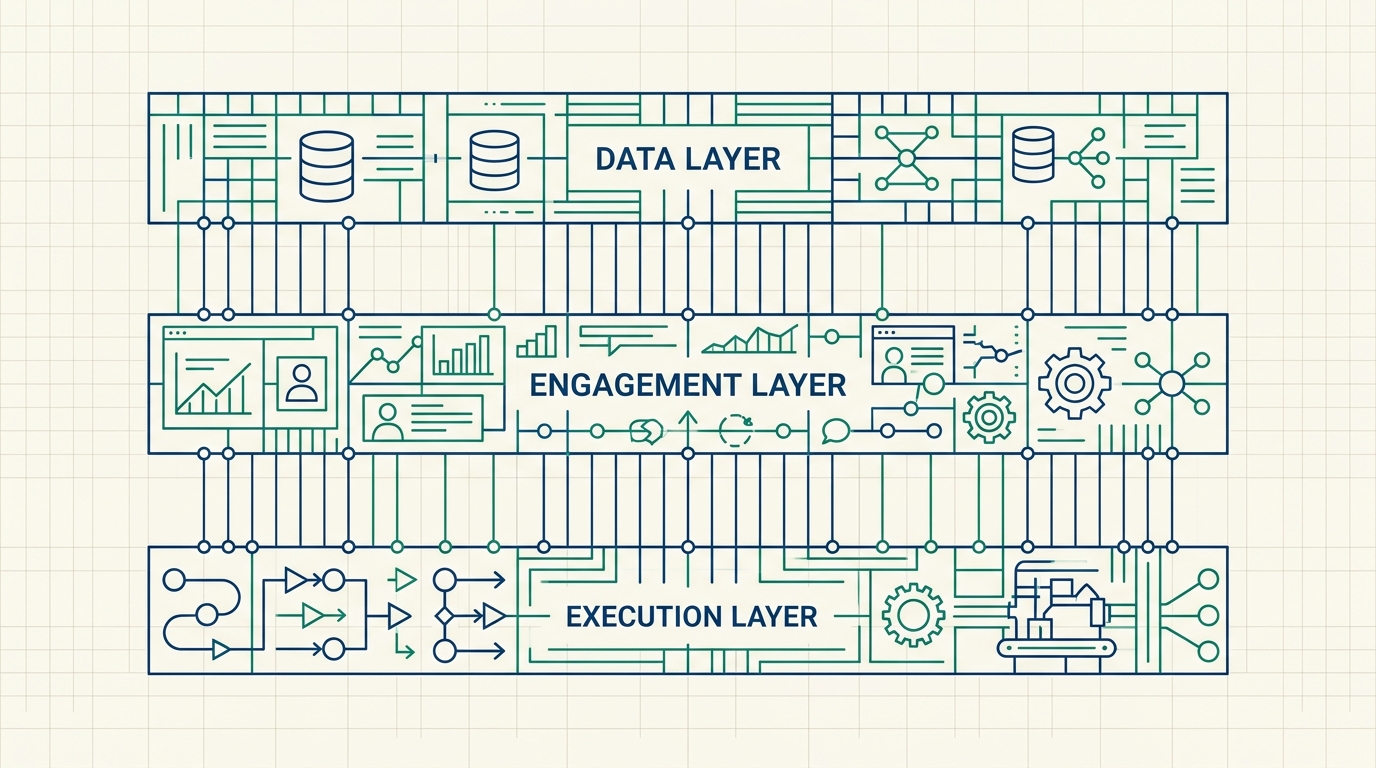
Apollo is the only tool that spans two layers on its own — it has both a database and a sequencer — which is exactly why it's the default single-tool answer for small teams and the most common "middle" of a combined stack. Clay is purely Layer 1, Outreach is purely Layer 2, and neither is complete without something next to it.
All three pairings between Clay, Apollo, and Outreach have a native, vendor-built integration — you don't need Zapier or Make to connect any of them, though both work as a fallback if you want conditional logic the native connectors don't support. If your team already runs a self-hosted automation layer for other parts of the business, the same build-your-own-pipeline instinct we cover in our comparison of self-hosting n8n vs Activepieces at scale applies just as well here — Clay's webhook support means it fits into that kind of stack without much friction. For the upstream question of which lead sources and triggers should feed the stack in the first place, see our step-by-step framework for automating B2B lead generation.
This is the most common pairing, and the cheapest to run. Apollo supplies the native sequencing, dialer, and LinkedIn task steps; Clay sits in front of it, waterfalling a search across its 100+ provider network to fill in gaps Apollo's own 210-million-contact database misses, then enriching and scoring the list before it ever reaches a sequence.
Setup: the native integration
In Clay, go to Settings → Integrations → Add Integration → Apollo.io, and authenticate with your Apollo account.
In Apollo, go to Settings → Integrations → API and make sure API access is enabled for the plan tier you're on — this is what Clay's enrichment columns and push actions authenticate against.
Turn on Clay's dedup matching before sending contacts to Apollo. With it enabled, the integration checks for existing records and updates them instead of creating duplicates — a step that's easy to skip on a first run and expensive to clean up after the fact.
Use Clay's Apollo enrichment or push action to send the finished table into an Apollo list, where it's ready to drop into a sequence.
Alternative: webhook, for anything the native action doesn't cover
If you need a trigger the native integration doesn't expose — for example, kicking off enrichment the moment a new lead lands in another system — Clay's webhook listener covers it. In a workbook, click + Add at the bottom, search for Webhooks, and select Monitor webhook to generate a unique URL.
# Paste this URL into whatever sends the source event
POST https://api.clay.com/v3/sources/webhook/xxxxxxxx-xxxx-xxxx
Content-Type: application/json

{ "email": "lead@company.com", "company": "Acme Inc" }
Every JSON payload posted to that URL becomes a new row in the workbook automatically, which is the pattern most teams use to trigger Clay enrichment from a form fill, a CRM stage change, or another automation tool entirely. One plan check before you build on it: under Clay's current pricing, webhooks, HTTP API connections, and CRM auto-sync are listed as Growth-plan features rather than Launch features, so a webhook-triggered design effectively sets your minimum Clay tier.
Need better targeting feeding an Apollo sequence?
Clay's free tier is enough to test the waterfall enrichment before you connect it to a live Apollo list.
Apollo ships a direct, native integration with Outreach specifically for teams that want Apollo's data and prospecting but Outreach's sequencing, governance, and forecasting at scale. Contacts found and enriched in Apollo push straight into Outreach, with verified emails, phone numbers, and company data carried along, and can be enrolled directly into an existing Outreach cadence without a CSV export in between. In this configuration Apollo is effectively demoted to a data source — which is exactly the role Outreach needs filled, since it has no database of its own.
What syncs — and what doesn't
Field mapping between the two platforms covers the basics reliably: first name, last name, LinkedIn URL, website URL, title, city, state, country, email, phone, street address, postal code, and time zone all carry over as long as they're populated in Apollo.
Apollo records can carry three or four phone numbers per contact. Outreach only accepts one phone field on the receiving end, so the rest silently don't make the trip unless you build and map custom fields for them first. This is one of the most commonly reported friction points in the Apollo–Outreach connector, and it's easy to miss until a rep notices a contact's mobile number is missing mid-sequence. It also has a cost angle: on Apollo's credit system a phone reveal costs 8 credits, so a number that never reaches Outreach is a number you paid for and can't use.
Setup
From Apollo's integration settings, connect Outreach and authorize the connection — this is a native, vendor-supported integration on both sides, not a third-party bridge.
Before your first real push, build custom fields in Outreach for anything beyond the standard set above — additional phone numbers being the most common case — and map them explicitly.
While prospecting in Apollo, push net-new contacts directly to Outreach, optionally enrolling them into a chosen sequence and selecting which mailbox sends on your behalf.
Need Apollo's data feeding Outreach's sequencing engine?
Start on Apollo's free tier to validate the prospecting workflow before wiring in Outreach.
Skipping Apollo entirely makes sense for a specific profile: a 100-plus-seat org already running Outreach on top of Salesforce, already paying for a data provider like ZoomInfo, and looking for Clay purely as a research and personalization layer rather than a data source. Claygent — Clay's AI research agent — reads a company's site, a job posting, or a funding announcement and turns it into a scored, personalized talking point, and Clay's native Outreach integration pushes that directly into a live cadence.
What the integration can do
- Create and update prospect records directly in Outreach
- Look up existing prospect data before deciding whether to create a duplicate
- Add prospects to a live Outreach sequence
- Create a task in Outreach tied to a specific contact, account, or opportunity
- Look up mailbox IDs so a workflow can select the correct sending account
Setup
From a Clay table, click Add enrichment, search for Outreach, and select the specific action you need — creating a prospect and enrolling in a sequence are two separate steps, not one bundled action, which is worth knowing before you build the workflow rather than after.
Running Outreach at scale and need a personalization layer?
See how Outreach's sequencing and forecasting fit a 100+ seat org already on Salesforce.
Each Tool on Its Own: Strengths and Limits
Whichever pairing you land on, each tool brings its own strengths and its own recurring complaints into the stack. Here's how each one holds up when judged on its own terms.
Clay — the data & enrichment layer
Clay's core idea is a spreadsheet-like canvas where each column can call a data provider, run an AI step, or trigger an API — turning what used to be a data engineer's project into something a growth or RevOps generalist can build. Waterfall enrichment is the headline feature; Claygent extends it into research and personalization at a volume no human researcher could match. What Clay does not do is send anything, so the enriched list always needs a second tool — and a second bill — downstream.
Pros
- Waterfall enrichment across 100+ providers instead of trusting one dataset
- Claygent automates custom research and personalization other tools can't touch
- Most flexible, programmable workflow canvas of the three
- Priced on usage, not seats — the Free plan includes unlimited seats
- Slots into almost any existing stack instead of replacing it
Cons
- Zero native sending — always requires a second tool
- Dual-meter pricing (Data Credits + Actions) is hard to predict before real usage
- Steepest learning curve of the three for non-technical operators
- Webhooks, HTTP API, and CRM sync sit on the Growth tier, not Launch
Apollo — the all-in-one for lean teams
Apollo's pitch is consolidation: a 210-million-plus contact database, native email sequencing, a built-in dialer, and LinkedIn task steps, all under one login and one invoice. The free plan is usable rather than a disguised trial, and the AI Assistant lets reps build lists, enrich records, and draft sequences through natural-language prompts. It also carries by far the largest review base in this comparison — 9,600+ reviews on G2 at a 4.7 average — which is itself a signal that it's the tool most SMB and mid-market teams actually adopt and keep.
Pros
- One platform covers data, sequencing, and calling
- Free tier is genuinely usable for validating outbound
- Only fully transparent, self-serve price list of the three
- Largest, most mature review base — fewer surprises
Cons
- Data accuracy reported as inconsistent at scale, especially outside the US
- Credit system charges 8 credits per phone reveal, and unused credits don't roll over
- AI Assistant still requires human review before anything sends
- Per-seat pricing adds up quickly past ~15–20 reps
Outreach — the enterprise execution layer
Outreach's buyer is a 100-plus-seat sales org already running Salesforce that needs governance over messaging and cadence at scale, plus forecasting revenue leadership can trust. Its sequencing engine is the most mature of the three for multi-step, multichannel plays, with reporting, A/B testing, and pipeline forecasting built for leadership rather than individual reps. The structural gap underneath all of it is data: a real Outreach deployment is "Outreach plus a database," and increasingly "Outreach plus a database plus Clay."
Pros
- Deepest enterprise-grade sequencing, reporting, and forecasting of the three
- Kaia's conversation intelligence has a vendor-reported win-rate impact on larger deals
- Built for governance — consistent messaging and cadence across a distributed team
- Strong Salesforce integration for RevOps teams that live there
Cons
- No contact database — budget for a separate data tool
- No published pricing; a real number requires a sales conversation
- AI-credit consumption means the bill can move even when headcount doesn't
- Overkill, in cost and complexity, for a team under 20–30 reps
What Each Tool Costs — and What Running All Three Costs
Wiring the integrations together is close to free — the cost that matters is what each layer bills, and each vendor meters in a completely different unit. Clay charges for enrichment volume, Apollo charges per seat plus credits, and Outreach charges per seat plus AI-credit consumption. Here's what each list price looks like as of September 2026, followed by what the combined stacks cost per opportunity.
Clay: two meters, not one
Clay overhauled its self-serve pricing in March 2026, replacing the old Starter, Explorer, and Pro tiers with two paid plans. Launch is $185/month billed monthly (about $167/month billed annually) and includes 15,000 Actions plus a starting allowance of Data Credits; Growth is $495/month billed monthly (about $446/month annually) with 6,000 Data Credits and 40,000 Actions a month. A Free plan gives 100 Data Credits and 500 Actions a month, capped at 200 rows per table. The two meters are the trap: Data Credits cover marketplace data lookups, while Actions cover workflow steps, HTTP API calls, CRM syncs, and AI operations — so a workflow that looks cheap in enrichment terms can still burn through Actions quickly once it runs on every new lead.
Apollo: transparent seats, credit fine print
Apollo is the only one of the three with a fully public, self-serve price list: Free ($0), Basic ($49/user/month billed annually, about $59 monthly), Professional ($79/user/month annually, about $99 monthly), and Organization ($119/user/month annually, three-seat minimum), plus a custom Enterprise tier. The part that catches teams off guard is the credit layer on top: the free plan includes only 5 mobile credits a month, a revealed phone number costs 8 credits, and unused credits expire at the end of each billing cycle rather than rolling over.
Outreach: no public prices, plus AI credits
Outreach does not publish prices; its pricing page lists four quote-only tiers — Amplify Essentials, Core, Plus, and Pro — defined by included AI credits (10,000, 25,000, 50,000, and 100,000 respectively), on top of per-user seat pricing. Third-party pricing guides report roughly $100–$160 per user per month depending on tier, and implementation or onboarding fees that start around $5,000 and climb with complexity. Additional AI credits can be purchased beyond the included allotment, which is why an Outreach bill can move even when headcount doesn't.
The combined-stack math
Third-party benchmarks put per-opportunity cost for a combined stack in two rough bands, depending on composition:
Two numbers worth sitting with before you commit to a full three-tool stack. First, a complete Clay implementation — once you add the four or five supporting tools most teams end up needing around it, plus credit overages on Clay's dual-credit model that routinely run 2–3x above initial projections — lands at roughly $75,000 to $120,000 a year for a 25-person team, according to third-party TCO breakdowns. Second, the cheapest credible outbound setup that still works is Apollo paired with two to five dedicated sending inboxes, landing around $200–$300 a month total — a useful floor to compare against before assuming you need Clay or Outreach at all.
The pattern that shows up across every cost breakdown we found: the dollar-per-opportunity ratio improves more from tightening ICP targeting and cleaning existing data than from adding another platform. Tool sprawl is the more expensive lever to pull, and it's usually not the first one worth pulling.
The Failure Points Nobody Documents
None of the integrations above are hard to set up — the failure modes show up after launch, once real volume is flowing through all three layers at once.
Both the Clay→Apollo and Clay→Outreach paths support dedup matching, but it isn't always on by default. A first bulk push without it enabled creates duplicate records that then get worked twice by different reps — confusing, and hard to fully clean up after the fact.
Clay meters usage across two separate pools — Data Credits for enrichment pulls, Actions for workflow runs — which makes total monthly spend genuinely hard to predict before you've run real volume through it. Third-party cost audits report overages of 2–3x initial projections as the norm, not the exception, once a workflow scales past the pilot stage.
Apollo credits expire at the end of each billing cycle, and phone reveals cost 8 credits apiece. If the Apollo→Outreach mapping only carries one phone field, every extra number revealed in Apollo is spend that never reaches a rep. Decide which numbers you actually need in Outreach before bulk-revealing them.
A stack can be wired perfectly and still fail if the sending side isn't warmed up to match. Industry consensus across deliverability vendors: cap sends at roughly 100 per mailbox per day, warm a new domain starting at 15–20 emails a day and increase gradually over three to four weeks, and never raise volume more than 20% in a single day even with strong engagement. SPF, DKIM, and DMARC need to be in place before any of that matters. Google's bulk-sender rules enforce a spam-complaint rate below 0.3% — as few as three complaints per 1,000 emails sent can trigger throttling or a block. Pointing several hundred freshly Clay-enriched leads at a brand-new Outreach or Apollo mailbox on day one is the single most common way teams undo weeks of careful integration work in an afternoon.
Most of these failure points surface as silent sync errors or a sudden reply-rate drop rather than an obvious error message, which is why it's worth routing integration failures and deliverability alerts into a shared channel your team actually watches — the same notification pattern we walk through in our guide to connecting Slack with HubSpot applies just as well to an Apollo or Outreach webhook failure. If duplicates have already leaked into your CRM, our walkthrough of fixing duplicate-contact and missed-trigger sync errors covers the cleanup side.
Which One — or Which Combination — Fits Your Team
Match the tool to the layer you're missing, not to whichever one has the loudest AI pitch. Here's how that plays out by team stage.
Apollo Free or Basic, on its own. You need a working database and volume more than sophistication, and the free tier is enough to prove outbound works before you spend anything. Adding Clay before someone owns "make our targeting better" as an actual job function is ops overhead without a clear owner.
Apollo Professional as the single tool. One bill, one login, and the AI Assistant handles enough of the busywork. If you occasionally need better data rather than a live pipeline, a one-off Clay export into a CSV, imported into Apollo, gets most of the enrichment benefit without building or maintaining a live sync.
Clay → Apollo (Architecture 1), usually with a dedicated sender such as Smartlead or Instantly for high-volume cold email. This is where waterfall enrichment and Claygent-driven personalization earn their cost — you already have the ops capacity to build and maintain the workflows.
Apollo → Outreach (Architecture 2). Keep Apollo as the data source, move sequencing, governance, and forecasting to Outreach — and map extra phone fields before the first push.
Outreach paired with an existing enterprise data provider, and Clay as the personalization layer (Architecture 3). If your CRM data is already clean and personalization isn't the bottleneck, skip both Apollo and Clay — the enterprise stack's extra cost only makes sense once the data or personalization gap is the real constraint.
If the deciding question in your head is "which one is the AI SDR that replaces a hire" — none of them, today. All three augment a human seller. For high-volume cold email specifically, most Clay-centric and Apollo-centric stacks alike route sending through a dedicated deliverability specialist rather than Apollo or Outreach's own mailboxes once volume passes a few hundred sends a day. We'll cover that decision directly in a future comparison — Smartlead vs Instantly for cold email deliverability.
FAQ
Do Clay, Apollo, and Outreach connect natively, or do I need Zapier?
All three pairings — Clay↔Apollo, Clay↔Outreach, and Apollo→Outreach — have vendor-built native integrations. Zapier or Make can still be useful for conditional logic the native actions don't cover, but they aren't required to connect the core data flow.
Can I run just two of the three instead of all of them?
Yes, and most teams do. Clay→Apollo is the most common two-tool pairing for lean teams; Apollo→Outreach fits teams that have outgrown Apollo's sequencing but still want its data. Running all three at once is mainly an enterprise pattern.
What breaks first when you connect all three?
Based on the integration documentation and community reports we reviewed, the most common early failures are un-deduped bulk pushes creating duplicate contacts, phone numbers silently dropping in the Apollo→Outreach handoff, and credit overages on Clay's dual-credit pricing once a workflow scales past a small pilot.
Is deduplication automatic across these integrations?
No — it's a setting you need to enable explicitly on both the Clay→Apollo and Clay→Outreach paths before your first bulk push. It isn't always on by default, and cleaning up duplicates after the fact is more work than turning it on beforehand.
How long does the initial integration setup actually take?
The native Clay↔Apollo and Apollo→Outreach connections themselves take under an hour to authenticate and configure. The time sink is downstream: mapping custom fields, setting up dedup rules, and — most importantly — warming up sending domains over three to four weeks before pushing real volume through the finished stack.
Can Clay replace Apollo or Outreach entirely?
No. Clay has no native sending capability — it enriches and prioritizes leads, but you still need a tool like Apollo, Outreach, Salesloft, Smartlead, or Instantly to actually send emails, make calls, or run LinkedIn touches. Most Clay users pair it with one of these rather than treating it as a replacement.
Is any of these platforms a true "AI SDR" that replaces a hire?
Not based on our research as of September 2026. Apollo's AI Assistant and Outreach's Research and Revenue Agents both operate on a draft-and-approve model in the large majority of documented deployments — they handle research and write a first draft, and a human reviews before anything sends. "Fully agentic" marketing language is ahead of what's independently verified in production.
Which is cheapest for a 5-person startup sales team?
Apollo, by a wide margin. Its free tier includes database search and enough sequencing to validate outbound, and Basic starts at $49/user/month billed annually — well below Clay's $185/month Launch plan plus a separate sender, or Outreach's quote-only seats.
Does Outreach have its own contact database?
No. Outreach is an execution and analytics layer — you need to bring your own data, typically from Apollo, ZoomInfo, or a similar provider, before you can build a single sequence. That's the gap the Apollo→Outreach and Clay→Outreach integrations fill.
Methodology
This guide is based on each vendor's published pricing pages and product documentation (Clay University, Apollo's Knowledge Base and launch announcements, Outreach's pricing page), third-party integration setup guides and pricing breakdowns, G2 review aggregates, and publicly reported stack-cost and deliverability benchmarks. Pricing and ratings were rechecked in September 2026. Outreach does not publish prices, so its per-seat and onboarding figures come from third-party reports and should be confirmed with a sales rep for your headcount and modules. Per-opportunity cost figures and Clay TCO estimates are third-party analyst estimates, not vendor-published numbers — treat them as a planning reference and confirm against your own funnel math before budgeting. Claims describing an AI agent as autonomous are vendor-reported unless otherwise noted; we did not run unsupervised production campaigns on any of the three platforms. Deliverability thresholds reflect current guidance from multiple email-deliverability vendors and Google's published bulk-sender requirements.

Technology consultant with 10+ years in the Japanese tech industry. Specializing in SaaS evaluation, workflow automation, and B2B tool integration.