TL;DR
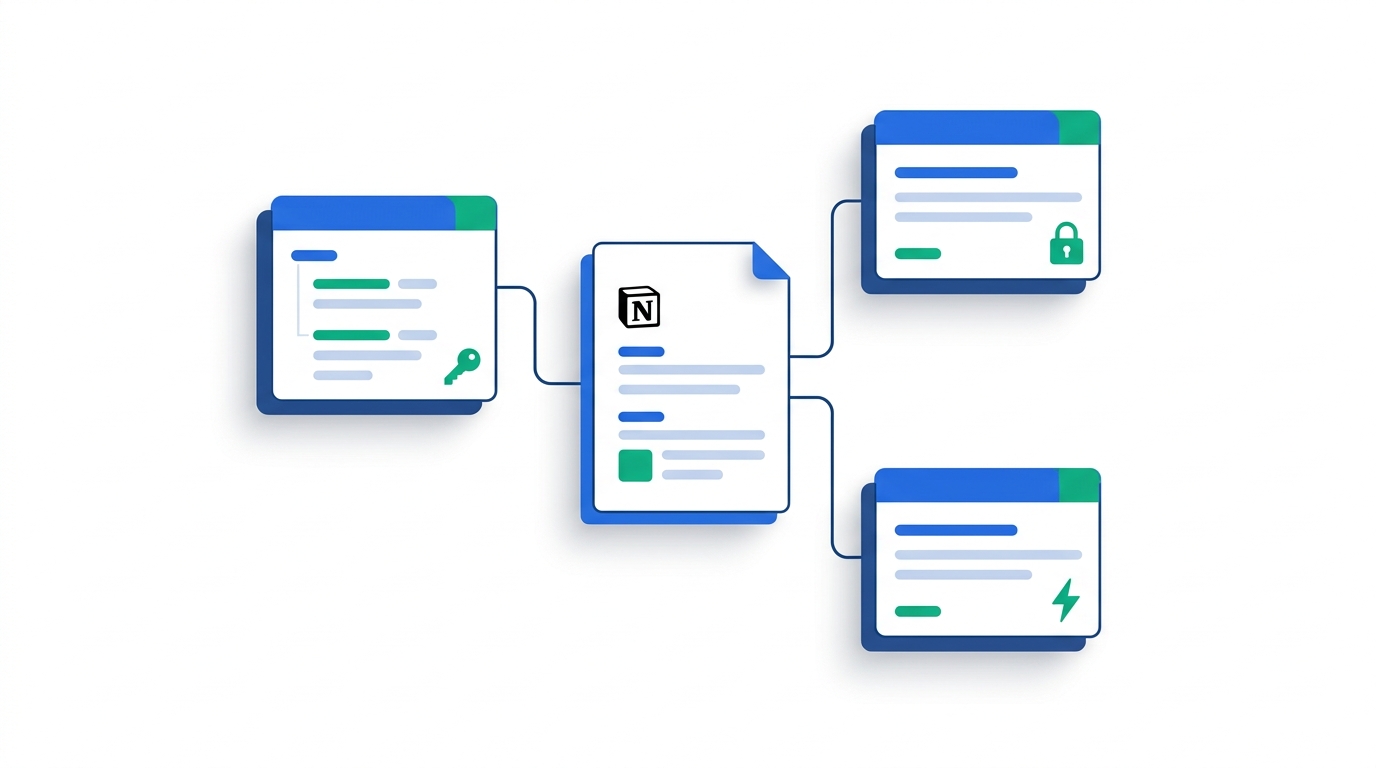
Notion's May 2026 Developer Platform release changed the math on building integrations: Workers (a hosted runtime) and the External Agents API now sit alongside the classic REST API, while OAuth and Internal Integrations remain the entry points for everything else.
For most B2B teams, the answer is "buy a no-code platform first, build only what you must". Activepieces and Make cover ~80% of cross-tool workflows at <$30/mo. Build with the Notion API directly only when you need workspace-native UX, audited compliance flows, or AI agents that act inside the workspace.
The hard part isn't the API — it's the 3 requests/second average rate limit, the block-tree data model, and the fact that "page" and "database row" share an ID space. Skip past those, and most integrations work the first time.
What This Guide Covers — and Who It's For
This guide is for B2B engineering, ops, and product leads who are about to make one of three decisions:
- Build a custom integration on the Notion API (or one of the new Workers).
- Buy a no-code automation platform — Zapier, Make, n8n, or Activepieces — and point it at Notion.
- Both — buy for the long tail of "sync X to Notion" workflows, build for the 2–3 high-leverage flows that need custom logic.
This is a technical implementation guide, not a feature tour. If you're looking for a general introduction to what Notion's API can do, this isn't that article — it's written for the reader who has already decided they need to build, budget, or defend a build-vs-buy call this quarter, and wants the OAuth mechanics, rate-limit behavior, and cost math to back it up.
Based on our research across Notion's official documentation, the May 13, 2026 Developer Platform release, and hands-on testing of the four leading automation platforms, here is what's actually true about Notion integrations in 2026 — what the marketing pages skip, what the docs bury, and what we'd tell a customer in a 30-minute scoping call.
What Changed in 2026: The Developer Platform Release
On May 13, 2026, Notion shipped its Developer Platform 3.5, the most significant change to how integrations work since the public API launched in 2021. Three things are new:
1. Workers (hosted runtime)
Workers are a hosted runtime for custom code. You write the code locally (often with a coding agent), deploy via the CLI, and Notion runs it in a secure sandbox attached to your workspace. They sit between "I'll call the API from my own server" and "I'll buy Zapier." Workers are free to try on Business and Enterprise plans through October 15, 2026, after which they bill through Notion's credit system — about $0.0023 per run (roughly 4,348 runs per 1,000 credits, at $10 per 1,000 credits/month). That's metered usage, not a flat fee, so it belongs in your build-vs-buy cost math, not just your engineering-effort estimate.
2. External Agents API
External Agents bring third-party agents — Claude, Codex, Decagon, or anything you build — into Notion as native workspace participants. They appear in the agent list, chat in pages and databases, and can take actions alongside humans. This is the most under-discussed piece: it changes what an integration looks like to end users. The integration is no longer a sidebar bot; it's a teammate.
3. The Notion CLI
A purpose-built command-line interface for developers and coding agents. It can sign into your workspace, read and write pages, build and deploy Workers, and is intended to be driven by AI coding agents as well as humans.
The Three Integration Types You Need to Know
Before you write a line of code, decide which of these you're building. The choice determines authentication, distribution, and what your users see in their workspace.
Internal Integration
Scoped to a single workspace. The integration's owner generates a Bearer token in notion.so/my-integrations and uses it server-to-server. Best for: internal tools, BI pipelines, "sync our CRM into our team workspace" jobs. No OAuth flow. The token lives in your secrets manager.
Public Integration (OAuth 2.0)
Distributable to any Notion workspace. You ship an OAuth flow: the user clicks "Connect Notion," picks the pages/databases they want to share, and you receive a workspace-scoped access token. Required for any SaaS product that talks to customers' Notion accounts. Notion requires a public-facing privacy policy, terms, redirect URI, and support email before it'll switch your app to public.
One thing that trips up engineers coming from other OAuth providers: Notion doesn't take a scope query parameter. Permissions are capabilities — Content (Read/Update/Insert), Comment, and User information (none / without email / with email) — that you set once in the integration's dashboard settings, combined with the specific pages and databases the user grants during the consent screen. Your authorize request itself only needs four parameters:
// Step 1: send the user to Notion's authorization screen
const authorizeUrl = new URL('https://api.notion.com/v1/oauth/authorize');
authorizeUrl.searchParams.set('client_id', process.env.NOTION_CLIENT_ID);
authorizeUrl.searchParams.set('redirect_uri', process.env.NOTION_REDIRECT_URI);
authorizeUrl.searchParams.set('response_type', 'code');
authorizeUrl.searchParams.set('owner', 'user'); // always "user"
authorizeUrl.searchParams.set('state', csrfToken); // optional, recommended

// Step 2: exchange the returned ?code=... for an access token
const res = await fetch('https://api.notion.com/v1/oauth/token', {
  method: 'POST',
  headers: {
    'Content-Type': 'application/json',
    'Authorization': 'Basic ' + Buffer.from(
      `${process.env.NOTION_CLIENT_ID}:${process.env.NOTION_CLIENT_SECRET}`
    ).toString('base64'),
  },
  body: JSON.stringify({ grant_type: 'authorization_code', code, redirect_uri }),
});
// res.json() -> { access_token, bot_id, workspace_id, workspace_name, ... }
The capabilities you configured decide what the resulting token is allowed to do; the pages the user picked during consent decide what it can see. Both gates apply — a token with "Update content" capability still can't touch a database the user never shared.
Worker (new in May 2026)
Custom code that runs inside Notion's sandbox, deployed via the CLI. Useful when you want low-latency reactions to workspace events without operating a server. Still in early adoption — production Workers are appropriate for internal/enterprise use first.
Setting Up Your First Integration (Step-by-Step)
This walkthrough covers the most common case: an Internal Integration that reads and writes a database. You can follow it in ~10 minutes.
Create the integration
Go to notion.so/my-integrations and click + New integration. Give it a name, pick your workspace, and choose capabilities (Read content, Update content, Insert content, Read user info). Save and copy the Internal Integration Secret — it starts with secret_ or ntn_.
Connect the integration to a page or database
This is the step everyone forgets. Open the Notion page or database you want the integration to access, click the ••• menu → Connections → search for your integration by name → confirm. Without this step, every API call returns object_not_found even though the integration is "live."
Make your first API call
Set the Authorization, Notion-Version, and Content-Type headers. The version header is required; Notion pins your code to a specific schema. As of August 2026 the current version is 2026-03-11. The original 2022-06-28 version still responds — Notion has no stated plans to drop server-side support for it — but Notion's own SDKs (v5.0.0 and above) have already dropped support for anything older, so new integrations should pin to 2026-03-11.
curl -X POST 'https://api.notion.com/v1/databases/<DATABASE_ID>/query' \
  -H 'Authorization: Bearer ntn_xxx...' \
  -H 'Notion-Version: 2026-03-11' \
  -H 'Content-Type: application/json' \
  --data '{
    "filter": { "property": "Status", "select": { "equals": "In Progress" } },
    "page_size": 25
}'Write back with proper schema
Inserts and updates use the same properties shape returned by query. The single biggest source of validation_error responses is sending a string where the property expects a typed object — for example "Tags": "Marketing" instead of "Tags": { "multi_select": [{ "name": "Marketing" }] }. When in doubt, query the database, copy the property shape from a real row, and edit from there.
Core API Surface (Worth Knowing Before You Build)
The Notion API exposes four object types and a handful of endpoints. You will use four of them constantly.
| Endpoint | What it does | Frequency in real integrations |
|---|---|---|
POST /v1/databases/{id}/query |
Filter and sort database rows. Pagination via start_cursor. |
Very high |
POST /v1/pages |
Create a page (often as a row in a database). | Very high |
PATCH /v1/pages/{id} |
Update properties on a page/row. | High |
GET /v1/blocks/{id}/children |
Read the body content of a page (paragraphs, headings, lists, etc.). | Medium |
PATCH /v1/blocks/{id}/children |
Append blocks to a page body. | Medium |
POST /v1/search |
Find pages or databases by title. Bounded by what the integration is connected to. | Medium |
| Webhooks (subscriptions) | Receive POST callbacks when pages/databases change. | Medium and growing |
If you're new to the API, our walkthrough of how to read and write Notion databases with Python covers the property-shape gotchas in depth.
Rate Limits: What Actually Matters in Production
The Notion API documents an average of 3 requests per second per integration token. A Notion engineer has publicly clarified that the underlying limit works out to roughly 2,700 calls per 15 minutes. Bursts above 3 r/s are tolerated; sustained traffic above it is not.
Two error codes signal you've hit a wall:
HTTP 429 rate_limited— you're sending too fast. Respect theRetry-Afterresponse header.HTTP 529 service_overload— Notion is under heavy load; treat it the same as a 429 and back off.
There are actually two limits stacked on top of each other, and this is the part teams miss: a per-connection limit (the ~3 r/s figure above) and a separate per-workspace limit, shared across every integration connected to that workspace and scaled to the workspace's plan. A workspace running five different integrations against it will hit the workspace-level ceiling before any single integration hits its own. Neither limit is purchasable today — there's no paid tier for higher throughput, on any plan.
The limits are dynamic: Notion doesn't publish hard ceilings because they flex with system load. In practice, the safe operating envelope for a single integration is:
| Workload | Practical limit per token | Mitigation |
|---|---|---|
| One-off backfill (10k rows) | 3 r/s sustained, ~55 min total | Linear sleep, exponential backoff on 429 |
| Realtime sync (CRM → Notion) | ~5–10 writes/s with bursts | Queue + batch + dedupe on the producer side |
| Multi-tenant SaaS (one token per workspace) | 3 r/s per tenant | Use OAuth so each customer gets their own rate budget |
Build vs Buy: The 2026 Honest Comparison
If your team can describe the integration in a sentence ("when a deal closes in HubSpot, create a row in our Notion CRM database with X, Y, Z fields"), you almost certainly do not need to write code. Four no-code platforms cover Notion well in 2026. They differ on price, hosting model, and how comfortable they are once your workflow has more than ~5 steps.
| Tool | Entry pricing | Integrations | Self-host option | Best for |
|---|---|---|---|---|
| Zapier | $19.99/mo (Professional) | 8,000+ | No | Small teams, broadest catalog |
| Make | $9/mo (Core) | 2,000+ | No | Visual workflows, mid-complexity |
| n8n | $20/mo cloud · free self-hosted | 1,500+ | Yes (fair-code) | Developer-led teams, high volume |
| Activepieces | Free (cloud) · free self-hosted | 280+ | Yes (MIT) | Open-source-first, AI workflows |
For a deeper head-to-head, see our hands-on Zapier vs Make comparison from 40 hours of testing and our Activepieces vs Make breakdown for B2B teams.
Quick decision framework
Choose Zapier if you have many one-off "trigger → action" automations across a wide app catalog and your team prefers polished UX over price.
Choose Make if your workflows have branching, loops, and error handling, and you want a visual canvas that scales.
Choose n8n if you have a developer who can run a container, you'll move >10k tasks/month, and you want code nodes inline with the UI.
Choose Activepieces if you want open source under MIT, AI-agent steps as first-class citizens, and zero vendor lock-in.
Build vs Buy Decision Flowchart
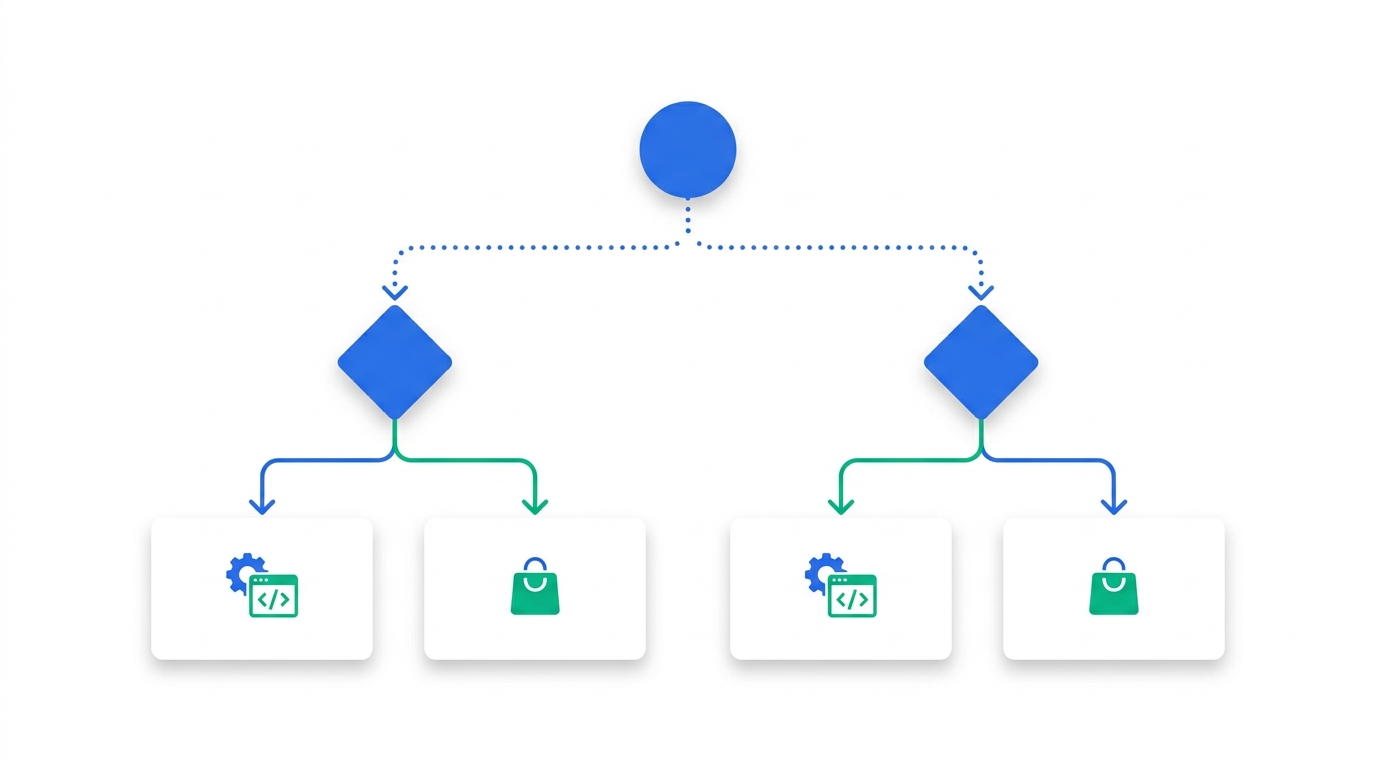
The callout above tells you which no-code tool to buy. This answers the earlier question: whether to buy at all. Work through it in order — stop at the first "yes."
Can you describe the whole workflow in one sentence?
Yes → Buy. Any of the four platforms above will cover it in under an hour. No → go to Q2.
Does it need two-way sync with loop prevention, or branching logic a no-code canvas can't express?
Yes → Build, or buy carefully — see Pattern 2 below. No → go to Q3.
Does it need to act like a teammate inside Notion — chatting in pages, responding to @-mentions?
Yes → Build on the External Agents API — see Pattern 3 below. No → go to Q4.
Will more than one customer's workspace depend on this, or will volume exceed a no-code plan's task limits?
Yes → Build with OAuth (your own server) or a Worker (Notion's sandbox), so each tenant gets its own rate-limit budget. No → Buy — you don't need custom infrastructure yet.
Make
Visual workflow automation for Notion + ~2,000 other apps
From $9/moThe best entry point for teams who outgrow Zapier's linear "Zap" model but don't want to run a server. Strong native Notion module with all four CRUD operations.
Pros
- ~60% cheaper than Zapier at scale
- Visual branching and error handlers
- Generous free tier (1,000 ops/mo)
Cons
- Steeper learning curve than Zapier
- No self-host option
- Operations counting can surprise you
Activepieces
Open-source (MIT) Zapier alternative with built-in AI agents
Free self-hosted · $16/mo Plus (billed yearly)The pick if you want to keep data in your own cloud or VPC. 280+ integrations, including a first-class Notion piece. AI agents are a built-in step type, which matters as you start chaining Notion + LLM workflows.
Pros
- True open source under MIT
- Self-host with no task limit
- AI agent steps in core product
Cons
- Smaller integration catalog than Zapier/Make
- Team tier jumps to ~$166/mo, a steep step up from Plus
- Younger ecosystem, smaller community
n8n
Developer-friendly automation, self-host or cloud
Free self-hosted · $20/mo cloud StarterThe closest thing to "code in a low-code shell." Inline JavaScript or Python nodes, a real expression language, and ~1,500 integrations. Calls itself "fair-code" — source available, with commercial restrictions, not full OSI open source.
Pros
- Code nodes inline with the visual flow
- Self-host removes per-task pricing pain
- Strong webhook + scheduled-trigger story
Cons
- "Fair-code" license isn't OSI-approved
- Cloud pricing climbs fast at scale
- Steeper than Make for non-developers
Common Integration Patterns (And How to Build Them)
Three patterns cover ~90% of B2B Notion integration requests we see. They're worth knowing before you commit to a tool — each one has a "buy" answer and a "build" answer.
Pattern 1: One-way sync from system-of-record into Notion
Example: HubSpot deals → Notion CRM database. The source system is canonical; Notion is the team-readable view. Buy first. Every no-code platform handles this in 4–6 clicks. Build only if you need custom field transformations the no-code UI can't express.
Pattern 2: Two-way sync
Example: A status change in Notion needs to update Linear, and vice versa. Build, or buy carefully. The trap is loop prevention — if A updates B, B's webhook fires and updates A, which fires again. Implement a "last writer" idempotency key, debounce, and a circuit breaker. Most no-code platforms can do this with branching, but expect to debug for a day.
Pattern 3: AI agent that operates inside Notion
Example: A weekly digest agent that reads the team's project pages, summarizes status, and posts into a "Weekly Sync" page — plus answers questions when @-mentioned. This is the case for the new External Agents API. The agent shows up as a workspace participant, not a sidebar bot. The build effort is non-trivial, but the UX payoff is large enough that it's usually worth doing in-house rather than gluing together Slack-mentions + Zapier hacks.
Common Pitfalls (We've Hit All of These)
1. Forgetting to connect the integration to pages
Creating the integration in my-integrations only authorizes it to exist. You also have to explicitly share each parent page or database with it via the page-level Connections menu. Without this, the API returns object_not_found for IDs that clearly exist.
2. Treating property values as strings
Notion properties are typed objects. "Status" isn't a string, it's { "status": { "name": "In Progress" } }. "Owner" isn't a name, it's { "people": [{ "id": "..." }] }. Always inspect a real row's JSON before writing.
3. Pagination assumptions
Database queries return at most 100 rows per page. You must paginate with start_cursor until has_more is false. Plenty of integrations look like they work in test (50 rows) and silently miss data in production (5,000 rows).
4. Skipping the Notion-Version header
Forgetting it doesn't fail in an obvious way — Notion picks a default and your code may receive a slightly different schema than you expect. Always pin to a version explicitly — 2026-03-11 is current as of this writing; 2022-06-28 still works but is no longer the version new integrations should default to.
5. Building on a single Internal Integration for a SaaS product
Tempting because OAuth setup is more work. But your customers' workspaces will share a single rate-limit bucket, which means your slowest customer can starve everyone else. Use OAuth from day one if you're shipping a customer-facing product.
6. Polling when webhooks would do
Webhooks are out of beta for most object types as of 2026. Polling every minute burns rate-limit budget you'll regret when you scale. Subscribe to the events you care about and only poll as a backup.
FAQ
Is the Notion API free to use?
Yes. There's no usage-based fee for API calls themselves — you pay for your Notion plan, and the API comes with it. Workers are free to try on Business and Enterprise plans through October 15, 2026, after which they consume Notion credits (about $0.0023 per run).
What's the difference between an internal and a public integration?
Internal integrations use a static Bearer token and only work in the workspace that created them. Public integrations use OAuth 2.0 and can be installed by any Notion workspace. If you're building a SaaS product, you need public; if you're building an internal data sync, internal is enough.
Can I use the Notion API without coding?
Yes. Zapier, Make, n8n, and Activepieces all wrap the Notion API behind visual workflows. You point them at your Notion workspace, pick a trigger and an action, and they handle authentication, schema, and rate limits for you.
How do I get a Notion API key?
For an internal integration: go to notion.so/my-integrations, create an integration, and copy the secret token from the configuration screen. For a public integration, you'll receive an OAuth client ID and secret after switching the integration type to "Public" and filling in the required public-facing metadata.
What's the rate limit on the Notion API?
Officially, an average of three requests per second per integration connection. In practice, that works out to about 2,700 calls per 15-minute window. There's also a separate, larger limit shared across every integration connected to the same workspace, scaled to that workspace's plan. Notion doesn't publish hard ceilings for either because limits flex with overall system load. Watch for HTTP 429 (rate_limited) and HTTP 529 (service_overload) responses, and respect the Retry-After header.
Do Notion Workers replace the REST API?
No. Workers complement it. The REST API is still the way you talk to Notion from your own infrastructure. Workers are useful when you want code to run in Notion's sandbox — typically for low-latency reactions to workspace events or when you don't want to operate a server.
Methodology
This guide synthesizes the official Notion API documentation, the Developer Platform 3.5 release notes (May 13, 2026), and our hands-on use of Zapier, Make, n8n, and Activepieces against real Notion databases. Pricing, the current API version, Workers credit pricing, and the OAuth/capabilities model were verified directly against Notion's and each vendor's official documentation on August 26, 2026. Rate-limit figures come from Notion's published request-limits documentation and corroborating engineering statements. We do not accept paid placements in this guide; affiliate links, where present, are clearly marked and do not influence rankings.

Technology consultant with 10+ years in the Japanese tech industry. Specializing in SaaS evaluation, workflow automation, and B2B tool integration.