If you priced out QuickBooks Online any time before May 2026, the number you have in your head is wrong. Intuit pushed through its largest single price increase ever that month — 15% to 25% across every tier, with QuickBooks Payroll rising roughly 20% on top — and a second round of increases is scheduled for August 1, 2026. For a business on the Plus plan with payroll attached, the monthly bill has already jumped from around $170 to $215, and it's going up again.
That changes the calculus for a lot of small businesses that assumed QuickBooks was the default, no-questions-asked choice. It doesn't mean QuickBooks is wrong for you — for many businesses it still is the right answer — but it does mean the comparison is worth actually running in 2026, rather than defaulting to the name you've heard of.
We looked at six accounting platforms small businesses actually choose between: QuickBooks Online, Xero, Wave, FreshBooks, Zoho Books, and Sage. Below is the short version, a full comparison table, individual breakdowns with real 2026 pricing, and a decision guide organized by the situation you're actually in — solo operator, service business, growing team, or international. If you're a funded startup rather than a general small business, the stage-by-stage breakdown in our guide to QuickBooks alternatives for startups is the closer fit — it sorts the same category by funding stage and by whether you need cash books, accrual books, or both.
Quick Answer
Best overall: QuickBooks Online
Still the deepest feature set and the software most accountants already know — but now the most expensive option tier-for-tier, and getting more expensive in August.
Best genuinely free option: Zoho Books
Full double-entry accounting, invoicing, and bank reconciliation at $0/month for businesses under $50,000 in annual revenue — no feature-gutted trial, no forced upgrade timeline.
Best for freelancers and service businesses: FreshBooks
The most polished client-facing invoicing and time-tracking experience of the group, built around billing clients rather than managing inventory.
Best for growing, multi-user teams: Xero
Unlimited users on every plan (QuickBooks and FreshBooks both charge per seat past the first), plus the strongest multi-currency handling of the six.
Comparison Table: Pricing and Fit at a Glance
Prices below were checked in July 2026. This is a fast-moving category — Intuit alone changed QuickBooks' pricing twice in one year — so treat these as directional and confirm current rates before you buy.
| Tool | Starting Price (2026) | Free Plan | Users Included | Best For |
|---|---|---|---|---|
| QuickBooks Online | $20–$275/mo | No (30-day trial) | 1 (Solopreneur) to 25 (Advanced) | Businesses that work with a CPA or bookkeeper |
| Xero | ~$25–$90/mo | No (30-day trial) | Unlimited on every plan | Multi-currency, multi-user teams |
| Wave | $0, Pro $19/mo | Yes (Starter) | 1 on Starter; collaborators need Pro | Very small operations, service invoicing |
| FreshBooks | ~$19–$70/mo | No (30-day trial) | 1; +$11/mo per extra seat | Freelancers billing hourly or by project |
| Zoho Books | $0–$275/mo | Yes (under $50K revenue) | 1 on Free; scales by tier | Cost-conscious businesses wanting full features |
| Sage Accounting | ~$10–$25/mo | No (free trial) | Varies by tier | Simple invoicing and cash-flow tracking |
QuickBooks Online
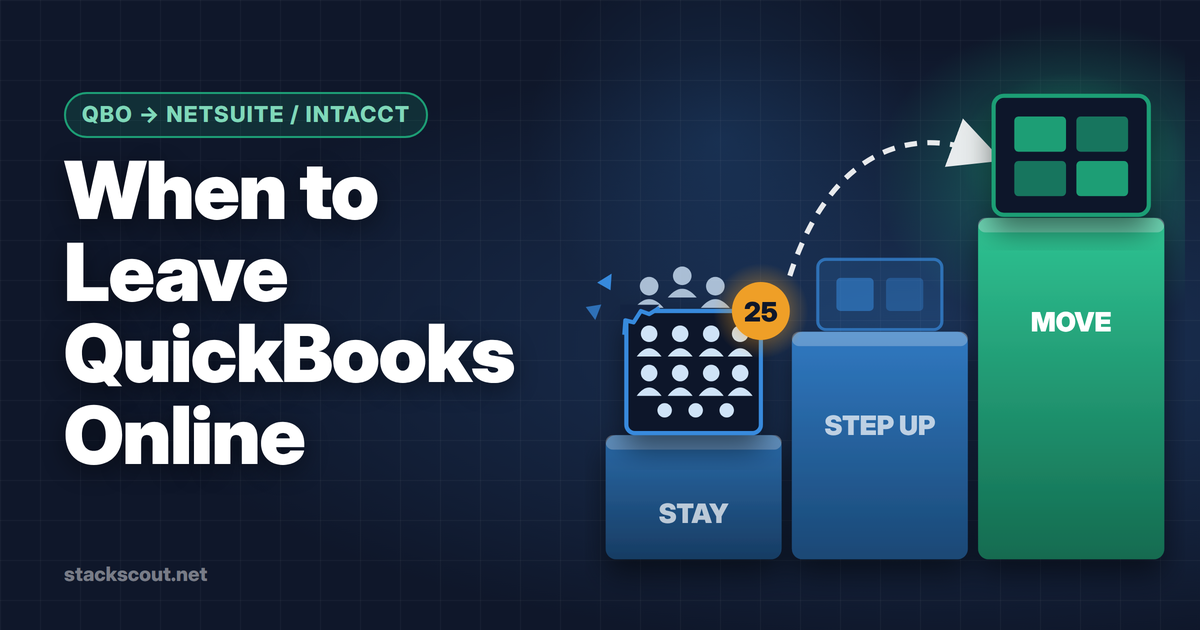
QuickBooks Online remains the industry default, and for good reason: it's the software most bookkeepers, accountants, and tax preparers already know, which matters more than it sounds like when you're handing off your books at tax time. As of July 2026, plans run Solopreneur at $20/month, Simple Start at $38/month, Essentials at $75/month, Plus at $115/month, and Advanced at $275/month — reflecting the May 2026 increase, with Essentials, Plus, and Advanced scheduled to rise again on August 1.
The Solopreneur tier is aimed squarely at single-person businesses tracking income and expenses without full double-entry books, while Simple Start and above add invoicing, basic reporting, and — from Essentials up — bill management and multiple users. Payroll is a separate add-on that itself got a roughly 20% price increase this year, so if you're bundling payroll in, budget for it separately.
Pros
- Nearly universal accountant and bookkeeper familiarity
- Deepest reporting and third-party app ecosystem
- Scales cleanly from solo to 25-user Advanced plans
Cons
- Now the most expensive option in this comparison, tier-for-tier
- Two price increases in 2026 alone, with more possible
- Payroll is a separate, also-rising cost
QuickBooks Online
The accountant-standard choice — worth it if you already work with a CPA who uses it.
Xero
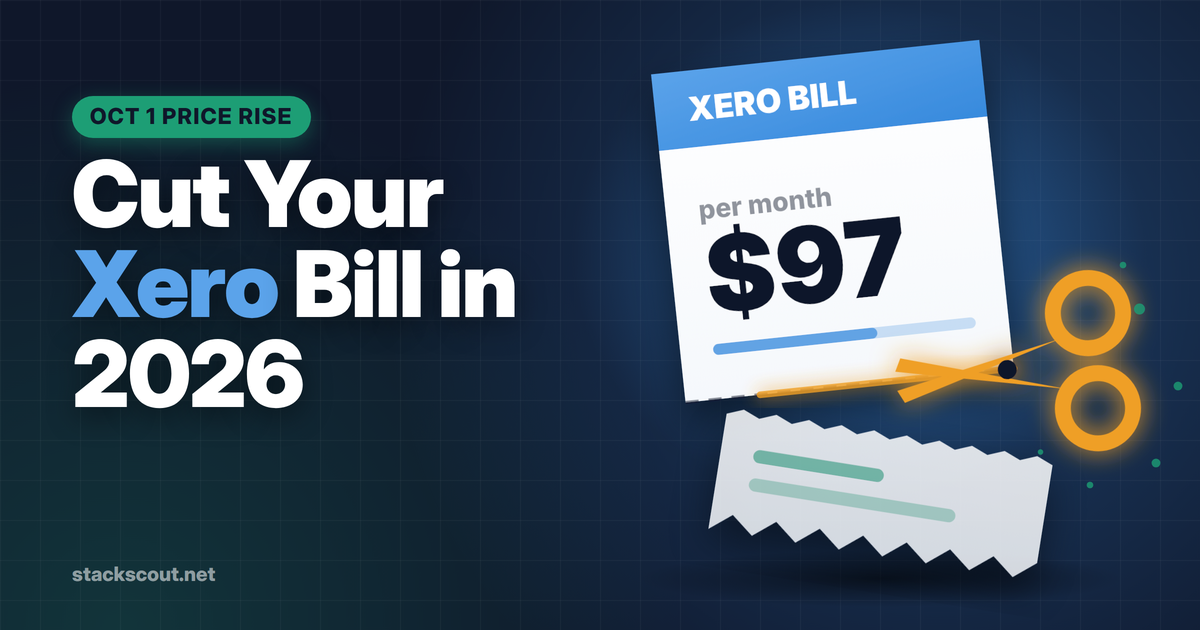
Xero's biggest structural advantage is that every plan — not just the top tier — includes unlimited users. For a small business where two or three people (an owner, an office manager, a part-time bookkeeper) all need access, that alone can offset a higher list price versus paying per seat elsewhere. As of mid-2026, Xero's entry plan runs around $25/month with capped invoices and bills, its mid-tier around $55/month with unlimited invoicing and bill payment, and its top tier around $90/month adding multi-currency accounting, expense claims, and project tracking.
Xero also tends to edge out QuickBooks on interface clarity for people without an accounting background — bank reconciliation in particular is built around a simple "does this match" workflow rather than double-entry jargon. The tradeoff is a smaller US accountant network than QuickBooks, though that gap has narrowed considerably as Xero has grown.
Pros
- Unlimited users on every plan, including the entry tier
- Strong multi-currency and international invoicing support
- Cleaner bank reconciliation workflow for non-accountants
Cons
- US payroll requires a Gusto add-on at extra cost
- Smaller pool of US-based accountants who use it day-to-day
- Entry plan caps invoice and bill volume
Xero
Best value once you factor in unlimited users — strong for teams of two or more.
Wave
Wave is worth understanding correctly before you pick it, because its free tier isn't what it was a few years ago. The Starter plan (still $0/month) covers invoicing, expense tracking, and basic reports, but automatic bank feeds, receipt scanning, and — as of June 2026 — collaborator access all now require the Pro plan at $19/month. If you're a true solo operator who doesn't need anyone else logging in, Starter can still be genuinely useful. If you plan to give a bookkeeper or co-founder access, budget for Pro from day one.
Where Wave still wins outright is simplicity for service-based businesses sending a handful of invoices a month. There's no learning curve, and the invoicing and payment collection experience is clean without being stripped down.
Pros
- Real $0/month tier, not a time-limited trial
- Clean, low-friction invoicing for service businesses
- Pro plan is still cheaper than most competitors' entry tiers
Cons
- Automatic bank feeds and receipt scanning now sit behind Pro
- Collaborator access requires Pro as of June 2026
- Reporting is thinner than QuickBooks or Xero as you scale
Wave
Genuinely free for solo invoicing — upgrade to Pro the moment you add a collaborator.
FreshBooks
FreshBooks is built around a specific use case — a freelancer or small service business that bills clients for time or projects — and it does that better than any of the more general-purpose tools here. Estimates, proposals, and invoices all look client-ready by default, and time tracking is built in rather than bolted on. 2026 pricing runs roughly $19–23/month for Lite (capped at 5 billable clients), $38–43/month for Plus (50 clients), and $65–70/month for Premium (unlimited clients), with every plan single-user by default — additional team members are $11/month each regardless of tier.
The client cap on lower tiers is the thing to watch: if you work with more than five clients a month, Lite won't fit, and you'll be pushed to Plus faster than the sticker price suggests.
Pros
- Best-in-class client-facing invoice and proposal design
- Built-in time tracking suited to hourly billing
- 30-day free trial with no credit card required
Cons
- Billable-client caps on Lite and Plus force earlier upgrades
- Every additional team seat costs extra, on every tier
- Weaker inventory and multi-currency depth than Xero
FreshBooks
The best invoicing experience for client-billed service work.
Zoho Books
Zoho Books is the one platform in this comparison with a free plan that isn't a stripped-down trap: businesses under $50,000 in annual revenue get one full user, up to 1,000 invoices a year, bank reconciliation, double-entry accounting, and a client portal, indefinitely, with no credit card required. That's a materially higher bar than Wave's free tier once you account for Wave's 2026 restrictions.
Once you outgrow the revenue cap or need more users, paid tiers are billed per organization rather than per seat: Standard at $20/month, Professional at $50/month, Premium at $70/month, Elite at $150/month, and Ultimate at $275/month, each unlocking more automation, inventory, and advanced reporting. For a business that's cost-conscious but doesn't want to sacrifice real double-entry accounting, Zoho Books is the strongest fit here.
Pros
- Free plan includes real double-entry accounting, not just invoicing
- Paid tiers billed per organization, not per user
- Wide range of tiers to grow into without switching platforms
Cons
- Free plan cuts off at $50,000 in annual revenue
- Smaller US accountant familiarity than QuickBooks
- Best integrations are with other Zoho products, not third parties
Zoho Books
Full accounting features, free, until you outgrow the revenue cap.
Also Worth a Look: Sage and Free Desktop Options
Sage Accounting sits below QuickBooks and Xero on price — roughly $10/month for a basic plan and $25/month for a tier with cash-flow forecasting and fuller reporting — and is a reasonable fit for a freelancer or very small business that wants simple invoicing and expense tracking without the depth (or cost) of the bigger platforms. It's less commonly recommended by US accountants than QuickBooks or Xero, so check with your bookkeeper before committing if you plan to hand off books to one.
If you specifically searched for free offline or desktop accounting software, know that the market has moved almost entirely to the cloud — every tool above is cloud-based. Desktop-only free options like NCH Express Accounts still exist for businesses with five or fewer employees, but they trade away bank feed automation, mobile access, and the collaboration features that make cloud accounting worth the monthly fee for most small businesses in 2026.
The Subscription Price Isn't the Real Cost
Every comparison above focuses on the monthly subscription, because that's the number you can pin down. But for most small businesses, the software fee is the smaller line item. If you work with a bookkeeper or accountant — and most businesses past the solo stage eventually do — the platform you choose affects how many hours they spend cleaning up your books each month, and that shows up in your bill from them, not from the software vendor.
Businesses on QuickBooks typically report annual bookkeeping and accounting fees in the $1,500–$2,500 range, reflecting how much of the reconciliation and categorization work the software automates correctly the first time. Businesses on tools with weaker automation — Wave is the common example, given how much of its automation now sits behind the paid Pro tier — more often land in the $2,500–$4,500 range, because a bookkeeper has to manually clean up transactions the software didn't categorize or match correctly. If you're choosing based on the cheapest monthly price, run that math first: a $19/month tool that costs you an extra $1,000 a year in cleanup isn't actually the cheaper option.
How We Chose
We evaluated each platform on the criteria that actually determine whether small business accounting software gets used correctly, rather than abandoned after a few months: pricing transparency (what you'll actually pay at your business's size, not just the teaser rate), depth of real double-entry accounting versus simple income/expense tracking, invoicing and accounts-receivable workflow quality, bank feed and reconciliation automation, payroll compatibility (native or via integration), and — critically for anyone who isn't an accountant — how forgiving the software is if you make a mistake. We weighted accountant and bookkeeper familiarity heavily, since the software you use matters less than whether the person reconciling it professionally already knows it.
Who Should Choose Which

You have no employees and just need to track income and expenses. Start with Wave Starter or QuickBooks Solopreneur. Both are built for exactly this, and neither forces you to learn double-entry accounting you don't need yet.
You bill clients by the hour or project. FreshBooks. The invoicing, estimates, and time tracking are built around that workflow specifically, and it shows in how little setup it takes.
You're bootstrapped and want full accounting features without the bill. Zoho Books, as long as you're under the $50,000 revenue threshold — you get real double-entry accounting, not a limited trial.
You invoice or pay in multiple currencies, or have a multi-person team. Xero. Unlimited users on every plan and the strongest multi-currency handling here make it the best value once you're past one person.
You already work with a CPA or bookkeeper. Ask them first — but if they don't have a strong preference, QuickBooks Online remains the safest default given how many accountants already know it.
You're hiring contractors or employees in other countries alongside running your books. None of the six tools above handle cross-border payroll and compliance well on their own — that's a separate category. Our comparison of payroll software for international teams covers the platforms built specifically for that.
You need standalone US payroll rather than an accounting-software add-on. See our Rippling vs. Gusto comparison for startups — both integrate with the accounting tools above rather than replacing them.
One more consideration that doesn't fit neatly into a scenario: if your business is evaluating cloud software vendors more broadly and security posture matters to your customers or investors, it's worth knowing which of these vendors carry SOC 2 attestations before you commit your financial data to them. That's a separate evaluation from accounting features — our Secureframe vs. Vanta vs. Drata comparison covers how B2B companies approach that vendor-security question if it's relevant to yours.
We're also planning a full head-to-head comparison of QuickBooks vs. Xero and a deeper look at free accounting software for solopreneurs if either of those decisions is closer to what you're facing than the six-way comparison above.
Frequently Asked Questions
What is the easiest accounting software for a small business to learn?
Wave and Xero are generally the easiest for someone without an accounting background, largely because their bank reconciliation workflows are built around plain-language matching rather than double-entry terminology. QuickBooks and Sage assume slightly more familiarity with accounting concepts, though QuickBooks' guided setup has closed much of that gap.
What is the best alternative to QuickBooks for small business?
Xero is the most commonly recommended alternative for businesses that want similar depth without QuickBooks' per-tier pricing and recent increases — largely because of unlimited users on every plan. Zoho Books is the strongest alternative if cost is the primary driver, and Wave if you need something free for very simple bookkeeping.
What accounting software do accountants recommend?
QuickBooks Online and Xero are the two most widely used by US accounting and bookkeeping firms, with QuickBooks holding a larger share of small-business clients specifically. If you already work with a CPA or bookkeeper, ask which they use before you subscribe to anything — matching their tooling usually saves more in professional fees than any software discount.
Is Xero better than QuickBooks?
Neither is universally better — it depends on your situation. Xero tends to win on per-user cost for teams of two or more and on multi-currency support; QuickBooks tends to win on US accountant familiarity and payroll integration depth. A single-person service business and a five-person team with international clients will often land on opposite answers.
What's the best accounting software if I have no employees?
Wave Starter (free) or QuickBooks Solopreneur (around $20/month) are both purpose-built for single-person operations tracking income and expenses without payroll or multi-user needs. If you expect to add a bookkeeper or co-founder within the year, Zoho Books' free tier or Wave Pro will handle that transition more smoothly than Solopreneur, which is capped at one user by design.
References & Sources
- QuickBooks Online — official pricing page, checked July 2026: quickbooks.intuit.com/pricing
- Xero — official US pricing page, checked July 2026: xero.com/us/pricing
- Wave — official pricing page, checked July 2026: waveapps.com/pricing
- FreshBooks — official pricing page, checked July 2026: freshbooks.com/pricing
- Zoho Books — official pricing page, checked July 2026: zoho.com/us/books/pricing

Technology consultant with 10+ years in the Japanese tech industry. Specializing in SaaS evaluation, workflow automation, and B2B tool integration.