What Is iPaaS? Integration Platform as a Service, Explained for B2B Buyers
Quick answer
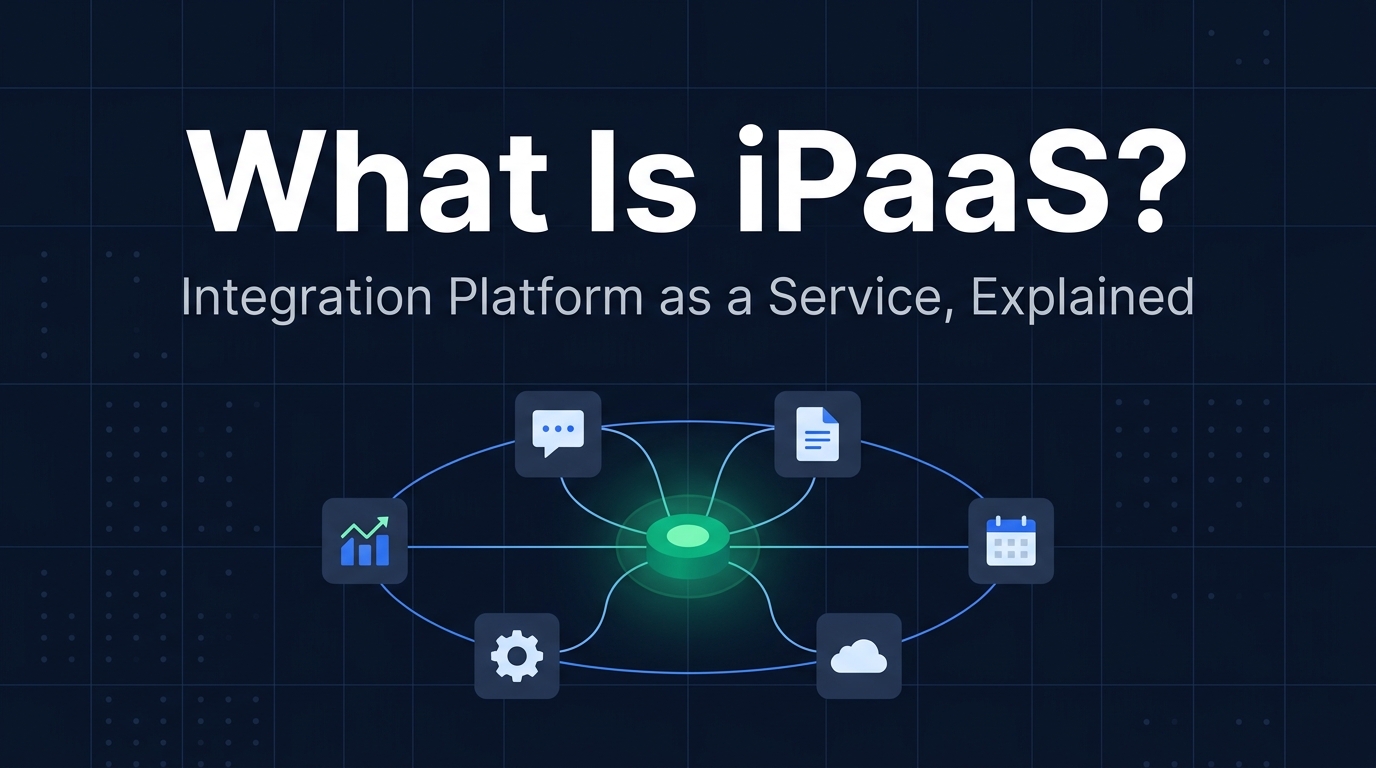
iPaaS (Integration Platform as a Service) is a cloud service that connects your business applications to each other and keeps data flowing between them automatically — new lead in your CRM triggers a Slack alert, a closed deal creates an invoice, a new hire in your HRIS provisions accounts in five other systems. You build the connections visually, using pre-built connectors, instead of writing and maintaining custom integration code yourself.
It sits in between "just use the app's built-in integration" (cheapest, most limited) and "have engineers build and maintain custom API code" (most flexible, most expensive to own). If you're trying to decide which of those three is right for a specific integration, see our full decision framework for native integration vs. iPaaS vs. custom API. This article is the one page back from that: what the term actually means before you evaluate anything.
What iPaaS Actually Is
Strip away the vendor marketing and iPaaS is a fairly simple idea: it's a hosted platform whose entire job is moving data and triggering actions between other pieces of software. It doesn't do CRM, it doesn't do accounting, it doesn't do HR — it sits between the tools that do those things and makes sure they stay in sync without a person manually copying data from one screen to another.
The category grew out of two older ideas colliding. Enterprises have run "middleware" — software whose only job is connecting other software — since long before the cloud, typically as an on-premises Enterprise Service Bus (ESB) that required a dedicated integration team to build and babysit. iPaaS took that same job and delivered it as a managed, multi-tenant cloud service: you don't install anything, you don't patch a server, and a library of pre-built connectors means most integrations start from a template instead of a blank API reference. That shift from "build the connective tissue yourself" to "subscribe to it" is the entire reason the category exists.
A useful mental model: if your business applications are cities, iPaaS is the highway system — plus the traffic rules, the tolls, and the dashboard that tells you when a road is closed. The cities (Salesforce, NetSuite, Workday, Slack) still do their own jobs. iPaaS is what lets a truck (your data) get from one to another without someone hand-carrying it.
How iPaaS Works Under the Hood
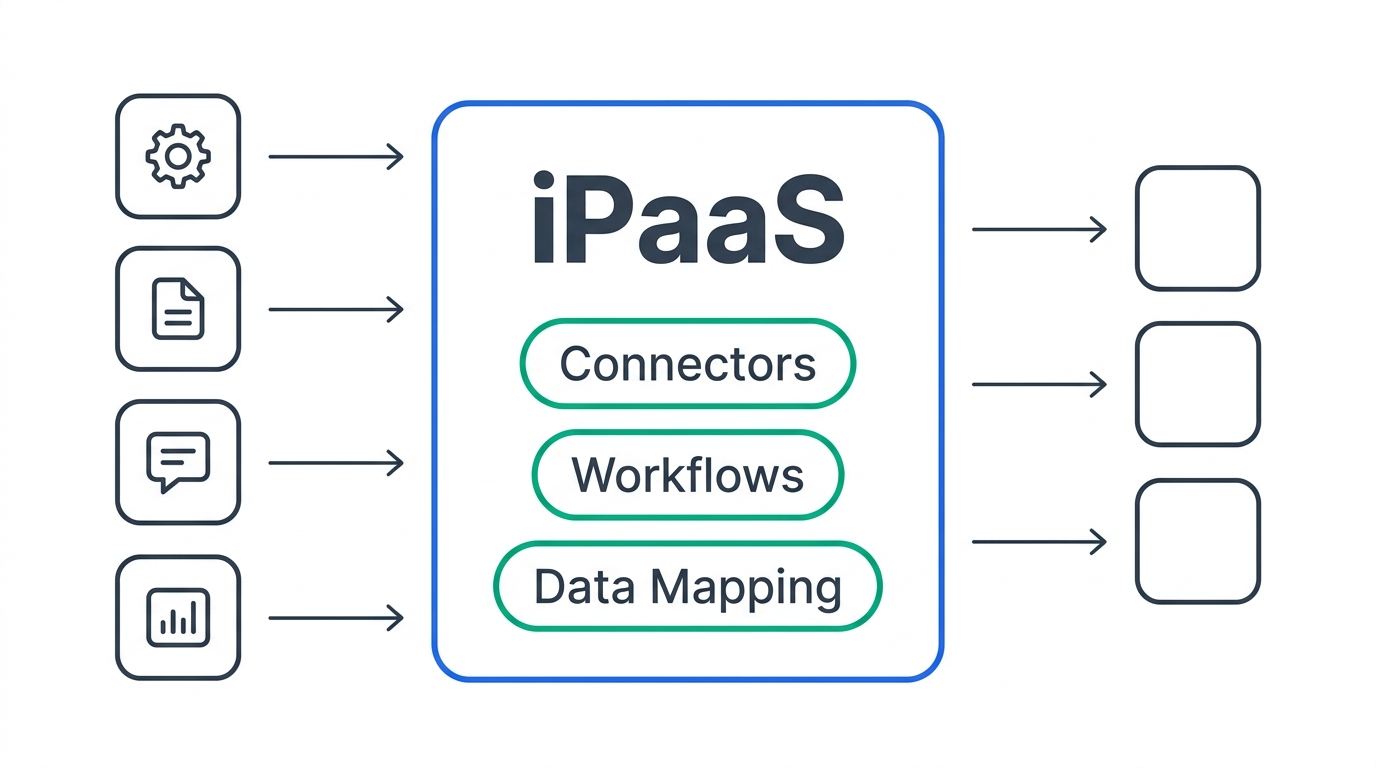
Every iPaaS platform, from a lightweight tool like Zapier to an enterprise platform like Boomi or MuleSoft, is built from the same four layers. Understanding them makes every vendor's pitch deck a lot easier to parse, because they're all selling variations on the same four things.
Connectors
A connector is a pre-built adapter for a specific app's API — Salesforce, HubSpot, NetSuite, Slack, Workday, and thousands of others. Instead of reading that app's API documentation and writing authentication and error-handling code from scratch, you pick the connector from a catalog and log in with OAuth. Enterprise platforms like Boomi and MuleSoft advertise catalogs in the thousands; lighter tools like Zapier list over 8,000. Connector coverage and connector quality (how much of the underlying API it actually exposes) is one of the biggest real differences between vendors.
Triggers and actions
This is the "if this happens, do that" logic — a new deal marked Closed Won in your CRM (trigger) creates a customer record in your accounting system and posts a note in Slack (actions). Some platforms poll for changes on an interval; others support instant, webhook-based triggers. For anything time-sensitive — fraud alerts, provisioning, SLA-bound customer responses — the difference between polling every 15 minutes and an instant webhook is the difference between the integration working and quietly not working.
Data mapping and transformation
Two systems almost never store the same field the same way. One CRM's "Company Name" is another system's "Account.legal_name"; dates, currencies, and phone number formats all need translating in transit. The mapping layer is where an iPaaS earns its keep on anything beyond the simplest one-field sync — it's also where integrations quietly break when a source system adds a field or changes a data type upstream.
Orchestration, error handling, and monitoring
This is the layer that separates a serious iPaaS from a basic automation tool: retry logic when an API call times out, alerting when a run fails, audit logs for compliance, and the ability to sequence multi-step workflows with conditional branching rather than a single linear trigger-to-action chain. It's also the layer that's easiest to underestimate when you're comparing tools on price alone — a cheap platform with no monitoring can fail for hours before anyone notices.
iPaaS vs. SaaS, PaaS, ETL, and the Other Terms You'll Hear
Part of what makes iPaaS confusing is that it shares three letters with several other "as a Service" categories that do genuinely different jobs. Here's the fast version:
| Term | What it actually is | Example |
|---|---|---|
| SaaS | A cloud application that does a specific job for end users. | Salesforce, HubSpot, QuickBooks |
| PaaS | Infrastructure and tooling for building your own applications — servers, runtimes, databases you don't manage yourself. | Heroku, Google App Engine |
| iPaaS | A managed platform whose job is connecting other applications and moving data between them. | Workato, Boomi, MuleSoft, Zapier |
| ETL / ELT | Scheduled, batch-oriented data movement, historically into a warehouse for analytics rather than to trigger real-time actions in another app. | Fivetran, Airbyte |
| Native integration | A connector one vendor builds directly into their own product for a specific other app. | Slack's built-in Google Calendar integration |
| Embedded iPaaS | A white-labeled iPaaS a SaaS company bakes into its own product so its customers can self-serve integrations, rather than for internal IT use. | Paragon, Prismatic, Cyclr |
The distinction that trips people up most is iPaaS vs. SaaS: SaaS applications do business work — a CRM manages customer records, an accounting tool manages books. iPaaS doesn't do business work on its own; it makes the SaaS tools you already pay for talk to each other. The two are complementary, not competing categories — you need SaaS apps for there to be anything to integrate in the first place.
The distinction that matters most for a technical evaluation is iPaaS vs. ETL. Classic ETL tools move data from source systems into a warehouse on a schedule (hourly, nightly) for reporting and analytics — they're not generally built to trigger an action in another live application in real time. Most modern iPaaS platforms now do both, but if your primary need is "get all this data into one warehouse for a BI tool," an ETL-first product is usually the cheaper, simpler fit than a full iPaaS.
If you already know you need to connect two specific apps and are choosing between a native integration, an iPaaS, and writing custom API code, that's a deeper decision than this article covers — it comes down to integration volume, how much custom logic is involved, and who maintains it after launch.
What B2B Teams Actually Use iPaaS For
"Integration platform" is abstract until you see what actually runs on one. In practice, the workloads cluster into a handful of repeating patterns:
CRM and messaging sync
The most common starting point for most companies: a new or updated record in the CRM needs to notify a team channel, update a spreadsheet, or kick off a task in another tool. We cover one specific version of this in detail in how to connect Slack with Salesforce, including where the native integration stops being enough and a dedicated iPaaS workflow takes over.
Order-to-cash and finance sync
Deals close in a CRM, but invoices, revenue recognition, and customer records live in accounting software. Keeping those two systems from drifting apart — new customer in the CRM automatically becomes a customer record in the accounting tool, with the right fields mapped — is one of the highest-value, lowest-glamour use cases for iPaaS. Our guide to connecting HubSpot with QuickBooks walks through exactly this pattern, including the "contact vs. customer" mismatch that trips up a lot of first attempts.
HR onboarding and offboarding
A new hire in the HRIS needs an email account, a Slack seat, a laptop ticket, and access to a dozen systems — all within a specific window, and all of it needs to be revoked cleanly on the way out. This is a workflow orchestration problem more than a two-app sync, which is why it usually needs more than a single point-to-point connection; see our breakdown of workflow automation tooling for HR onboarding for how that stack typically gets layered.
Compliance and audit reporting
SOC 2 and similar frameworks require continuously pulling evidence from HR systems (who has access to what), cloud infrastructure logs, and ticketing tools into one place for an auditor. That's an integration job as much as a compliance job, and it's why compliance automation platforms and iPaaS tooling increasingly overlap. If you're further along and evaluating the compliance platform itself rather than the plumbing underneath it, see our framework for choosing a compliance automation platform.
Who Builds iPaaS Platforms
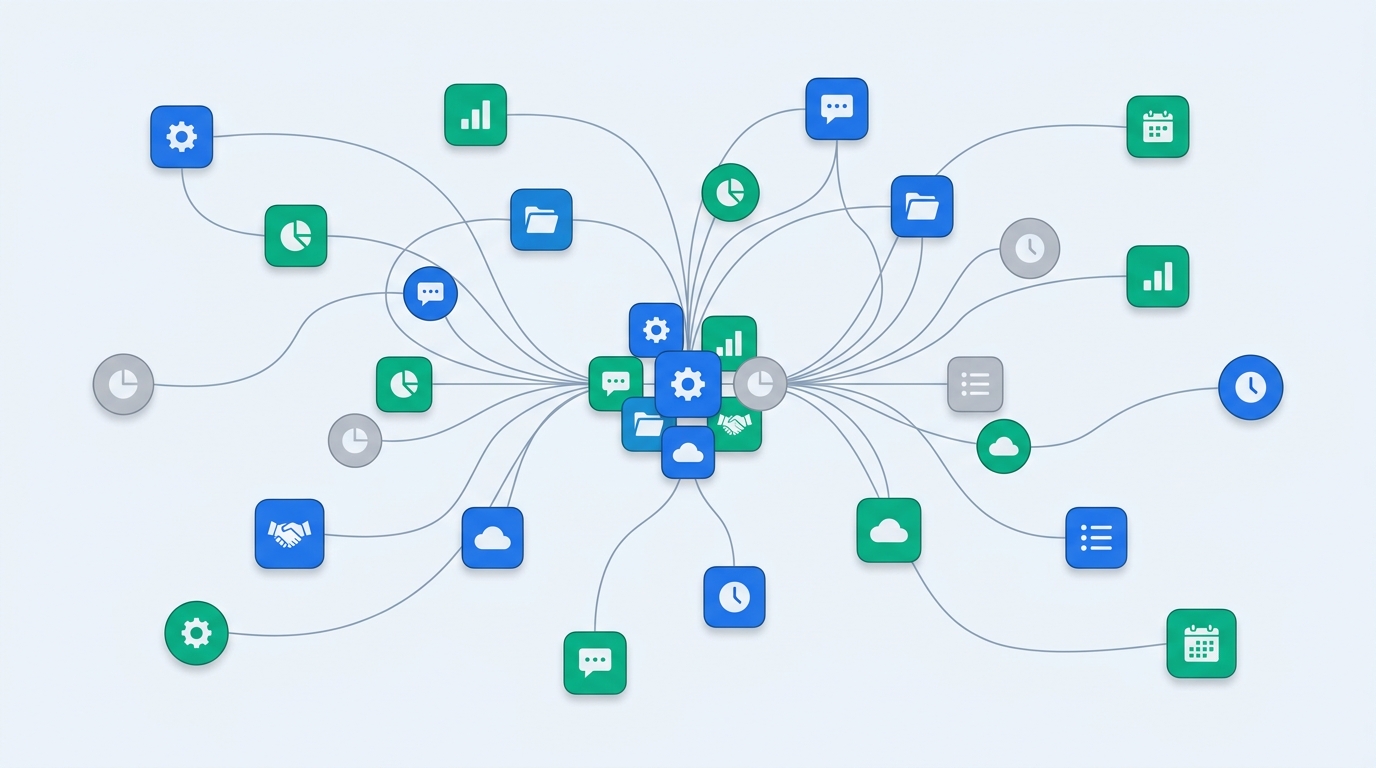
The market splits into three tiers that solve overlapping but distinct problems, and mixing them up in a vendor comparison is a common evaluation mistake.
- Enterprise iPaaS — built for internal IT and integration teams connecting many systems with governance, audit trails, and complex orchestration. Boomi, MuleSoft (Salesforce), SAP Integration Suite, and Workato lead this tier.
- Prosumer / SMB automation platforms — lighter-weight, self-serve tools built for individual ops or marketing users to automate workflows without IT involvement. Zapier, Make, and n8n are the best-known names here; they trade some enterprise governance and monitoring depth for speed and price.
- Embedded iPaaS — built for SaaS companies to hand integration-building tools to their own customers, as a product feature rather than an internal tool. Paragon, Prismatic, and Cyclr specialize here.
On the enterprise side, Gartner's 2026 Magic Quadrant for iPaaS covers 18 vendors. Boomi has been named a Leader every year since the category's Magic Quadrant began — 12 consecutive times — and is positioned highest for Ability to Execute. SAP is a six-time Leader, and Workato was named a Leader for the 8th consecutive time and is positioned furthest in Vision. MuleSoft, Tray.ai, and Zapier (which now competes in both the prosumer and enterprise tiers) also appear in the same report. None of this means one is automatically "best" — it's a signal of scale and analyst confidence, not a substitute for testing a platform against your own systems and connector list.
What iPaaS Actually Costs
Pricing is where the three tiers diverge sharply, and where a lot of buyers get surprised — the sticker price on a pricing page and the eventual bill are often two different numbers, especially at the enterprise end.
Zapier (prosumer tier) publishes clear self-serve pricing: a free plan covering 100 tasks a month, a Professional plan from $19.99/month billed annually (750 tasks/month, or $29.99 billed monthly), and Team plans starting around $69/month billed annually with higher task allowances. Enterprise plans with SSO, SCIM, and audit logs are custom-quoted. (Source: zapier.com/pricing, checked September 2026.)
Boomi (enterprise tier) is unusual in publishing an entry price directly: a Pay-As-You-Go plan at $99/month plus $0.05 per message, with no long-term contract. Its committed subscription editions — the tiers most mid-size and enterprise customers actually land on — are quote-only. Third-party spend-data benchmarks put typical small-to-midsize deployments in the neighborhood of $49,000/year and enterprise deployments averaging over $440,000/year, though your actual number depends heavily on connector volume and message throughput. (Source: boomi.com/pricing, checked September 2026.)
Workato and MuleSoft (enterprise tier) don't publish pricing at all — both require a sales conversation. Third-party estimates aggregated from deal-data firms put typical Workato mid-market deployments around $15,000–$50,000/year, with enterprise deployments regularly exceeding $100,000/year (reported ranges run as wide as $10,000–$216,000/year depending on usage and connector mix). MuleSoft estimates cluster around a median annual contract near $79,000, with larger enterprise programs exceeding $200,000/year. Treat these as directional, not quotable — get an actual quote before budgeting against them.
The pattern underneath all of this: prosumer tools price per task or per Zap, which scales predictably but can get surprisingly expensive at high volume. Enterprise iPaaS prices on connectors, users, and message volume, and almost always ends in a custom quote once you're past a trial. Budget for a real conversation with sales before you assume either the advertised entry price or a third-party estimate is what you'll actually pay.
Do You Actually Need an iPaaS?
Not every integration problem needs a dedicated platform. These are the signals that usually mean it's time to look at one instead of relying on an app's native integration or a single Zap:
- You're connecting three or more systems where a single trigger needs to update multiple downstream apps, not just one.
- The workflow includes conditional logic, branching, or multi-step sequencing — not just "A happens, so do B."
- You need error handling, retries, and alerting when something breaks, rather than discovering a sync failed a week later.
- An auditor, compliance framework, or customer contract requires a record of what data moved where and when.
- The person maintaining the integration today isn't a developer, and the integration needs to survive them leaving.
- You've outgrown a per-task pricing model on a lightweight tool and the bill is now unpredictable.
If none of those apply — you're syncing two apps with a simple one-way trigger and the app you're already paying for has a native integration that covers it — the added cost and setup time of a full iPaaS is usually not worth it yet. That's exactly the trade-off our native integration vs. iPaaS vs. custom API guide is built to help you work through once you're ready to make the call for a specific integration.
Frequently Asked Questions
What is an iPaaS integration platform?
An iPaaS (Integration Platform as a Service) is a cloud-hosted service that connects different business applications so data and workflows can move between them automatically, using pre-built connectors and a visual workflow builder instead of custom code.
What is the purpose of iPaaS?
Its purpose is to eliminate one-off, hand-built integrations between apps. Instead of an engineer writing and maintaining custom code for every connection, an iPaaS gives non-specialist teams a managed layer with connectors, error handling, and monitoring already built in.
Can you give an example of an iPaaS?
Workato, Boomi, MuleSoft Anypoint Platform, SAP Integration Suite, and Zapier are all iPaaS platforms, ranging from enterprise-grade tools built for IT teams (Boomi, MuleSoft) to lighter-weight, self-serve tools built for individual ops teams (Zapier).
What are the top iPaaS platforms in 2026?
Gartner's 2026 Magic Quadrant for iPaaS names Boomi, SAP, and Workato as Leaders, alongside MuleSoft, Tray.ai, and 13 other evaluated vendors. The right one for your team depends more on your existing systems and connector needs than on Magic Quadrant position alone.
Is iPaaS the same thing as an API?
No. An API is a single interface one application exposes so other software can talk to it. An iPaaS is a broader managed platform that uses many APIs behind the scenes, and adds workflow logic, data mapping, error handling, and monitoring on top — the part that doesn't exist if you're just calling an API directly from custom code.
References and sources
- Zapier, Plans & Pricing — task allowances and plan pricing, checked September 2026.
- Boomi, Enterprise Platform Pricing & Editions — Pay-As-You-Go pricing and subscription tier structure, checked September 2026.
- Workato, Named a Leader in the 2026 Gartner Magic Quadrant for iPaaS.
- Boomi, Boomi Named a Leader in the 2026 Gartner Magic Quadrant for iPaaS.
- SAP News, SAP Recognized as a Six-Time Leader in the 2026 Gartner Magic Quadrant for iPaaS.
- Merge, iPaaS vs. Embedded iPaaS: How They Differ and Overlap.
- IBM, What Is iPaaS (Integration Platform as a Service)?

Technology consultant with 10+ years in the Japanese tech industry. Specializing in SaaS evaluation, workflow automation, and B2B tool integration.