Power Automate Alternatives (2026): 9 Options Matched to the Reason You're Leaving
Most "Power Automate alternatives" lists rank tools as if you were picking from scratch. You aren't. If your company pays for Microsoft 365, you already own Power Automate for standard connectors, and a $0 tool is hard to beat. You're only shopping because something specific went wrong: a premium-connector bill, an unattended-bot quote, an app Microsoft doesn't connect to well, a flow that died when its owner left, or a security team that wants the workflow engine on its own servers.
The right alternative depends on which of those it was. This guide starts from the reason you're leaving, maps each reason to the tool that fixes it, and prices one real workflow on seven of them. Prices were checked against vendor pricing pages, pricing APIs, and Microsoft's licensing guide in October 2026.
Want to stay inside Microsoft and stop paying per user? Use Azure Logic Apps. It has the same connector family, Salesforce and SharePoint are billed as low-cost "Standard" connectors, and there's no per-user license. Want a cheap, fast cloud builder for a mixed SaaS stack? Pick Make or Activepieces. Need data on your own servers? Self-host n8n. Google is your main suite, not Microsoft? Workspace Studio is already included in your edition. Unattended desktop bots are a separate decision, and UiPath is the usual benchmark there. Zapier has the widest app catalog, but it's often the wrong exit for Microsoft-heavy, high-volume flows (see when Zapier is the wrong move).
01Before you leave: the number to beat
An alternative only saves money if it beats what Power Automate actually costs you. For most Microsoft 365 tenants that number is lower than people think, because the bill depends on which connectors a flow uses and how the flow is triggered, not on headcount.
- Standard connectors are already paid for. Microsoft 365 business and enterprise plans include cloud flows on standard connectors. Microsoft's own connector list puts more than SharePoint, Outlook, and Teams in that tier. Gmail, Google Sheets, Slack, Asana, Trello, and Docusign are standard too. A flow built only from those costs nothing extra.
- Premium connectors cost $15 per user per month (Power Automate Premium). Salesforce, Jira, Zendesk, ServiceNow, SQL Server, Stripe, and Dataverse are premium. HubSpot, Notion, Shopify, and Zoom exist only as Independent Publisher connectors, which are also premium.
- The trigger decides whose license counts. Automated and scheduled flows run on the owner's license. Instant flows, such as a button in Teams, need a license for each person who runs them. One premium "request" button used by 80 people is 80 Premium seats ($1,200/month) unless you put a Process license ($150 per flow) on it.
- Unattended desktop bots need a Process license ($150 per bot) or the unattended RPA add-on ($150). Pay-as-you-go runs cost $0.60 per premium cloud run and $3.00 per unattended run.
These figures come from Microsoft's Power Platform licensing guide dated October 2026. We break each one down, including the multiplexing rule that blocks the "one shared service account" shortcut, in our Power Automate pricing guide for Microsoft 365 teams.
Two other dates matter this quarter. The 5,000 AI Builder credits that came with each Premium and Process license are removed on November 1, 2026, so any flow that reads invoices or classifies text with AI Builder needs a new funding plan. And once an environment is switched to Managed Environments, Microsoft 365's included rights stop counting there, so every active user needs a standalone license. Both changes push teams to shop around, and neither is a reason to switch without doing the math.
02Match the alternative to the reason you're leaving
Here are the six reasons we see most, and where each one points.
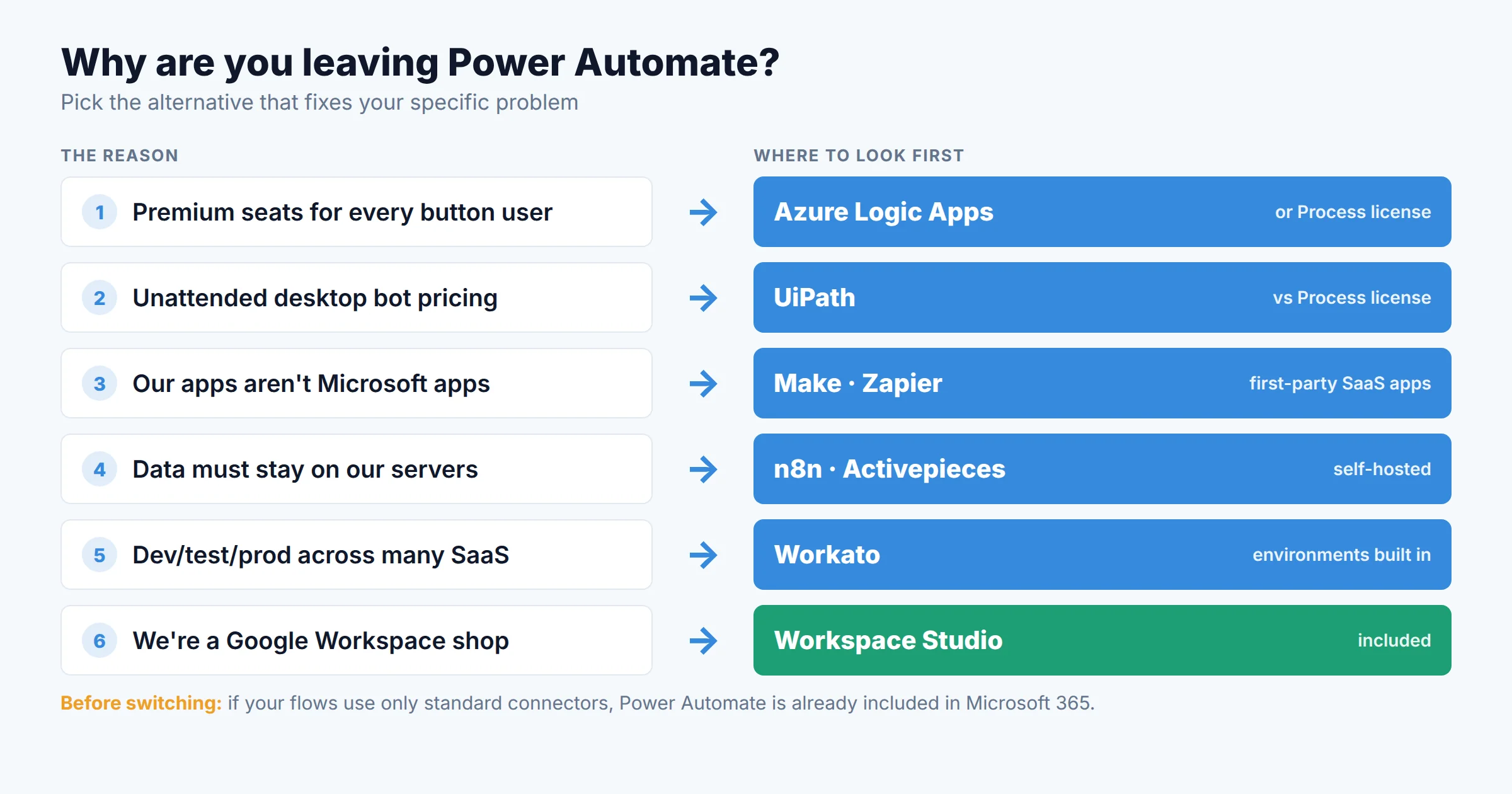
- "Premium seats for everyone who clicks the button." If IT builds the flows, Azure Logic Apps removes the per-user meter and keeps the Microsoft connector family. If business users build them, Make or Activepieces bill per run or per operation, with unlimited or flat-rate users.
- "The unattended bot quote." For desktop and legacy-app automation, compare UiPath with Power Automate's Process license. The free Power Automate for desktop app still covers attended automation on a single Windows PC.
- "Our apps aren't Microsoft apps." HubSpot, Notion, and Shopify exist in Power Automate only as premium Independent Publisher connectors. Zapier (9,000+ apps) and Make have first-party integrations for most SaaS tools.
- "The data can't leave our network." Self-hosted n8n or Activepieces run the workflow engine on your own infrastructure. Logic Apps Standard can also run in a hybrid setup, but the managed connectors still run in Azure.
- "We need dev/test/prod across 30 SaaS apps." Workato is built for that. Its entry edition already includes separate environments and lifecycle management.
- "We're a Google shop that inherited a few flows." Google Workspace Studio is included in Business Starter and above.
03Comparison table: 9 options at a glance
| Option | Billing meter | Entry paid price (Oct 2026) | Free option | Self-host | Best fit |
|---|---|---|---|---|---|
| Azure Logic Apps | Per action execution | $0.000125 per Standard connector action (Consumption) | First 4,000 built-in actions | Hybrid (Standard plan) | IT-built flows on Microsoft connectors |
| Make | Credits (per module run) | Core $12/mo annual, 10K credits (US); $9 in the non-US price book | 1,000 credits/mo | No | Visual builders, mixed SaaS |
| n8n | Executions (per workflow run) | Starter €20/mo annual, 2,500 runs | Community edition (self-host) | Yes | Technical teams, data control |
| Activepieces | Credits (1 per run) | Plus $20/mo, 10,000 credits | 1,000 credits/mo; Community self-host | Yes | Budget cloud or self-host |
| Zapier | Tasks (per action) | Pro $19.99/mo annual, 750 tasks | 100 tasks, 2-step Zaps | No | Long-tail SaaS apps, low volume |
| Workato | Tasks / credits | Self-service Pro from $75/mo (2.5K credits); editions by quote | 50,000 one-time credits | On-prem agents only | Enterprise IT, governed integration |
| UiPath | Users + robots (+ agent usage) | Basic from $25/mo | Community plan (eligibility rules) | Yes (Automation Suite) | Unattended RPA at scale |
| Google Workspace Studio | Included in Workspace | Included in Business Starter and up | Included | No | Google-first companies |
| Stay: re-license Power Automate | Per user / per flow / per run | Premium $15/user; Process $150/flow | M365 seeded rights; desktop app | No | Microsoft-only flows |
Sources: vendor pricing pages and docs, Azure Retail Prices API (East US), Make's pricing API (US book), Microsoft Power Platform Licensing Guide (October 2026). Checked October 28–30, 2026. Annual billing unless noted.
04One flow, seven bills
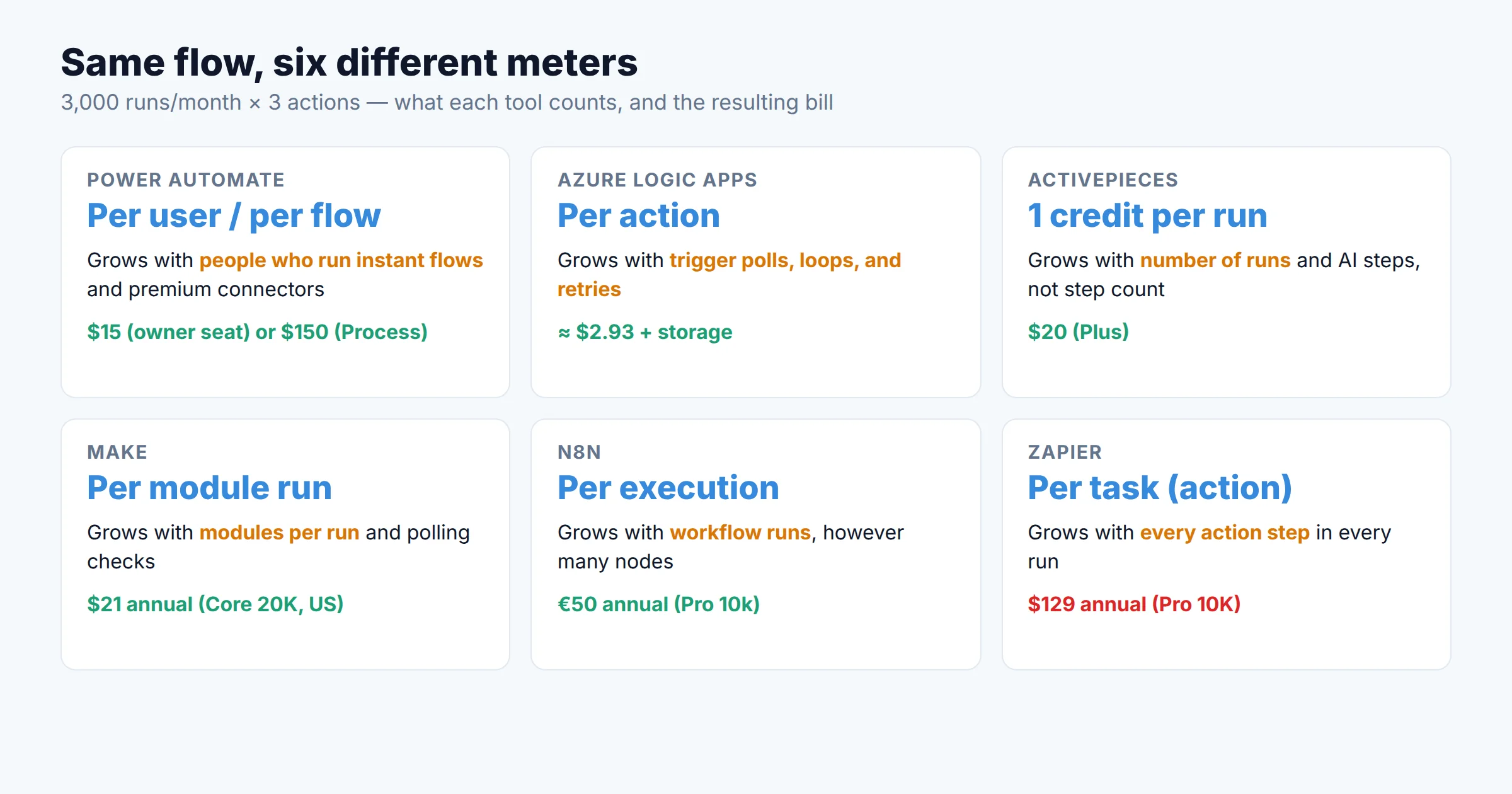
Feature tables don't tell you what you'll pay, because each tool counts a different thing. So we priced one ordinary sales-ops flow on seven of them:
The flow: when a Salesforce opportunity is created, post it to a Teams channel, add a row to a SharePoint list, and email the account owner in Outlook. That's 3,000 new opportunities a month and 3 actions per run. In Power Automate, Salesforce makes the flow premium.
| Tool | What gets counted | Usage for this flow | Plan that fits | Monthly cost |
|---|---|---|---|---|
| Power Automate (owner has Premium) | Owner's license (automated flow) | 1 licensed owner | Premium | $15 |
| Power Automate (owned by a shared service account) | Per flow (to avoid multiplexing) | 1 flow | Process | $150 |
| Azure Logic Apps (Consumption) | Each trigger check + each connector action | 14,400 polls (every 3 min) + 9,000 actions = 23,400 × $0.000125 | Pay as you go | ≈ $2.93 + storage |
| Activepieces Cloud | 1 credit per run, any number of steps | 3,000 credits | Plus (10,000) | $20 |
| Make (US price book) | 1 credit per module run + 1 per polling check | 9,000 + 2,880 checks (every 15 min) ≈ 11,880 | Core 20K | $21 annual / $28 monthly |
| n8n Cloud | 1 execution per workflow run | 3,000 executions | Pro 10k (Starter's 2,500 is too small) | €50 annual / €60 monthly |
| Zapier | 1 task per action (the trigger is free) | 9,000 tasks | Pro 10K | $129 annual / $193.50 monthly |
| Power Automate pay-as-you-go | $0.60 per premium run | 3,000 runs | PAYG environment | $1,800 |
Assumptions: no retries, no loops, no AI steps. Logic Apps uses the East US retail rate for Standard connector actions; Salesforce, SharePoint, Office 365 Outlook, and Teams are Standard-priced in Logic Apps, and polling triggers are billed per check even when they find nothing. Make's polling interval is your choice, and a 1-minute poll adds 43,200 checks a month. Workato is left out because it doesn't publish how credits convert to tasks. Self-hosted n8n and Activepieces Community have no license fee but need a server and someone to run it.
Three takeaways:
- Ownership changes the Power Automate price tenfold. The same flow costs $15 or $150 depending on who owns it, and $1,800 if someone builds it in a pay-as-you-go environment by mistake.
- Logic Apps is nearly free at this volume. The catch is engineering: you need an Azure subscription, someone comfortable in the Azure portal, and you lose Power Automate's Teams approval experience (covered below).
- Per-action billing hurts most at volume. Zapier counts three tasks per run where Activepieces counts one credit and n8n one execution. Our Make vs Zapier vs n8n billing-unit comparison walks through that math in more detail.
05When Zapier is the wrong move
Zapier ranks first for "Power Automate alternatives" on many searches, and it's a strong product. But many of the articles that recommend it are written by Zapier. For a team leaving Power Automate, it's the wrong pick in five common situations. Each of these comes from Zapier's own help center or pricing page:
- Your flows are mostly Microsoft. Zapier's SharePoint integration is a premium app and needs tenant admin consent. Connecting Teams needs an account with a Global Admin, Security Admin, Security Reader, or Privileged Role Admin role, and Teams Free isn't supported. Most Microsoft triggers poll (every 2 minutes on Pro, 1 minute on Team), so they aren't instant.
- Microsoft tokens expire quietly. Microsoft refresh tokens expire after a password change, 14 days without use, or 90 days. In practice that means reconnecting Zaps that would have kept running inside your tenant.
- Volume is high and flows have many steps. Every action is a task, so a 3-step flow costs three times as much as a 1-step one. Overage costs 1.25 times your plan's per-task rate. Our Zapier pricing breakdown shows the full tier ladder.
- You need dev/test/prod. Zapier has no separate environments. If change control matters, look at Workato or Power Platform's own environments.
- You handle PHI. Zapier doesn't sign a HIPAA BAA. Workato does.
Zapier is the right pick when the apps you need are long-tail SaaS tools that only Zapier supports, volume is modest, and the people building flows aren't IT. For a full head-to-head, see Power Automate vs Zapier for Microsoft 365 organizations.
06The 9 options, reviewed
1. Azure Logic Apps: stay on Microsoft connectors, drop the per-user license
Logic Apps is the Azure integration service built on the same workflow engine as Power Automate's cloud flows, and it's the alternative most lists skip. It uses the same designer style and the same family of managed connectors, but the billing is different. The Consumption plan charges for each operation it executes. Rates from the Azure Retail Prices API (East US, October 2026):
- Built-in actions (HTTP, conditions, loops, data operations): the first 4,000 are free, then $0.000025 each
- Standard connector actions: $0.000125 each. Office 365, SharePoint, Salesforce, Power BI, OneDrive, and Azure Blob are all in this tier
- Enterprise connector actions (SAP, IBM MQ, IBM 3270): $0.001 each
- Run history retention: $0.12 per GB per month
Salesforce is the line that matters. It's premium in Power Automate and billed per user, but in Logic Apps it's a Standard connector billed at a fraction of a cent per action. For one integration that many people benefit from, that's the biggest saving on this list.
Two billing details to watch. First, polling triggers are billed per check, even when they find nothing and skip the run. Push-style triggers, such as HTTP requests, cost less. Second, loops and retries multiply. A For each over 10 items with one action inside counts as 11 executions, and an action with 5 retries counts as 6. The Standard plan (single-tenant) charges for compute by vCPU and memory hour. Built-in operations are unlimited there, and it can run in a hybrid deployment.
Pros
- No per-user or per-flow license
- Salesforce, SharePoint, and Outlook are Standard-priced
- Azure RBAC, Key Vault, and ARM/Bicep deployment
- Flows belong to an Azure resource, not to a person
Cons
- Needs an Azure subscription and IT skills
- No Power Automate button trigger or Teams Approvals app
- No desktop RPA
- Polling triggers bill even on empty checks
2. Make: the visual builder that's cheapest at moderate volume
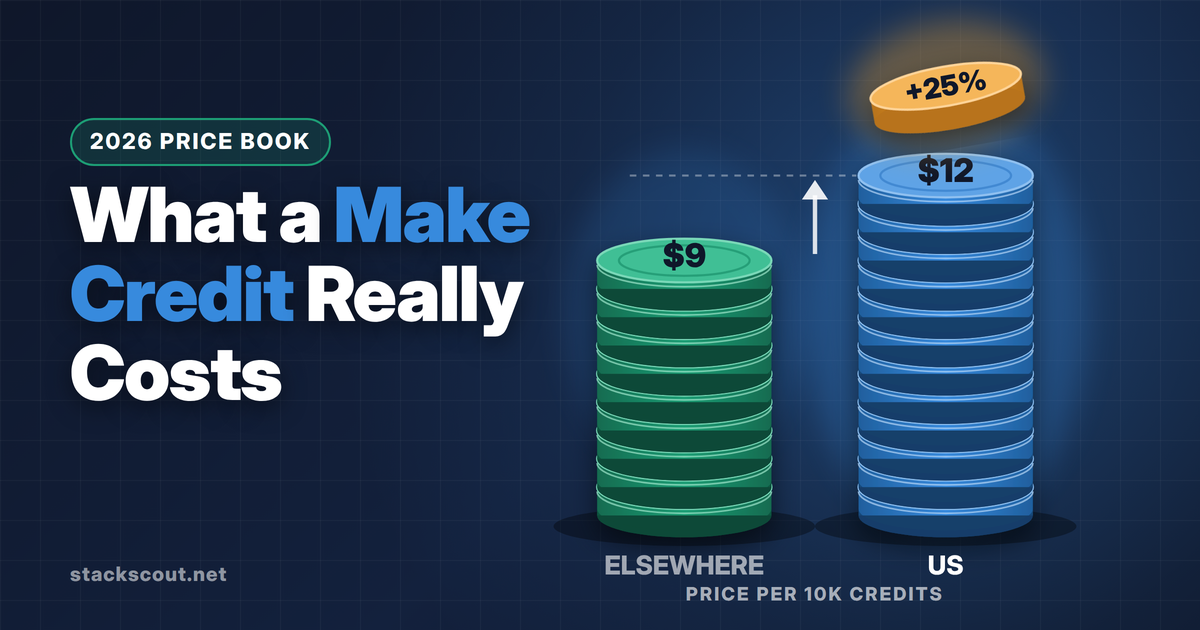
Make bills in credits. Each module run costs 1, and routers and error handlers cost nothing. Users are unlimited on every plan, which removes the per-seat problem that drives many teams off Power Automate. Make's prices depend on your country. The US price book, read from Make's pricing API on October 30, 2026, is Core $12, Pro $21, and Teams $38 per month (annual) for 10K credits, or $16, $28, and $51 monthly. The UK, EU, Canada, Japan, and most other countries see $9, $16, and $29. That's why reviews disagree about the price.
The Free plan gives 1,000 credits a month but only 2 active scenarios at a 15-minute minimum interval. Core lowers the interval to 1 minute. Extra credits cost 25% more than your plan's per-credit rate. Polling triggers cost 1 credit per check, so set intervals on purpose. Microsoft 365 apps are available, but compliance features such as SSO and audit logs are Enterprise-only. Full tier tables are in our Make pricing guide.
Pros
- Unlimited users on all plans
- Strong visual debugging and data mapping
- Routers and error handlers are free
- Startup program: Teams free for up to 6 months
Cons
- Prices vary by country and the US price is higher
- SSO and audit logs are Enterprise-only
- Core annual credits reset every month
- No self-hosting and no desktop RPA
3. n8n: the self-hosted option for technical teams
n8n charges per execution, meaning one workflow run no matter how many nodes it has. That makes long, branching workflows cheap. Cloud plans (October 2026, annual billing) are Starter €20/month for 2,500 executions and Pro €50/month for 10,000 (€24 and €60 billed monthly). Starter and Pro stop at their cap and don't charge overage. Business (€667/month annual, 40,000 executions) is sold only for self-hosting and adds SAML/LDAP SSO. Audit logs, log streaming, and external secrets are Enterprise-only.
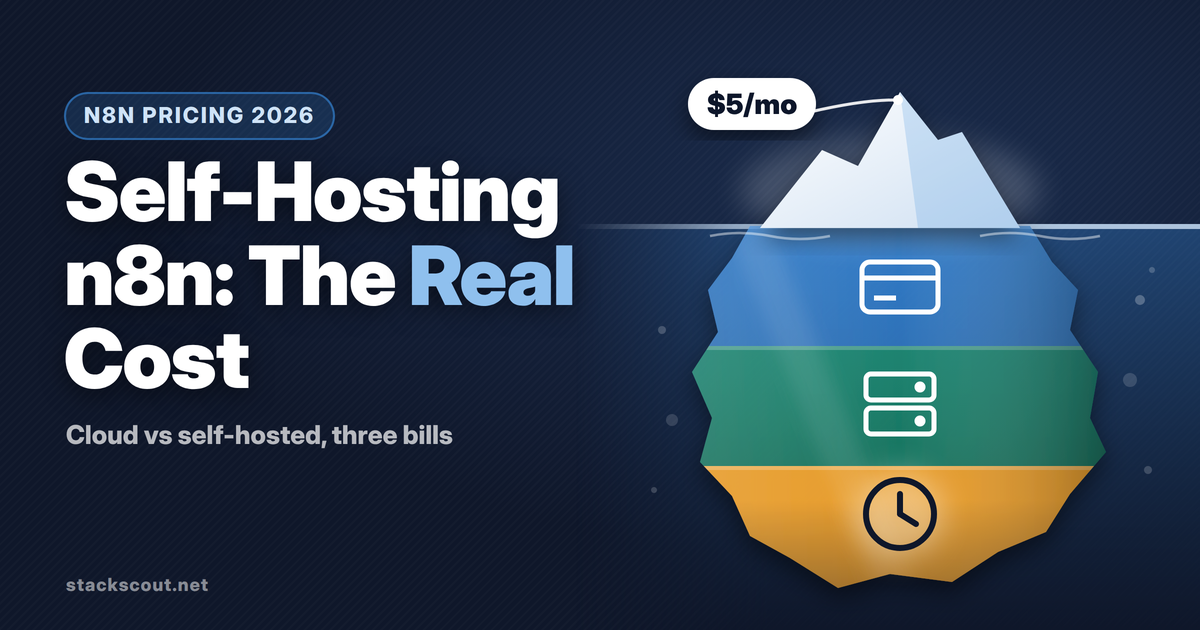
The free Community edition is the reason most IT teams look at n8n. It runs on your own server and has no execution cap, but it also lacks sharing, SSO, and Git. n8n's Docker Compose guide asks for at least 4 GB of RAM and 2 vCPUs. The license is the Sustainable Use License, not an OSI open-source license. Internal business use is fine, but running n8n as a paid service for clients isn't. If you're coming from Power Automate's "n8n vs Power Automate" question, the tradeoff is control and per-run pricing in exchange for doing your own operations. See what self-hosting n8n really costs.
Pros
- One execution per run, however many nodes
- Self-host for data residency or air-gapped networks
- Code nodes, HTTP, and AI agent nodes built in
- Cloud Starter and Pro have hard caps, so no surprise bills
Cons
- SSO needs Business; audit logs need Enterprise
- Not an OSI license; can't resell it as a service
- You patch it; minor releases ship most weeks
- Microsoft connectors are thinner than Power Automate's
4. Activepieces: flat price per run, with an open-source core
Activepieces has the simplest meter here. Its pricing page says "A run is one credit however many steps it has." AI steps are the exception: 2, 10, or 20 credits depending on the model tier, or 1 credit if you bring your own key. Plans (checked October 30, 2026): Free with 1,000 credits a month and up to 5 users, Plus $20/month with 10,000 credits, and Team $200/month with 50,000 credits, 25 users, SSO, and standard roles. Overage on Plus and Team is $0.007 per credit. SCIM, custom RBAC, audit logs, and Git sync are on the custom-priced Ultimate plan.
For Activepieces vs Power Automate, the selling points are the flat per-run price and the self-hostable Community edition. The weak points are a smaller catalog (the pricing page cites 770+ integrations) and less depth on Microsoft. For a self-hosting comparison with n8n, read n8n vs Activepieces self-hosted.
Pros
- 1 credit per run, regardless of steps
- Plus at $20 covers 10,000 runs
- Self-host or cloud on every plan
- Built-in Tables, Agents, and MCP
Cons
- Fewer integrations than Zapier or Make
- SSO starts at $200/month (Team)
- Audit logs and SCIM only on Ultimate
- Free-plan runs over quota wait for the reset
5. Zapier: widest app catalog, priciest per step
Zapier's strength is coverage. It lists 9,000+ apps, and its builder is the easiest on this list for non-technical users. Pricing (annual, October 2026) starts at Pro $19.99/month for 750 tasks and goes to $129 for 10K. Team plans start at $69 for 2K tasks and add SAML SSO and a 6-month audit log. Monthly billing costs 1.5 times as much. Triggers, filters, paths, and Formatter steps don't count as tasks. Every action does.
Use it for the long tail of SaaS tools, at modest volume. Avoid it for the five situations listed above. Teams that later outgrow it can follow our Zapier-to-n8n migration playbook.
Pros
- Largest app catalog
- Easiest builder for business users
- SSO on Team, not only Enterprise
- Built-in tools don't use tasks
Cons
- Per-action billing adds up on multi-step flows
- SharePoint is premium and needs admin consent
- No dev/test/prod environments
- No HIPAA BAA
6. Workato: governed integration for enterprise IT
Workato is the alternative for IT teams whose real problem is governance across many SaaS systems. Its entry Standard edition includes dev/test/prod environments, lifecycle management, SAML SSO, MFA, and RBAC. Higher editions add on-prem agents (outbound-only over port 443), activity audit logs, and data masking. It has 1,200+ connectors and signs a HIPAA BAA. Workato's task meter counts each action step as a task. Triggers and control flow are free, and a batch action counts as one task.
Workato now sells self-service plans too: a Free plan with 50,000 one-time credits and Pro from $75 a month, limited to 3 users and US hosting. The editions are sold by quote, and Vendr reports contract values typically from $25K to $500K+ a year. That makes it a different budget category from everything above. For the enterprise comparison, see Workato vs Zapier for enterprise teams.
Pros
- Dev/test/prod in the entry edition
- On-prem agents for systems behind the firewall
- Batch actions count as one task
- HIPAA BAA, nine data-center regions
Cons
- Editions by quote; typically five to six figures a year
- Credit-to-task conversion isn't published
- Self-service Pro: 3 users, no SSO
- Overkill for M365-only workflows
7. UiPath: when the real need is unattended desktop RPA
If the trigger for leaving was Power Automate's unattended bot pricing, compare RPA platforms, not cloud workflow tools. UiPath is the usual benchmark. Its pricing page (October 2026) lists Community (free), Basic from $25 a month (2 robots, up to 5 Basic, 5 Plus, and 1 Pro user, with a note that Basic "is evolving"), and Standard and Enterprise by quote. UiPath's docs say the Community plan includes one Pro user, one Plus user, and one Unattended Robot, free to individuals and organizations that meet the Community Agreement's eligibility criteria. Check that agreement before using it in production.
For UiPath vs Power Automate, UiPath brings deeper orchestration, test automation, and document understanding. Power Automate brings its Process license ($150 per bot) inside a tenant you already run. For many mid-size teams, the honest answer is to get both quotes. Our explainer on workflow automation vs RPA vs AI agents helps you decide which category you actually need.
Pros
- Mature orchestration and robot management
- Community plan includes an unattended robot
- Strong document processing and testing
- Self-host via Automation Suite
Cons
- Production plans are quote-only
- Community eligibility is set in a legal agreement
- Overkill for API-to-API flows
- Another vendor alongside Microsoft 365
8. Google Workspace Studio: Google's equivalent of Power Automate
Workspace Studio, which grew out of the earlier Workspace Flows alpha, is the answer to "what is Google's equivalent to Power Automate?" It reached all Rapid Release and Scheduled Release domains in March 2026. It's available in Business Starter, Standard, and Plus, in Enterprise Starter, Standard, and Plus, and in the Education editions. Flows can use Gmail, Drive, and Sheets with Gemini steps, connect to Asana, Jira, Mailchimp, and Salesforce, and call Apps Script for custom steps. In August 2026 Google added agent identities, audit events, an admin dashboard to suspend flows, and Studio DLP. DLP is limited to Enterprise Standard and Plus and some other editions.
Google's help center lists the limits: 25 flows per user (active or not), 25 Gmail-started active flows, and 100 steps per flow. There's also a daily run limit whose number Google doesn't publish. That's fine for personal and team automations and too small for system-to-system integration.
Pros
- No extra license on most Workspace editions
- Natural-language flow building with Gemini
- Admin controls and audit events since August 2026
- Apps Script for custom steps
Cons
- 25 flows per user, 100 steps per flow
- The daily run limit isn't published
- Few third-party connectors
- Useless if your mail and files live in Microsoft 365
9. Stay on Power Automate, but restructure the licensing
This is the option no vendor will suggest, and it's often the cheapest. Before migrating, check whether any of these fixes the bill:
- Move a widely used premium instant flow to a Process license ($150 per flow) instead of buying a Premium seat for everyone who runs it. Up to 25 flows can share one license as a flow group.
- Replace a premium connector with a standard one where possible. Many SaaS tools have a standard-tier connector, or you can call a webhook from a tool you already pay for.
- Use the free Power Automate for desktop app for attended automation. Signed in with a work or school account, it records and runs desktop flows locally on Windows 10/11 (Pro, Enterprise, and Home). Cloud triggering, sharing, and unattended runs need a premium account.
- Reassign flows owned by people who have left. M365-licensed flows with no trigger for 90 days get turned off, and a flow whose owner leaves drops to the lowest performance tier.
Pros
- No migration or retraining
- DLP, Teams Approvals, and in-tenant data stay in place
- Standard connectors already paid for
Cons
- Premium per-user pricing stays for instant flows
- AI Builder credits are removed November 1, 2026
- Managed Environments need standalone licenses
07Free Power Automate alternatives
"Free" means something different for each tool. Here's what you can actually run without paying, as of October 2026:
| Option | What's free | The limit you'll hit first |
|---|---|---|
| Power Automate for desktop | Desktop flow authoring and local attended runs on Windows | No cloud triggers, sharing, or unattended runs |
| n8n Community (self-host) | Unlimited executions on your server | No sharing, SSO, or Git; you run the server |
| Activepieces Free / Community | 1,000 credits/month in the cloud; self-host Community | Runs over quota wait for the reset |
| Make Free | 1,000 credits/month | 2 active scenarios, 15-minute interval |
| Zapier Free | 100 tasks/month | 2-step Zaps only, 15-minute polling |
| Azure Logic Apps (Consumption) | First 4,000 built-in actions | Connector actions are billed from the first call |
| UiPath Community | 1 Pro + 1 Plus user, 1 Unattended Robot | Eligibility set by the Community Agreement |
| Google Workspace Studio | Included in most Workspace editions | 25 flows per user; unpublished daily run cap |
08What doesn't come with you when you leave
Migration estimates usually count flows. They should count the Power Automate-specific pieces inside those flows, because those have to be rebuilt by hand.
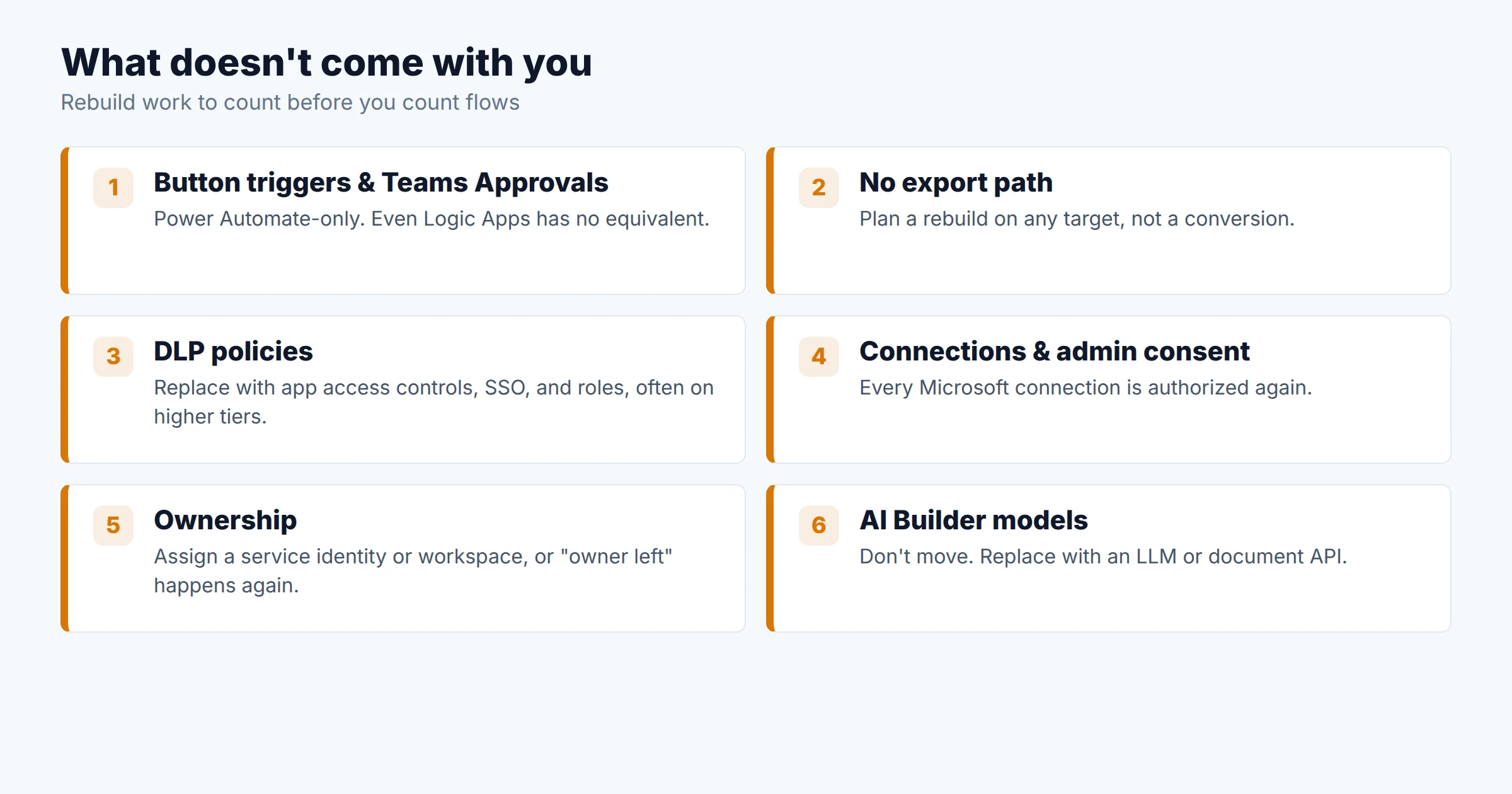
- Button triggers, Approvals, and notifications. These belong to Power Automate. Even Logic Apps doesn't have them. Its closest equivalent is the Outlook "send approval email" action.
- There's no export path. Microsoft used to offer "Export → Logic Apps template" for older flows. As of October 30, 2026, the Learn article describing it redirects to a feedback forum. Plan to rebuild flows, not convert them, on any target.
- Data loss prevention policies. Power Platform DLP is enforced inside the tenant. On Zapier, Make, n8n, or Activepieces you'll need app access controls, SSO, and roles, and several tools put those on higher tiers.
- Connections and consent. Every Microsoft connection has to be authorized again, and some tools need a tenant admin to consent to Graph permissions.
- Ownership. Decide who owns each automation on the new platform before you move it. Use a service identity, a shared workspace, or an Azure resource. Otherwise you'll recreate the "owner left, flow died" problem.
- AI Builder models. Document processing and prediction models don't move. Most tools let you call an LLM or document API instead, metered on their own terms.
Planning a move to Azure specifically? We're preparing a guide to migrating Power Automate flows to Azure Logic Apps.
09Who should choose which
Azure Logic Apps
- Salesforce and SharePoint at Standard connector rates
- No per-user licensing
- Deploy with ARM or Bicep
Make or Activepieces
- Unlimited users (Make) or 1 credit per run (Activepieces)
- About $20/month at 3,000 runs
- SSO costs extra on both
n8n self-hosted
- Data stays on your servers
- SSO on Business, audit logs on Enterprise
- Budget for patching
Workato
- Dev/test/prod environments built in
- On-prem agents and a HIPAA BAA
- Annual contracts by quote
UiPath vs Process license
- Get both quotes
- Community plan for small pilots
- Don't use a cloud iPaaS for screen scraping
Stay and re-license
- Process license on the shared flow
- Standard connectors where possible
- Free desktop app for attended tasks
If you're also weighing AI agents rather than deterministic flows, which is the "which AI automation tool is best" question, our comparison of AI agent automation platforms covers Copilot Studio, n8n, Workato, UiPath, and others by billing meter.
10How we chose
We started from the reasons Microsoft 365 teams give for leaving Power Automate and kept only tools that fix at least one of them. Then we checked each tool on four criteria: the billing meter and its published October 2026 prices, Microsoft 365 connector depth, governance features by tier (SSO, audit logs, environments), and hosting options. Prices came from official sources: the Power Platform Licensing Guide (October 2026), the Azure Retail Prices API, Make's pricing API, the price data embedded in the n8n and Zapier pricing pages, and the Activepieces, Workato, UiPath, and Google help or pricing pages. The sample-flow costs are our own calculations from those published rates. We didn't run production workloads on each tool, and vendors didn't review or pay for this article. Where a vendor doesn't publish a number, such as Workato's credit conversion or Google's daily run cap, we say so rather than estimate it.
11FAQ
What is Google's equivalent to Microsoft Power Automate?
Is there a free alternative to Power Automate?
n8n vs Power Automate: which is better for a Microsoft 365 company?
Is there a web version of Power Automate?
Are Power Apps and Power Automate the same thing?
Sources
- Microsoft Power Platform Licensing Guide, October 2026 — go.microsoft.com/fwlink/?LinkId=2085130
- Azure Retail Prices API, Logic Apps (East US) — prices.azure.com
- Microsoft Learn: Usage metering, billing, and pricing for Azure Logic Apps — learn.microsoft.com
- Microsoft Learn: Managed connectors in Azure Logic Apps — learn.microsoft.com
- Microsoft Learn: Power Automate for desktop prerequisites and sign-in account comparison — learn.microsoft.com
- Make pricing — make.com/en/pricing
- n8n pricing — n8n.io/pricing
- Activepieces pricing — activepieces.com/pricing
- Zapier pricing — zapier.com/pricing
- Workato pricing and self-service docs — workato.com/pricing, docs.workato.com
- UiPath pricing and Community plan — uipath.com/pricing, docs.uipath.com
- Google Workspace Updates: Workspace Studio (Dec 2025, updated Mar 2026) and enterprise controls (Aug 17, 2026) — workspaceupdates.googleblog.com
- Google Workspace Studio limits — support.google.com

Technology consultant with 10+ years in the Japanese tech industry. Specializing in SaaS evaluation, workflow automation, and B2B tool integration.